Operations | Monitoring | ITSM | DevOps | Cloud

The Best Things Come in Content Packs: Synthetic Managing and Third-Party APM

We recently announced the new Splunk App for Content Packs, your single source for all the goodness that is content packs. This new app makes it easier than ever to get started with Splunk for IT use cases. Individual content packs come with prepackaged content and out-of-the-box searches and dashboards, helping streamline workflows and ensuring you get the most out of your usage with Splunk IT Service Intelligence (ITSI) and Splunk IT Essentials Work (ITE Work).

Sponsored Post

Why Exoprise Beats the Competition

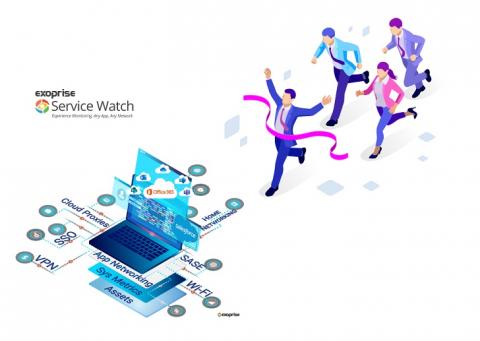
Digital Experience Monitoring (DEM) solutions like those from Exoprise monitor SaaS and custom web applications behind the firewall or cloud to deliver optimal performance to end-users. In a survey done by Forrester, 51% of technology teams and individuals are now objectively managed on providing the right technology to improve and manage the end-user experience. While the onset of COVID may have led companies to restructure a year ago, the same companies are now presented with new challenges to support a hybrid workforce and retain the best employees.

Test internal applications with Datadog's testing tunnel and private locations

As part of your monitoring and testing strategy, you may run tests on different types of applications that are not publicly available—from local versions of production-level websites to internal applications that directly support your employees. Testing each one requires leveraging tools that allow you to verify functionality across a wide range of devices, browsers, and workflows while maintaining a secure environment.

2 Steps V6 - New Features

Check out how 2 Steps can now match elements as well as visual recognition. Add custom Javascript and build synthetic transactions even faster than before. 2 Steps now supports “element matching” as an alternative to image matching in Chrome tests. This major new functionality allows 2 Steps to handle many previously difficult scenarios, for example when the target of a command is pushed off the bottom of the screen or hidden by a popup, or when a style update changes the appearance of a button.

2 Steps v6 Demo

Agentless Synthetic Monitoring. Purpose-built for Splunk. Create active monitoring tests in minutes for Web, Windows, Mobile, Citrix and more in minutes. Watch the latest features in the v6 release in action. 2 Steps now supports “element matching” as an alternative to image matching in Chrome tests. This major new functionality allows 2 Steps to handle many previously difficult scenarios, for example when the target of a command is pushed off the bottom of the screen or hidden by a popup, or when a style update changes the appearance of a button.

With Splunk Synthetic Monitoring, proactively find and fix your user experience issues

Trend, visualize, and improve performance of all your page resources and third party dependencies. Detect and resolve issues faster across your critical user flows, business transactions and API endpoints using Splunk Synthetic Monitoring.

Prioritize and resolve performance defects with Splunk Web Optimization

Find, fix and prevent web performance issues with an intelligent optimization engine. From Google's Lighthouse scores to core web vitals and 50+ modern performance metrics, learn to benchmark and improve page performance and user-experience with Splunk Web Optimization. Get a free trial as part of Splunk Synthetic Monitoring today.

Introducing multi-factor authentication in Datadog Synthetic tests

Multi-factor authentication (MFA) is an increasingly popular method for securing user accounts that requires users to provide two or more pieces of identifying information when logging into an application. This information can consist of unique verification links or codes sent to the user’s phone or email address, as well as time-based one-time passwords (TOTPs) generated by authenticator applications or hardware.

How to set up synthetic monitoring at scale with Grafana Cloud

While unit testing and integration testing can give you insight into the individual functionalities of an application, “at times you need some sort of monitoring or testing mechanism which also simulates a user’s behavior to test how the application would work or look to an actual user in the world,” says Grofers Software Development Engineer Yashvardhan Kukreja. That’s where synthetic monitoring comes in.