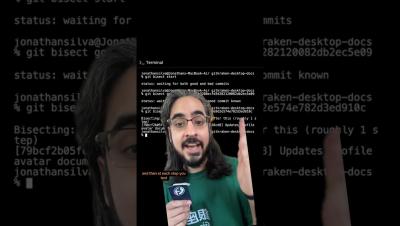
GitKraken Desktop’s branch filtering and soloing capabilities make it easy to focus on just the branches you need. Watch the full Workshop here on YouTube to take control of your repos like a pro!
Since GitKraken Desktop 10.0, we’ve added helpful features like the Launchpad, where you can manage PRs, issues, and WIPs in one view. But that's just the beginning – check out the full video here on YouTube for the complete rundown!
Right-click on the author column and filter to highlight your own commits in seconds.️ Learn about efficient repo management, branch soloing, pull requests and more from GitKraken Ambassador (and power user ) Kevin @Kitokeboo in the full Workshop here on YouTube!
Most companies prioritize developer productivity, yet inefficiencies continue to cost dev teams valuable time. In fact, Atlassian’s State of Developer Experience report reveals that nearly 70% of developers lose more than eight hours a week to workflow friction. Atlassian Solution Partners are uniquely positioned to address this challenge, and GitKraken’s new DevEx Advance Partner Program is designed to help them do exactly that.
Looking for an easy way to organize your repos? In the first part of this tutorial, we’ll walk through the steps to easily create a cloud Workspace in GitKraken Desktop – so you can keep your repos neat and tidy, ready to collaborate with your team. Check out the full Create a Workspace tutorial here on our YouTube channel!
In part two, we cover how to create a local Workspace in GitKraken Desktop and keep it synced with your directory – perfect for managing multiple repos right from your machine! Check out the full Create a Workspace tutorial here on YouTube.
Ready for easy pull requests in GitKraken Desktop? Just click, drag, drop to get your PR rolling in no time. Check out our latest Workshop for more Git tips from the pros!
We just launched some great improvements to using single sign-on with GitKraken. Check out what's new in this quick overview from Product Manager, Grady. Head on over to gitkraken.dev to review these changes and configure single sign-on!
Level up your GitKraken IQ with insights from power users. In this GitKraken workshop, a longtime GitKraken Desktop pro covers the features and workflows they use every day to streamline their work. We dive into the deeper aspects of the Commit Graph, sidebar, commit search and more. Whether you're a new user or a vet, you'll walk away with time-saving ideas you can apply today.
Hey there GitKraken faithful! Today, we're showcasing notable updates for GitKraken Desktop that will make you a smarter, more informed contributor to your projects. Check out what's new with features like Launchpad, Code Suggest, and more.