Operations | Monitoring | ITSM | DevOps | Cloud

GitKraken Desktop 101 Ep 30: Use the On-Prem Launchpad | Your Self-Hosted Workflow Hub

Your Git workflow, all in one place and fully on-prem Launchpad in GitKraken On-Premise gives you a focused view of your Git activity without relying on the cloud. See what needs your attention and jump straight into action. With Launchpad, you can.

GitKraken Desktop Release 10.8: Conflict Prevention, Multi Cherry Pick

With GitKraken Desktop 10.8 and its Conflict Prevention, you can detect conflicts with org members early, reducing messy merges and painful rework. Plus, we’ve added highly requested features like cherry picking multiple commits to make your workflow smoother than ever!

Stop Merge Conflicts Before They Happen with GitKraken Desktop 10.8

Merge conflicts can derail your workflow at the worst possible moment. You’re making progress, ready to push your changes, and then suddenly—you hit a conflict. Now you have to stop, figure out what changed, track down a teammate, and resolve the issue before moving forward. It’s frustrating, time-consuming, and disrupts your momentum.

Why Bad Workflows Are Silently Killing Your Velocity (and How to Fix It)

Velocity isn’t just about how fast developers write code—it’s about how efficiently that code moves from idea to production. Yet many teams struggle with an invisible bottleneck: inconsistent workflows. Without clear, standardized processes, teams hit avoidable roadblocks that slow them down in ways that aren’t always obvious. PRs linger in review, merge conflicts become routine, and onboarding a new developer feels like an unwritten scavenger hunt. The worst part?

The Cost of Doing Nothing: How Workflow Chaos Wastes 20+ Dev Hours a Month

Every development team has a workflow. But if it’s not standardized, it’s quietly draining time, energy, and productivity—without you even realizing it. A lack of consistent processes in branching, PRs, code reviews, and deployments doesn’t just create friction—it’s a silent tax on your entire team. And the cost? Easily 20+ hours per developer per month spent fixing avoidable issues instead of shipping great code.

Introducing the GitLens Home View

Introducing the GitLens Home View | A Smarter Way to Navigate Your Repos Welcome to the GitLens Home View—your new command center for effortless repository navigation and insights. With the Home View, you can: Quickly access your recent repositories Jump into your workspaces and projects with ease Get instant context on stashes, commits, branches, and more Customize your view to fit your workflow.

GitKraken Desktop: Visualize Git, Simplify Version Control

Explore the future of version control with GitKraken Desktop on Windows, Linux, and Mac! Embrace a clear, user-friendly interface that simplifies Git and enhances developer collaboration. With intuitive features like the Commit Graph and Focus View, tracking changes and managing pull requests has never been easier.

GitKraken Workshop: Conquer Git Complexities With the New GitKraken CLI

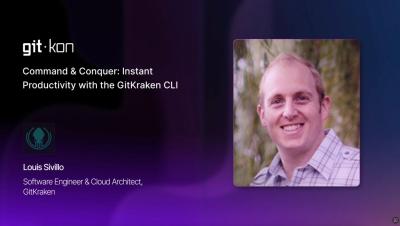
GitKraken is creating a reimagined CLI experience. Our goal? Conquer Git complexities by reducing repetitive repo management tasks. In this session, GitKraken Senior Cloud Architect, Louis Sivillo, will showcase how the CLI will create and manage repositories as a cohesive unit, execute cross-repository operations with a single command, and dramatically reduce context switching and manual overhead. We'll also dive into the future of the CLI and what we're building next to improve your workflows.

1st Live AMA with GitLens Creator Eric Amodio | Feb 13, 1pm EST

What questions would you ask the creator of GitLens? Whether you’re a power user or new to GitLens and have basic questions, we’d love to hear from you. Join us for a live AMA with Eric Amodio, the creator of GitLens on February 13th at 1 PM EST. GitLens has evolved significantly since it began as a simple blame and annotations extension for VS Code. Now, we invite you to ask questions, gain insights, and hear Eric’s perspective on any topics you're curious about.