Operations | Monitoring | ITSM | DevOps | Cloud

Booking.com's Observability Overhaul: Unified Metrics, Logs, and User Insights | Grafana & OTel

Murugesan and Ahmadali from Booking.com's Observability Team as they dive into the journey of modernizing observability. Discover how they transformed fragmented systems into a centralized, scalable platform using OpenTelemetry and Grafana solutions. They share insights on their three-year strategy, the importance of unified metrics and logs, and overcoming challenges, from technology transitions to fostering teamwork.

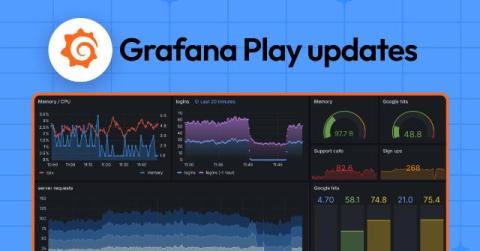
Grafana dashboards are now powered by Scenes: big changes, same UI

Though you might not immediately notice it the next time you log in, Grafana’s frontend has undergone a major upgrade. We recently migrated our dashboard architecture to utilize the Grafana Scenes library, enabling the creation of more stable, dynamic, and flexible Scenes-powered dashboards. Yes, the UI is pretty much the same, but under the hood, the engine responsible for visualizing the dashboards used by millions of people around the world has largely been rewritten.

Beginners guide - Visualizing Canvas in Grafana | Grafana Labs

In this video, Grafana Developer Advocate Leandro Melendez describes how Canvas panels combine the power of Grafana with the flexibility of custom elements. They are extensible visualizations that allow you to add and arrange elements wherever you want within unstructured static and dynamic layouts. This lets you design custom visualizations and overlay data in ways that aren’t possible with standard Grafana visualizations, all within the Grafana UI.

Grafana variables: what they are and how they create dynamic dashboards

A common pattern when building Grafana dashboards is to represent data for many items at once, such as simultaneously monitoring hundreds of servers. But what if there’s a problem with one of those servers? You’d want the ability to quickly identify that single server, and drill into the details without noise from all the other systems. In Grafana, dashboard variables are a great way to filter data and focus on the information that’s most important to you.

Edit your Git-based Grafana dashboards locally

Grafana has grown to become one of the most prominent dashboarding tools available, with an extensive set of features that support organizations of all sizes. There can come a time, however, when you have too many dashboards. As a software engineer, you might think, “Why can’t I do with dashboards what I do with my code?” That is, you know how to keep your code in version control (e.g., Git). You know how to share and review your code with colleagues (e.g., pull requests).

Visualize GitHub repos, projects, and more: get started with the GitHub data source for Grafana

In 2020, we introduced the GitHub data source plugin for Grafana, helping organizations visualize and gain deeper insights into their use of the popular version control and collaboration platform. Since then, thousands of users have installed the data source, and we’ve been working hard to extend its capabilities and make it even easier to use.

Learn the Anatomy of a Grafana Plugin | Grafana Plugin Development

Learn about the anatomy of a Grafana plugin in this video where we'll dive deep into the various frontend and backend components involved when creating your own plugin. We'll look at the individual components for each plugin type, as well as explain how the plugin project files are organised, so that you're fully equipped to make your own awesome plugins.

Browser testing in Grafana Cloud k6: how to optimize frontend web performance

Modern websites typically have a backend API and a frontend user interface. Testing both is essential to deliver a reliable user experience and optimize engagement. Historically, Grafana Cloud k6 has helped you check one of these boxes, allowing you to test your website’s backend APIs with protocol tests. Now, we are excited to share that you can also validate your website’s frontend performance with the new browser testing feature in Grafana Cloud k6.

Grafana 11.3 release: Scenes-powered dashboards, visualization and panel updates, and more

Roll out the red carpet! Grafana 11.3 is here and marks the general availability of Scenes-powered dashboards, which set the foundation for what we envision the future of Grafana dashboards will be. But the current state of Grafana dashboards looks pretty awesome as well. The dashboard experience has improved, including the ability to trigger API calls from any canvas element with the new Actions option across many visualizations.

Set Up Links Between Data Sources With the New Correlations Feature | Demo | Grafana 11.3

Correlations is a feature that allows Grafana users to set up links between their data sources. Previously, the link generated would only be from one query to another—meaning results from a query could only generate links to open a second Explore pane with other query results. With this feature, users can now link to third party web-based software based on their search results. The format follows the standard Grafana format for using variables. This is generally available in all editions of Grafana.