Operations | Monitoring | ITSM | DevOps | Cloud

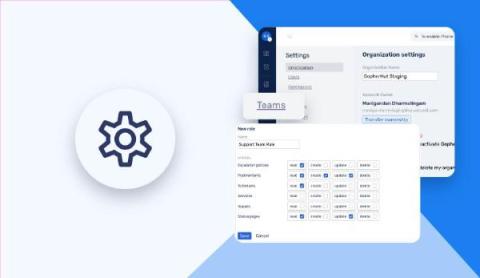
How to build workflows in OneUptime and integrate OneUptime with anything?

OneUptime is a complete open-source observability platform. It allows you to create workflows and integrate with over 5000 different services and products without writing any code. This integration capability allows OneUptime to connect with the rest of your software stack. Building workflows in OneUptime likely involves defining the sequence of operations that should occur based on certain triggers or conditions. These workflows can help automate processes, such as incident management, alerting the right people at the right time, and more.

FinOps and Cloud Cost Optimization #shorts #datadog #cloudservices

As companies scale, it’s become increasingly important to keep cloud cost management and optimization top of mind. In this talk, Yuval Yogev from Sygnia walks you through Sygnia’s optimization journey of cutting their total cloud costs in half. Yogev also shares insights into how you can optimize your own organization’s cloud usage and spend.

Backstage Developer Portal

Backstage, a development portal, allows developers to maintain constant vigilance over the health of their networks and services, no matter where they are deployed. This is invaluable to teams, as many different deployments across different environments need to be monitored to ensure security and compliance. Find out how to evaluate, implement, and succeed with Backstage in order to maintain your security perimeter and ensure that all deployments are working as intended.

Tradeoffs In Software Engineering

Tradeoff: a balance achieved between two desirable but incompatible features; a compromise. Schooling often promotes the idea that there is a right and wrong answer to questions… It does little to prepare us for how many times that there are multiple right answers and no definitive best path forward. In a time where we have unlimited information at our fingertips, you can throw a stone and hit a thousand people with an opinion.

A deep dive into CPU requests and limits in Kubernetes

In a previous blog post, we explained how containers’ CPU and memory requests can affect how they are scheduled. We also introduced some of the effects CPU and memory limits can have on applications, assuming that CPU limits were enforced by the Completely Fair Scheduler (CFS) quota. In this post, we are going to dive a bit deeper into CPU and share some general recommendations for specifying CPU requests and limits.

Application Observability in Minutes: How to Implement App 360

As applications in the cloud become more distributed and complex, the Mean Time To Resolution (MTTR) for production issues is getting longer. Modern systems are built with hundreds of distinct, ephemeral, and interconnected cloud components, which can make it exceptionally hard for engineers to understand the current state of their applications, what problems are impacting customers, and why those problems are occurring.

Introducing App 360: Your Observability-Centric, Cost-Effective APM Alternative

Years before founding Logz.io, I was a software engineer, working with various tools to ensure my products and services performed correctly. There were few tools I dreaded using more than application performance management (APM), and I know that I’m not alone. I hated traditional APM. It’s heavy. It’s hard to implement. It’s expensive. It takes a very long time to derive business value.

How To Use AUTOSAR Runnables With Tracealyzer

Tracing of “runnables” is a fairly new feature in Percepio Tracealyzer, added in v4.7.0. One of our automotive customers needed this feature to make ISO 26262 certification of their Electronic Control Unit (ECU) software easier. In order to properly allocate ECU functions to tasks and to cores, and to ensure that they meet the budgeted resources, it is useful to know execution times, response times and wait times for each task and runnable.

The Dawn of Automated Edge

As technology continues to advance at a rapid pace, a new frontier has emerged in the world of networks - the automated edge. But what exactly does this mean for business and why does it matter? In simple terms, automated edge refers to self-configuring, self-optimising, and self-healing capabilities being built into edge devices and software.