Operations | Monitoring | ITSM | DevOps | Cloud

More flexible color customization for status pages

We’ve expanded status page color customization to give you more control over your branding and support a wider range of color combinations. Previously, you could select one primary color and one text color for each theme. These colors were applied across multiple elements, which could make it difficult to achieve the right contrast or match certain brand styles. Now, you can customize individual parts of your status page separately for both light and dark themes.

Shopify admin outage on September 15, 2026: merchants locked out, and how StatusGator caught it early

Shopify’s admin dashboard went down for merchants around the world on September 15, 2026, leaving store owners unable to log in or reach their orders, products, and settings while many storefronts kept running. StatusGator sent an Early Warning Signal at 09:25 UTC, 24 minutes before Shopify publicly acknowledged the incident on its status page at 09:49 UTC. The disruption lasted about four hours.

The StatusGator mobile app is here

We’re excited to launch the StatusGator mobile app for iOS and Android, designed to put outage alerts right in the palm of your hand. Your StatusGator status page is the central hub for your entire organization to view and understand the status of all your services. These pages have always been accessible on mobile. Now, with the dedicated app, end users of your status page can take the services they depend on with them and receive updates directly on their phones.

August 2026 Early Warning Signals

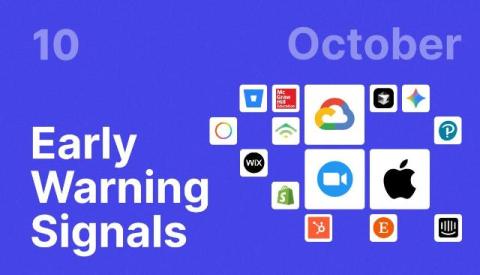
August brought notable outages across developer platforms, SaaS tools, communications services, and cloud applications. StatusGator detected 789 Early Warning Signals during the month. Of those, 153 incidents (19.39%) were acknowledged by providers, while 636 (80.61%) were not officially acknowledged. StatusGator’s Early Warning Signals often surface service disruptions before providers post an official update.

Azure integration now supports service principal authentication

We’ve released some improvements to our Azure status integration. StatusGator can now read your Azure Resource Health events via a service principal. Previously the only supported authentication mechanism was OAuth. Both pull the same data and produce the same alerts – the difference is who the connection belongs to, and what happens to it over time.
Sponsored Post

SaaS dependencies: the blind spot in your Incident response plan

So let's talk about the incidents that weren't yours to fix. It's 12:26 UTC on August 14, 2026. Outbound email starts bouncing. Inbound messages from partners stop arriving. Your team checks the obvious things first: mail server logs, recent deploys, firewall rules, your own DNS zone records. Everything on your side looks clean. By 12:48 UTC, an Early Warning Signal by StatusGator has already flagged a spike in reports pointing at Proofpoint. But if you're not watching for that signal, you don't know it exists yet.

Early Warning Signals are now available for status page subscribers

Your status page subscribers can now receive Early Warning Signals in addition to regular outage alerts. Early Warning Signals is our flagship feature that detects outages before providers acknowledge them on their status pages. When we launched this feature two years ago, we had no idea how effective or beloved it would become. StatusGator now regularly detects outages at your most important providers, giving you that edge and answering the question: “Is it everyone? Or is it just me?”.

Introducing the Live Outage Map

We’ve added a new Live Outage Map to StatusGator, giving you a visual way to see where outages are happening across the services you rely on. Instead of checking services individually, you can see outage activity from the last 24 hours in one place – including both detected incidents and live outage reports from users.

Add metadata to multiple monitors at once

We’ve made monitor metadata easier to manage at scale. You can now use Bulk Actions to add metadata to multiple monitors at once. Select the monitors you want to update, choose Metadata from the Bulk Actions menu, and add the key/value pairs you want to apply. For example, you can quickly add the same team, owner, project, environment, or other custom information across a group of monitors – without editing each one individually.