
After Repair, Your Phone Case Presses the Buttons? Why Small Fit Issues Cause Big Damage
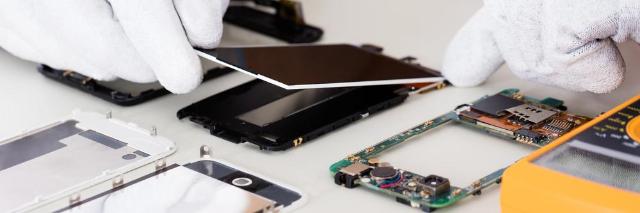
Image Source: depositphotos.com
Introduction: That "It Doesn't Fit" Feeling
You just got your phone back from a repair. The screen is shiny and new, or the back glass is no longer a spider's web. It feels great. You go to put your trusty case back on, and... something is wrong. It doesn't "snap" on with that satisfying click. It's too tight. You have to force it.
Then, the real trouble starts.
Your volume suddenly rockets to 100%. Or Siri and the emergency SOS screen keep popping up because the power button is being squeezed. Or worst of all, your phone is now stuck in an endless boot loop, flashing the Apple or Samsung logo over and over. You take the case off, and the phone acts perfectly. You put it on, and it's unusable.
This isn't a minor annoyance. This isn't your case's fault. This is a major red flag. As technicians, we can tell you this is a critical warning sign that your recent repair was either done with cheap parts, was incomplete, or is hiding a new, dangerous problem. Ignoring it can (and will) lead to much bigger, more expensive damage. Before you buy a new case, you need to understand what's really going on, and why you might need a real phone repair new york service to fix the fix.
Section 1: Why Your Case Suddenly Hates Your Phone
Modern smartphones are marvels of precision engineering. Companies spend millions designing them to tolerances of a fraction of a millimeter. Your phone case (at least a good one from a brand like OtterBox, Spigen, or even Apple/Samsung) is built to those exact same specifications.
Your case is the "control" in this experiment. It hasn't changed. Its shape is the same as it was the day you bought it.
If your case no longer fits, the physical shape of your phone has changed. This is almost always due to one of three failures from the recent repair.
1. The "Thick Part" Problem (Aftermarket Parts) This is the #1 culprit. To save money, many low-cost repair shops use cheap, "aftermarket" screens and back glass. These parts are not built to the original equipment manufacturer (OEM) specifications. The glass may be slightly thicker, the plastic frame around the screen might be bulkier, or the adhesive used might be too thick.
We're talking about a change of as little as 0.5mm. It's invisible to your eye, but to your precision-molded case, it's a mountain. The case is now squeezing a phone that is physically thicker than it was designed for. That extra pressure gets transferred directly to the buttons on the side.
2. The "Bent Foundation" Problem (Ignored Frame Damage) Think about the event that broke your phone. It was probably a hard drop onto concrete. That impact didn't just shatter your screen; it very likely bent or warped the phone's aluminum or steel frame, even if it's not obvious.
A good repair technician's first step is to check the "foundation." They put the phone on a special flat block to check for warps. A great technician will spend time carefully straightening the frame before installing the new screen.
A bad or rushed technician will just slap the new screen on the bent frame. They'll use extra glue to fill the gaps where the frame is warped. Your phone is no longer "flat." When you force your rigid case onto this warped body, the case tries to "straighten" the phone, creating immense pressure points. These pressure points are almost always right on the power and volume buttons.
3. The "Dangerous Bulge" Problem (A Swelling Battery) This is the most serious cause. The repair itself might be fine, but a new, dangerous problem has emerged. Lithium-ion batteries can swell as they age or if they are faulty/damaged. This swelling pushes the screen or back glass out from the inside.
Your phone is literally bulging from the center.
When you put your case on, it's pressing down on this bulge. This creates tension across the entire device, pulling on the frame and squeezing the buttons. This is extremely hazardous. A swelling battery is a fire risk, and putting it under constant pressure from a tight case is a recipe for disaster.
Section 2: "It's Just Annoying, Right?" - The Real Damage You're Causing
So, you just decide to live with it. Or you buy a cheap, soft, stretchy case that sort of fits. What's the big deal?
Ignoring this problem is like ignoring the "check engine" light in your car. That "small" fit issue is now causing a cascade of failures.
Damage 1: Killing Your Buttons (Tactile Switch Failure) Inside your phone, underneath the physical button you press, is a tiny, delicate component called a "tactile switch" on a thin, flexible circuit board (a "flex cable"). This switch is a tiny metal dome. It's designed to be clicked—to pop down and back up. It is not designed to be held down with 10 pounds of constant pressure for 24 hours a day.
That constant squeeze from the case will "flatten" the dome. It will lose its "clickiness" and become "mushy." Then, one day, it will simply stop working. What was a simple screen repair now becomes a much more complex (and expensive) button flex cable replacement, which often requires removing the entire logic board.
Damage 2: Destroying Your Brand New Screen Your new screen, especially if it's an OLED, is made of very thin, layered-on components. It is not designed for constant, localized pressure. A too-tight case, especially one on a bent frame, will create "pressure spots" or "bright spots"—areas where the LCD crystals are being crushed or the OLED pixels are failing.
This constant pressure can also cause the screen's adhesive to fail, leading to "delamination," where the glass starts to separate from the digitizer. You've now destroyed the very part you just paid to replace.
Damage 3: The Constant Boot Loop & Software Corruption If your case is pressing the power button, your phone is in a state of constant confusion. It will be trying to restart, shut down, or launch the assistant. If the power and a volume button are pressed together, it will force the phone into "Recovery Mode" or "DFU Mode."
If this happens while the phone is trying to update or just operating, it can corrupt the operating system. The next step is a full factory restore, meaning you lose all your data (photos, messages, contacts) that wasn't backed up.
Damage 4: The Fire Hazard (Ignored Battery Swelling) We have to say it again. If the cause of the bad fit is a swelling battery, you are actively pressing on a ticking time bomb. A punctured or overly-stressed lithium-ion battery can result in a "thermal runaway" event. That is the technical term for "it catches on fire and explodes."
Section 3: Your 3-Step Diagnostic Plan (What's Really Wrong?)
Don't guess. You can find out the exact cause in 60 seconds.
Step 1: The "Naked" Test (The Control)
- How: Take the case off.
- What to look for: Do the buttons work perfectly? Do they "click" nicely? Does the phone operate normally? If you answered "yes," the problem is 100% a physical mismatch between the phone's new shape and the case.
Step 2: The "Flat Surface" Test (The Bent Frame)
- How: Place your "naked" phone on a perfectly flat surface (a glass table, a kitchen counter).
- What to look for: Does it lie perfectly flat? Press down on each of the four corners, one by one. Does it "rock" or "wobble" like a bad table at a diner? If it rocks, your frame is bent.
Step 3: The "Bulge & Squeeze" Test (The Swelling Battery)
- How: Hold the phone up and look at it from the side, at eye level. Look at the "seam" where the screen meets the frame.
- What to look for: Is the screen lifting up or separating from the frame? Is there a visible gap that wasn't there before? Now, gently squeeze the center of the screen and the back glass. Does it feel "squishy" or "spongy"? If you answered "yes" to either of these, you have a swelling battery. STOP. Take this to a pro immediately.
Section 4: The Fix: Don't Buy a New Case, Demand a Better Repair
Based on your diagnosis, here's what to do.
If your frame is bent or you have a "thick" part: The repair shop you went to did an incomplete or low-quality job. They used an inferior part or skipped a critical step (straightening the frame).
- The Fix: Go back to that shop immediately. Show them the "Flat Surface Test." Show them how your case doesn't fit. A reputable shop will be embarrassed and fix their mistake, either by re-repairing with a better part or by properly straightening the frame. If they refuse, you've learned a hard lesson about cheap repairs.
If your battery is swelling: This is a new, urgent problem.
- The Fix: Take the phone to a high-quality, reputable repair shop now. If the original shop just replaced your battery, they used a faulty part and must replace it. If they didn't touch the battery, your original battery has simply failed (the drop may have damaged it) and it needs to be safely replaced.
What you should not do is just buy a new, softer case. That's ignoring the "check engine" light and just putting tape over it. You're not solving the problem; you're just hiding it until it becomes a bigger, more expensive, or more dangerous failure.
A proper repair, like a professional iPhone repair new york service, means checking for frame-level damage and using high-quality, OEM-spec parts that are guaranteed to fit.
Conclusion: A "Small" Fit Issue is a Big Red Flag
A phone case that no longer fits is not a "case problem." It is a "repair problem." It is your phone's only way of warning you that something is wrong.
- A bent frame means the repair was incomplete.
- A thick part means the repair was cheap.
- A bulging screen means the phone is dangerous.
Ignoring this warning will, without doubt, lead to more damage. The buttons will fail, the new screen will break, or the battery could cause a fire. Don't let a "small" annoyance turn into a disaster. Take the phone out of the case and take it back to the repair shop. And if they can't or won't fix it properly, find a real technician. For a professional diagnosis you can trust, contact the experts at and get the job done right.
Frequently Asked Questions (FAQs)
Q1: Can I just buy a softer, more flexible case to fix this?
A1: You can, but you shouldn't. This is the classic "tape over the check engine light" fix. You're not solving the underlying problem (bent frame, swelling battery). You're just hiding the symptom, and the constant pressure, even from a soft case, will still wear out your buttons and damage your screen over time.
Q2: My case fits, but the buttons feel "mushy" or "stuck" after the repair. What happened?
A2: This is a different but related problem. This means the technician likely damaged the button's internal flex cable or, more commonly, lost one of the tiny metal or plastic "brackets" that sits between the physical button and the internal switch. That tiny part is missing, so the button is no longer aligned. Take it back to them.
Q3: How can I tell if a repair shop uses quality parts before I give them my phone?
A3: Ask them directly! A good, transparent shop will be happy to explain their part quality. Ask them, "Do you use OEM, OEM-spec, or aftermarket parts?" and "What is your warranty?" A shop that is vague or just says "we use the best" without specifics is a red flag.
Q4: My phone wasn't repaired, but my case is tight and pressing the buttons. What's wrong?
A4: If your phone has not been repaired but is now bulging and tight in its case, the cause is almost 100% a swelling battery. This is a critical safety issue. Stop using the phone, do not charge it, and take it to a repair professional immediately for a battery replacement.
Disclaimer: The information provided in this post is for educational and informational purposes only. Attempting to disassemble or repair your own electronic device, especially one with a lithium-ion battery, can be dangerous and result in further damage, injury, or fire, and will void your device's warranty. Please consult a qualified, professional repair technician for any hardware-related issues.