
Best Drone with Camera for Beginners by Filming Goal
Image Source: depositphotos.com
What is the best beginner drone for someone who has never flown before? Antigravity A1 is our featured recommendation if you want immersive flight and the option to choose camera views after landing. DJI Mini 5 Pro is the conventional photography alternative, while HOVERAir X1 Pro is the automated personal-video alternative. The best drone with camera for beginners should fit both your first project and the skills you want to learn.
This guide helps first-time buyers choose between those three approaches. It compares published capabilities and purchase tradeoffs, rather than presenting test scores or claiming that one control system is easiest for everyone.
Key Takeaways
· Start with a filming goal, then choose the controls and editing process that support it.
· A1 separates more framing decisions from flying, but adds goggles setup and post-flight editing.
· Mini 5 Pro suits buyers who want to develop conventional camera and piloting skills together.
· X1 Pro suits buyers who prioritize short personal clips over learning a broader aerial filming workflow.
Decide What You Want From Your First Drone
You Want to Explore and Make Creative Videos
For creative filming, the best drone with a camera for beginners should give you room to develop your composition skills. Shortlist Antigravity A1 if you want the experience of looking around through goggles and the flexibility to decide views later. Its 360 recording can supply several interpretations of one flight, which is valuable when you are still discovering how to frame a scene.
For example, a short flight along an open scenic area could become a wide landscape introduction or a view back toward your starting point. The aircraft still has to follow a suitable route, but you do not need to perfect the final camera direction at every moment.
You Want to Learn Aerial Photography
Shortlist DJI Mini 5 Pro if you enjoy composing one specific image and adjusting the camera during flight. A dedicated controller and gimbal camera provide a conventional learning path, with aircraft position, exposure and framing all contributing to the photograph.
This approach is more relevant than spherical recording if your main aim is a finished landscape composition rather than immersive footage. The additional camera features are useful only if you want to spend time learning to use them.
You Want a Camera to Film You
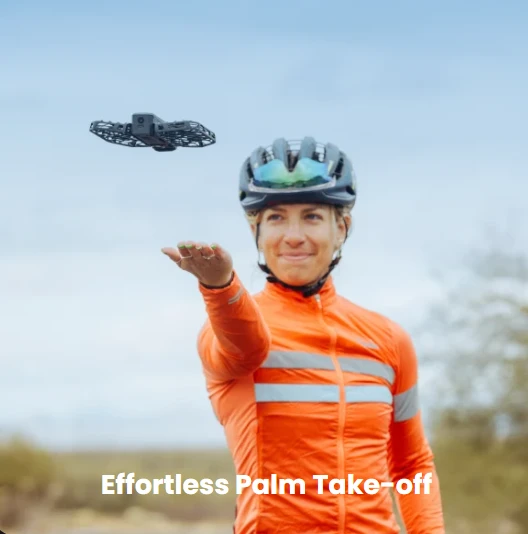
Shortlist HOVERAir X1 Pro if you mainly want a short personal clip. Its palm-launch and automated modes reduce the need to manage conventional stick inputs for basic shots. You still need to understand the selected movement, choose a clear area and supervise the flight.
An automated flying camera is a different starting point from a drone bought to learn piloting. Decide whether appearing in clips is the goal or whether you want broader control over aerial compositions.
Compare the Hardware Before Choosing a Bundle
|
Feature |
Antigravity A1 |
DJI Mini 5 Pro |
HOVERAir X1 Pro |
|
Capture approach |
360 capture and later reframing |
Conventional framed photos and video |
Automated personal clips |
|
Sensor |
1/1.28-inch |
1-inch CMOS, 50 MP |
1/2-inch |
|
Video options |
8K 360 up to 30 fps |
4K up to 60 fps; 4K at 120 fps for slow motion |
4K up to 60 fps |
|
Published weight |
249 g standard; 291 g high-capacity |
Approx. 249.9 g ± 4 g; varies by configuration |
192 g |
|
Max flight time |
24 min standard; 39 min high-capacity |
36 min standard; 52 min Battery Plus |
16 min |
|
Control method |
Vision Goggles and Grip Motion Controller |
Dedicated remote controller |
Automated modes; optional controls |
|
Main tradeoff |
Goggles and time spent reframing |
Framing during flight |
Shorter endurance; limited obstacle coverage |
The table lists published specifications, not results from the same flight test. The maximum flight time is not a guarantee of usable recording time. Mini 5 Pro's nominal weight is approximately 249.9 g with a stated ±4 g variation; check the actual configuration. Larger batteries also change weight and may affect operating requirements.
Why Antigravity A1 Leads Our Creative Beginner Shortlist
Point to Fly Gives You a Different Way to Learn
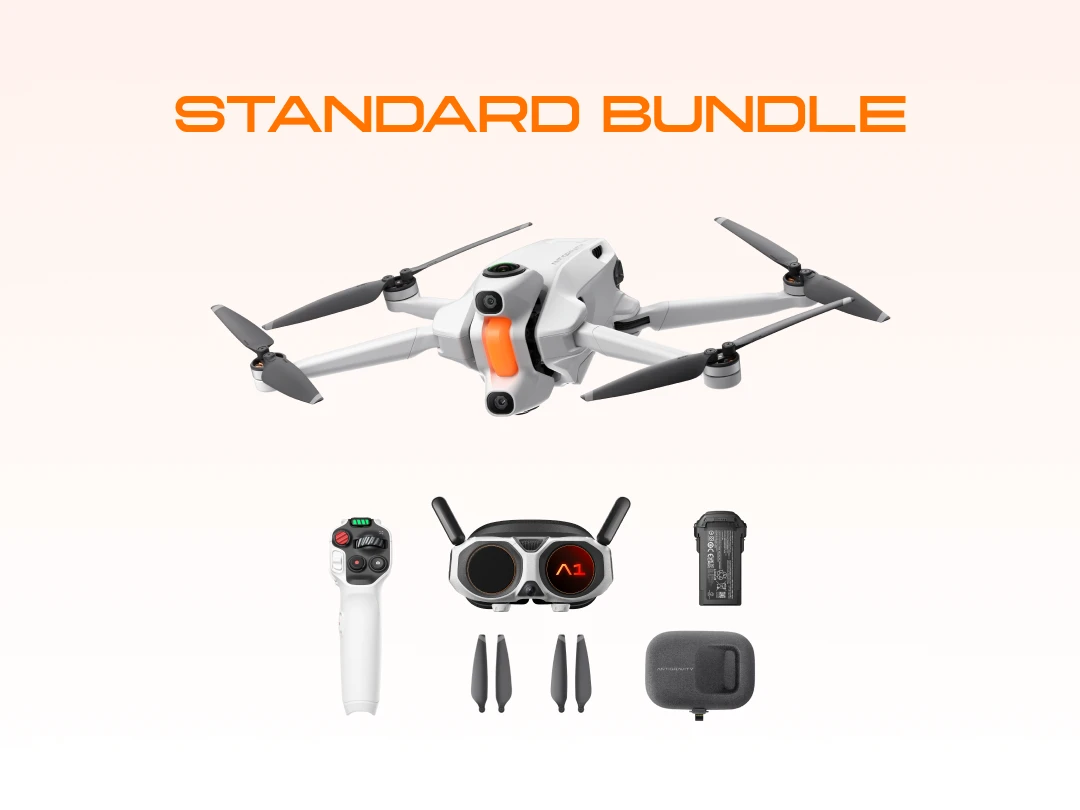
When Antigravity A1 is used with the Vision Goggles and Grip Motion Controller, FreeMotion mode lets you direct flight by pointing. Head movement changes your viewing direction. For someone with no established controller habits, that separation can make the interaction appealing, provided the immersive display feels comfortable.
Try to understand the relationship between looking and traveling before buying. A demonstration or simulator session can help you assess whether the controls suit you. Check the selected package carefully. This comparison covers the Vision Goggles and Grip Motion Controller workflow; do not assume that every Antigravity A1 accessory configuration works in the same way.
Record the Scene Before Choosing the Final Frame
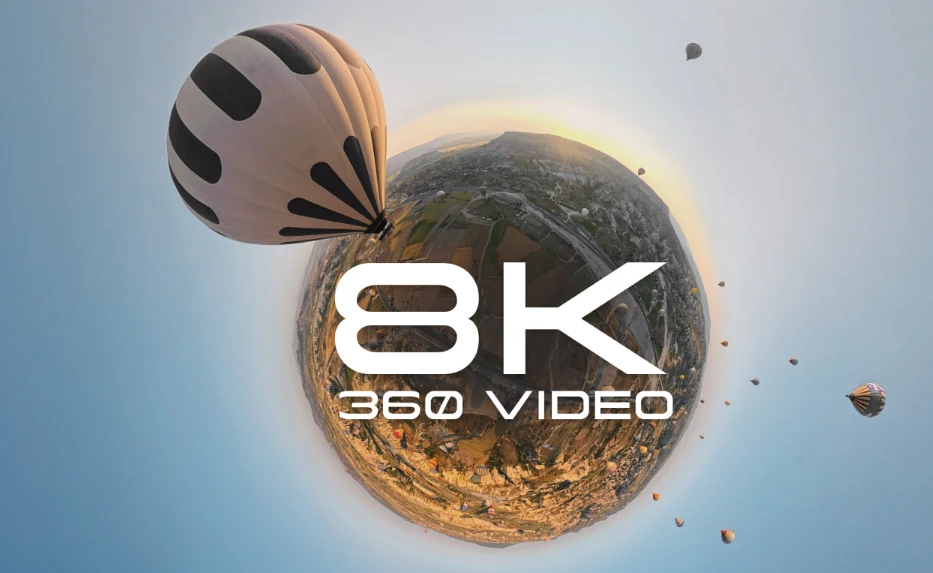
Antigravity A1 captures 8K 360 video at up to 30 fps. You can select viewpoints after landing and create different edits from the same recording. That gives a beginner room to experiment with storytelling without needing another flight just to change camera direction.
The limitation is that reframing cannot move the aircraft after the event. A poor route, an obscured subject or unsuitable lighting still affects the footage. The benefit is flexibility in presenting what was captured, not a substitute for planning where to fly.
Allow Time for Editing and Equipment Setup
The best drone with camera for beginners should also fit your editing routine. Antigravity A1's 8K recording covers the surrounding sphere. An exported flat view uses a portion of it, so it should not be compared directly with a conventional 8K frame. Plan to review footage and make a short export before deciding whether this editing workflow fits your routine.
The aircraft weighs 249 g with the standard battery and has an advertised maximum flight time of 24 minutes. With the larger battery, the aircraft weighs 291 g and has an advertised maximum flight time of 39 minutes. These maximum flight times were measured under controlled conditions, with recording disabled during A1's endurance test. Goggles, the controller and charging equipment also belong in your packing and budget calculations.
Buy for the Workflow You Will Keep Using
Antigravity A1 is a strong first-drone candidate when immersive flying and reframing are central to your interest. Sky Genie and Auto Edit provide creative options as you progress, but there is no need to use every feature immediately. Start with one simple route and one finished clip.
Choose another workflow if you dislike goggles, want minimal editing or mainly want conventional still photographs. A useful beginner recommendation should make those tradeoffs clear before you commit to a package.
When to Choose the Alternatives Instead
Choose Mini 5 Pro for a Conventional Camera Foundation
Mini 5 Pro combines a 1-inch, 50 MP sensor, three-axis gimbal and 4K recording with operation using a dedicated controller. Its advertised maximum flight time with the standard battery is 36 minutes. Those specifications make it worth considering if your first drone is also an investment in learning aerial photography.
Expect to learn aircraft orientation and camera composition together. Keep early shots simple so you can understand how moving the drone changes the frame. Choose it over Antigravity A1 if you prefer this conventional workflow; neither model should be assumed to be easier for every beginner.
Choose X1 Pro for Short Personal Videos
X1 Pro records up to 4K at 60 fps, weighs 192 g and has an advertised maximum flight time of 16 minutes. Its automated modes are relevant if your first goal is a short follow shot or personal travel clip. Check whether the included modes cover your intended shots before adding optional controls.
Rear ToF detection has coverage and operating limits. It does not make every trail or activity suitable for automatic filming. The X1 Pro is the 4K model; do not apply X1 ProMax's 8K specification to it.
A First Purchase Checklist That Changes the Decision
· Confirm your main output: immersive video, conventional photographs or personal follow clips.
· Check your selected control configuration and whether its equipment is included.
· Confirm that your phone or computer can run the required app and editing tools.
· Compare batteries, charging, storage, spare parts and repair arrangements as part of the total cost.
· Find an appropriate practice location and check local operating and observer requirements before ordering.
To find the best drone with a camera for beginners within your budget, compare the complete packages available in your region once those answers are clear. A discounted bundle has little value if its controls or editing process do not suit the way you want to create.
Frequently Asked Questions
Can Someone With No Experience Start With Antigravity A1?
Yes, Antigravity A1 is worth considering when immersive control and 360 editing match your goals. Use the learning tools and practice stopping and landing before adding creative movements. Previous experience is not essential, but preparation and a suitable flight location are.
Should My First Drone Have Automated Filming?
Automated filming is useful if it produces the shots you want. X1 Pro focuses on personal clips, while Antigravity A1 and Mini 5 Pro offer different creative workflows with assistance features. Choose based on the footage you want to create rather than the number of automated modes.
Is the Most Expensive Drone the Best Beginner Choice?
No. More camera features are worthwhile only when they help you develop the skills or create the footage you want. Compare the full kit, learning demands and repair support. An unsuitable workflow remains unsuitable even with a large discount.
Will Obstacle Avoidance Stop Me From Crashing?
It cannot guarantee that. Coverage and performance depend on the aircraft, environment, mode and speed. Learn the limits and choose an open practice area. An automated shot still needs a pilot who understands how to interrupt it.
Conclusion
To choose the best drone with camera for beginners, decide what your first finished project should look like. Antigravity A1 is our featured choice for immersive exploration and flexible video composition. Mini 5 Pro suits conventional photography skills, while X1 Pro suits short automated clips. Buy the workflow you want to keep learning, then select the complete package that supports it.