
How I Made N8N Reliable With VPS Hosting in Europe

I’ve hosted n8n pretty much everywhere. Render, Railway, DigitalOcean droplets, even a self-inflicted Docker swarm that still haunts my sleep. Every time, something broke in a way that made me question my career choices. Cron jobs stopped firing, memory usage climbed like a fever, and webhooks randomly died at 3 a.m.
Eventually I gave up and moved everything to a plain VPS. That’s when things stopped being... stupid. If you’re thinking about doing the same, get an n8n VPS hosting plan and save yourself the pain.
Why I stopped trusting “managed” n8n hosting
Managed hosting sounds nice until you realize the provider treats your workflows like a disposable process. I once had a provider kill a background execution mid-run because it “exceeded the default runtime.” That execution was moving 20,000 records from MySQL to BigQuery. Gone...
I filed a ticket and got a polite “we recommend shorter workflows.” Sure, let me just rewrite physics.
On a VPS, that doesn’t happen. I can let executions run for days if I want. Nobody throttles CPU time, nobody restarts the container for maintenance. I use systemd to run n8n as a service, so even if I accidentally nuke Node.js, it comes back automatically.
It’s not fancy, but it’s reliable, which is all I really need from infrastructure.
Setting up the stack the right way
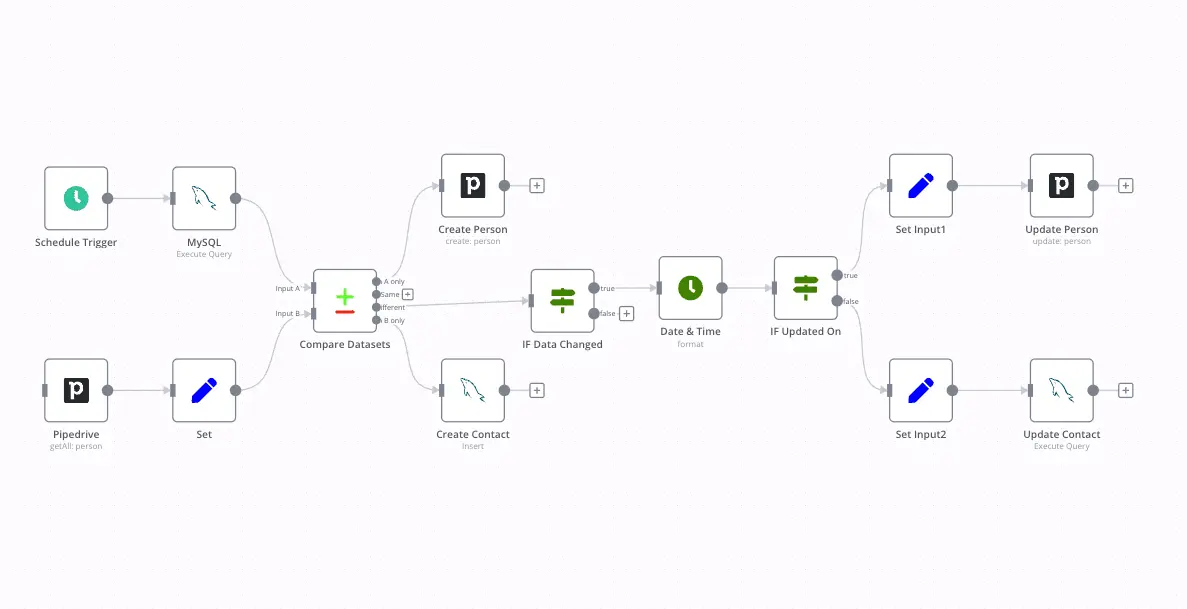
When you run n8n on your own VPS, you get to build the stack around it instead of being forced into someone else’s. I run Ubuntu 24.04, Docker, and Caddy for SSL because I got tired of Nginx configs. Caddy just works. n8n runs in its own container, Redis sits next to it for queue mode, and Postgres handles execution data. All of them are on the same private subnet, so no traffic leaves the VPS.
That single design choice removed half the headaches I had with cross-host latency.
I learned the hard way that SQLite is fine for testing but will ruin your day in production. n8n writes to the database constantly. SQLite uses file locks, and if you run concurrent executions, it bottlenecks fast. Postgres isn’t perfect either, but once you tune it properly (shared_buffers, work_mem, fsync), it handles tens of thousands of records per day without sweating. If you want exact numbers, I run shared_buffers at 2GB on an 8GB VPS and it’s been rock solid for months.
Where LumaDock actually helps
I’ve tried a lot of VPS hosts, but what got me hooked on LumaDock is how predictable everything feels. No hidden throttles, no “fair use” clauses, and the network routes are genuinely fast. I tested latency between London and Frankfurt zones and got around 19 ms round-trip. That’s enough to replicate Redis between regions without packet loss. I keep my main instance in Frankfurt because it’s central, and backup snapshots in Bucharest because storage there is ridiculously cheap for what you get. The NVMe replication LumaDock uses makes backups painless. I can snapshot the entire machine in under 10 seconds.
Hardware-wise, everything runs on AMD EPYC. Those cores handle Node.js workloads really well. My average CPU load stays around 0.2 even with five concurrent workers. And I like that every plan includes a dedicated IPv4 and firewall management right in the dashboard. I don’t have to fiddle with ufw unless I want to. It’s small stuff, but it makes life easier.
Queue mode is where VPS hosting actually pays off
Queue mode is the moment n8n graduates from “fun side project” to “real automation platform.” You need Redis and workers that don’t fight each other. On shared hosting, you can’t guarantee process affinity, so jobs pile up and everything starts lagging. On a VPS, I just run Redis locally and spin up workers on separate cores. Each one connects over 127.0.0.1, which means latency is effectively zero. I can see the difference in logs. Executions start instantly. No random 5-second gap between job accepted and job started. That kind of predictability matters more than raw CPU benchmarks.
Another small but huge win: crash recovery. Redis queue data survives a process crash, so if my main n8n container restarts, the pending executions are still in memory. As soon as it’s back up, workers pick them up where they left off. I used to lose half a queue whenever a provider’s health monitor decided to restart my container.
Never again.
Why I obsess over latency between nodes
I work with a lot of APIs that expect quick response loops. Stripe, Notion, Airtable, OpenAI, all of them timeout fast if you’re not careful. That’s why having the VPS in Europe helps. I’ve tested from LumaDock’s London and Paris zones, and both hit sub-30 ms latency to those APIs. When you’re chaining 10 or 20 API calls in a workflow, shaving off a few milliseconds per node adds up.
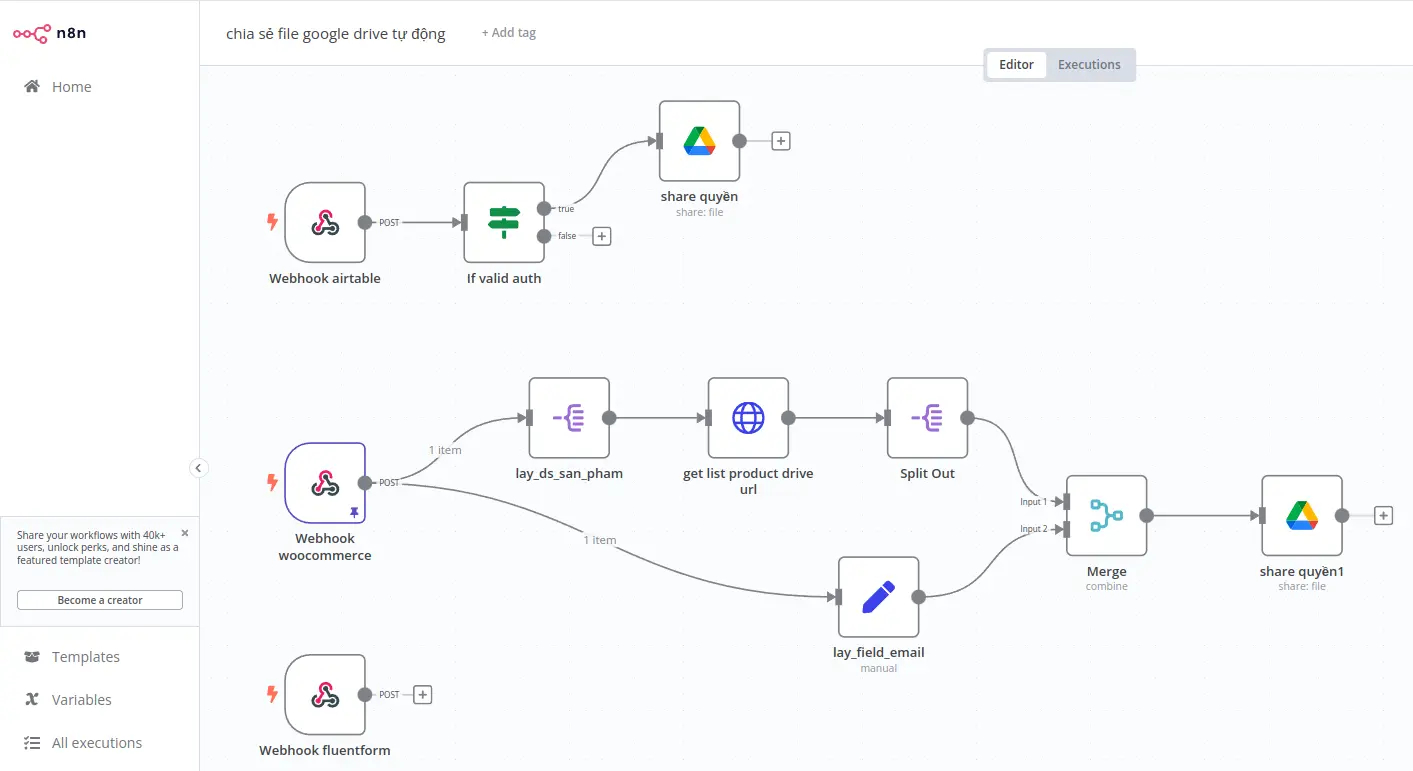
For AI pipelines, it’s even more noticeable. I do inference requests to OpenAI and Mistral models, and the delay between steps drops from 2 seconds on a random US host to about 500 ms here.
I’m not running high-frequency trading bots or anything, but I care about timing. A VPS gives you consistent latency because your network stack isn’t shared with 500 other containers. That’s the real difference between “it works” and “it feels snappy.”
Snapshots, upgrades, and how not to break production
n8n updates come fast. The temptation to hit “docker pull n8nio/n8n:latest” is real. I’ve done it mid-day before and regretted it instantly. Now I snapshot the VPS before every upgrade. If the new version introduces a migration bug, I roll back. Takes one click in the LumaDock panel. It’s saved me three times this year already.
I also keep nightly Postgres dumps on a separate disk volume. NVMe write speed is so high that backups don’t block the main process. I compress them with zstd and push to a remote repo once a week. The combination of local snapshots and external backups gives me peace of mind that I never had with managed hosting.
If something goes wrong, I can rebuild the environment exactly as it was in about ten minutes.... give or take.
Monitoring without fancy dashboards
I used to run Grafana and Prometheus, but now I mostly rely on Netdata and a few shell scripts.
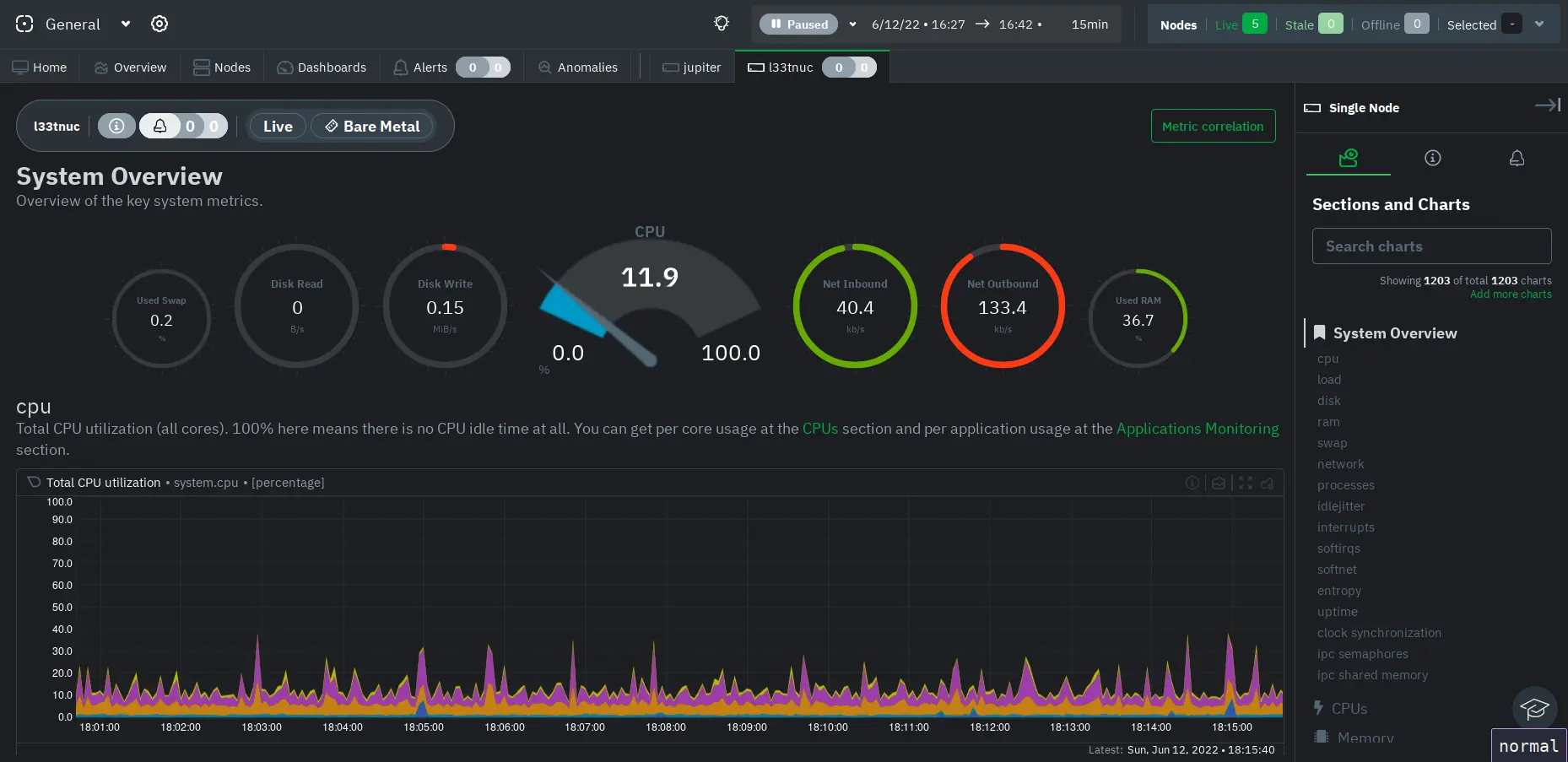
Netdata gives real-time stats for CPU, memory, and disk I/O. I tail the n8n logs and Redis CLI to watch queue depth manually. When something starts lagging, I usually see the culprit right away: some API that started rate-limiting or a workflow that got stuck looping. It’s not glamorous, but it’s fast and low overhead.
You can’t get that level of control without root access.
Why this setup scales better
The funny part about n8n is that most people overthink scaling. They jump to Kubernetes before they even fill up one core. The truth is a good VPS can handle a lot more than you think. I’ve seen single instances process 100,000 executions a week with proper queue distribution. The trick is tuning Node.js flags, database connections, and Redis maxmemory policies. With 8 GB RAM, you can run the editor, API, and four workers comfortably. If you outgrow that, clone the VPS, link them over WireGuard, and add horizontal workers.
It’s cheaper and easier than managing pods that restart themselves at 2 a.m. for no reason.
Europe-specific benefits
Hosting in Europe solves a few compliance headaches too. GDPR is always lurking, and keeping data inside the EU avoids cross-border mess. LumaDock’s zones are all within the EU or the UK, so no weird legal gray areas. The data centers are Tier III or better, which basically means redundant everything: power, cooling, fiber. I’ve been running instances in Bucharest and Frankfurt for months without a single outage.
I also like that I can deploy in the same region as my clients. Some use French APIs, others UK-based, and latency actually matters. I used to think it didn’t, but once you start handling file uploads or large JSON payloads, you notice the delay. Hosting close to your users makes the entire automation experience smoother. And if something goes wrong, you can actually trace the route instead of guessing which proxy killed your request.
How I built a sane deployment workflow
I keep all my n8n configs in Git.
Every workflow change gets exported and committed automatically using a simple cron script. My deployment script pulls the repo, rebuilds the container if needed, and restarts via systemd. It’s not “real” CI/CD, but it works. For anyone who wants something cleaner, check out the self-host n8n on a VPS guide. It covers proper environment variables, Docker Compose layouts, and how to connect multiple workers safely. That guide is basically my go-to reference when I forget something during a rebuild.
Is VPS hosting worth it for small projects?
Yes. Even if you’re running small automation setups, the peace of mind alone is worth it. A $3 VPS will outperform a $20 managed plan in reliability and control. You can monitor it, patch it, and upgrade whenever you want. And when you break something ( and trust me, you will) it’s easier to fix because you understand what’s running under the hood. That’s how I learned most of what I know about servers in the first place.
Breaking stuff and fixing it again. The endless cycle, right?
Final thoughts
If you build workflows that matter, stop relying on managed containers. A VPS gives you consistency, control, and transparency. You’ll actually learn how your automation works instead of praying that some cloud dashboard keeps it alive. I’ve been running n8n like this for almost a year now and it’s the most stable it’s ever been. I can schedule hundreds of jobs, run queue mode, and sleep knowing nothing is going to time out because a provider decided to restart my container.
Just pick a reliable host, give n8n a proper environment, and you’ll stop chasing ghosts in your logs. That’s honestly the biggest win.