
How to Set Up a Public Live Webcam? A Simple Guide
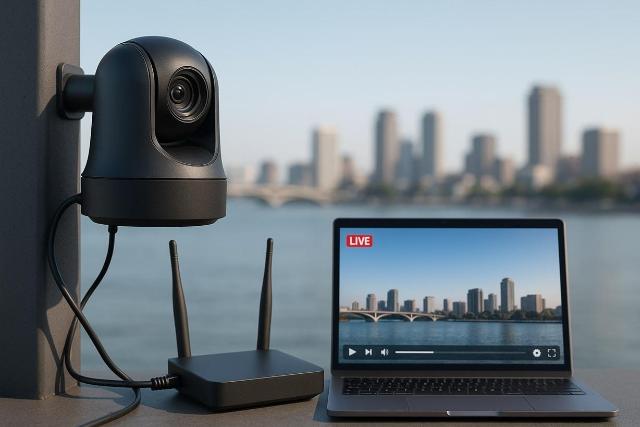
Why Create a Live Stream from Your Camera?
Public live webcams are one of the most engaging ways to connect places and people in real time. Whether it’s a scenic city square, a monument, a mountain lodge, or a sports arena, a camera live streaming platform lets you share the experience with viewers worldwide. Travelers check live cams to see weather before visiting, fans watch stadium feeds for behind-the-scenes action, and communities love watching their favorite locations come alive. With modern cloud-based solutions, you no longer need complex servers or expensive infrastructure — you can go live in minutes and stream securely at any scale.
What You Need to Get Started
Setting up a live cam is easier than ever. Here’s a simple checklist:
- A reliable IP camera that supports RTSP or ONVIF protocols.
- A stable internet connection (wired preferred for 24/7 feeds).
- A live streaming service such as Realtime to handle encoding, video hosting, and delivery through a content delivery network (CDN).
- Optional accessories like weatherproof housings, PTZ cameras for stadiums, or microphones for ambient sound.
Realtime provides built-in stream recording, customizable players, and global CDN distribution, making it ideal for public webcams that need both reliability and reach.
Step 1 – Choose the Right IP Camera
For outdoor monuments and city views, choose a weatherproof camera with strong low-light capability. For sports arenas, a PTZ model gives you flexibility to zoom and pan across the field. If you’re streaming a natural landscape, wide-angle lenses provide a more immersive viewer experience. Ensure the camera supports H.264 or H.265 video compression for efficient streaming at high quality with minimal bandwidth usage.
Step 2 – Connect Your Camera to a Live Streaming Platform
Once your camera is installed, you’ll need its RTSP link. Using a tool like Realtime’s RTSP Link Finder, you can quickly retrieve this information. After entering your camera’s details, Realtime automatically ingests the feed, transcodes it for compatibility, and distributes it via a global CDN. This ensures your stream is available on mobile devices, computers, and TVs without lag or buffering, even if thousands of people watch simultaneously.
Step 3 – Customize Your Live Stream
Public webcams can do more than just show a raw feed. By customizing your stream, you can add overlays with event details, local weather information, or sponsor logos. A customizable video player makes your stream match your brand or city’s identity. Features like scheduled live stream times, stream stats, and highlight video generation help keep viewers engaged and returning regularly.
Step 4 – Share Your Stream with the World
Once your feed is live, embed the video player directly on your website or share it across social platforms. Many tourism boards and city councils integrate live webcams into their official sites, letting potential visitors explore destinations virtually. Sports venues often restream highlights to YouTube or Facebook to capture wider audiences. With built-in social sharing features, viewers themselves can help spread your stream organically.
Optional: Monetize Your Live Webcam
If your live cam attracts steady traffic, you can explore monetization options. Adding sponsorship placements, running custom in-stream ads, or setting up a donation link are common strategies. For sports or premium locations, you can even add a simple subscription model that unlocks special camera angles or on-demand replays. Since Realtime supports multiple monetization tools, you can choose the approach that best fits your audience and goals.
Security and Privacy Considerations for Public Streams
While live webcams are meant to be public, it’s important to protect both your infrastructure and your viewers. Strong security measures like SSL encryption ensure your feed can’t be intercepted. Privacy settings and geo-blocking allow you to restrict access to specific regions if licensing requires it. Domain lock and IP whitelisting can also limit where your stream appears, keeping control in your hands.
Tracking Performance with Analytics
Once your webcam is live, you’ll want to know how it’s performing. Analytics tools track viewer counts, watch time, and audience data, giving you insight into peak hours and audience demographics. These stream stats help you refine your setup, prove ROI to sponsors, and measure engagement over time. For example, a tourism board could use analytics to see how many visitors came from a live beach cam, or a stadium could monitor how many fans tuned into behind-the-scenes coverage.
With the right camera, a strong internet connection, and a professional live streaming platform, anyone can bring a city square, monument, or sports arena to life for a global audience. Public live webcams combine technology, accessibility, and storytelling — and when done right, they create lasting impact far beyond their physical location.