
How Food Distributors Lose 30 Minutes on Every Order (and How to Get It Back)
Key takeaways
- A single phone or voicemail order can eat 20–30 minutes once you add up phone tag, listening, typing, and fixing mistakes.
- The hidden cost is bigger than labor: after-hours orders you miss never even show up on a report.
- The fix is to let customers place their own orders and have those orders arrive already digitized, so no one retypes them.
- Tools range from voice ordering to apps, order hubs, and online storefronts. Pick the one that removes your slowest step.
- Start by timing one real order end to end. Most teams are surprised by the result.
Think about how your team takes orders today.
A customer calls. Someone picks up, or it goes to voicemail. Then a sales rep listens, writes it down, asks a few questions, and types it into your system. Maybe they call back to check a quantity. Maybe they fix a typo later.
That whole loop takes time. For a lot of food distributors, it adds up to 20 to 30 minutes per order. Not the delivery. Just getting the order into your system the right way.
Multiply that by every order, every day, every rep. That is a huge chunk of paid time spent on data entry instead of selling, planning, or serving customers.
The good news: most of that time is easy to get back. Below, we break down where the 30 minutes actually goes, then walk through the tools that fix it.
Where the 30 minutes goes
It helps to see the problem in pieces. Here is what a single phone or voicemail order really costs you.
- Waiting and phone tag (5–10 minutes). Your customer calls during a busy hour. Your rep is already on another line. The customer leaves a voicemail. Your rep calls back. The customer is now busy. Back and forth, and nothing is ordered yet.
- Listening and writing it down (5 minutes). A rep listens to the message or the call and scribbles items, sizes, and counts. This is where small errors sneak in. "Did they say 4 cases or 14?"
- Typing it into your system (5–10 minutes). Now the rep keys everything in by hand. Item codes, quantities, customer info. If the catalog is long, this takes even longer.
- Checking and fixing mistakes (5 minutes). A quantity looks off. An item is out of stock. The rep calls the customer again, or guesses, or holds the order. More time gone.
- After-hours orders you never got (the silent cost). A customer wanted to order at 9 p.m. No one was there to pick up. They forgot by morning, or ordered from someone else. You will never see that lost order on a report, but it is real money.
Add it up and you get 20 to 30 minutes of work per order, plus the orders you miss entirely. The fix is not "work faster." It is to stop doing the slow steps by hand.
What those 30 minutes are really costing you
Numbers make this real. Let's do simple math.
Say a rep handles 25 orders a day, and each one eats 25 minutes of manual work. That is about 10 hours of labor a day spent just getting orders into the system. Over a five-day week, that is 50 hours. That is more than one full-time person doing nothing but order entry.
Now add the orders you miss. If even two customers a day give up after hours or order elsewhere, and an average order is worth $300, that is $600 a day walking out the door. Over a month, that is real revenue, gone, and it never shows up on a report because you never saw the order.
This is why the order process matters so much. It is not a small back-office task. It is one of the biggest hidden costs in your whole operation. Fixing it is one of the fastest ways to free up labor and capture sales you are already losing.
How to get the time back
The pattern is simple. Let customers place orders themselves, in a way that is easy for them. Then digitize the order automatically, so no one has to retype it. That removes the slow steps all at once.
Here are a few tools worth knowing and what each does best.
VoiceOrder Solutions
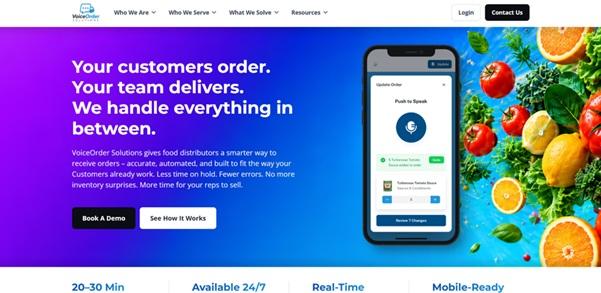
VoiceOrder Solutions is a voice order entry software made for food distributors and the restaurants they serve. Customers place orders by voice, hands-free, any time of day. The order is digitized, timestamped, and sent to your team. It also tracks inventory in real time as orders come in.
A few things make it different in practice. Because ordering is by voice, there is no app or website for customers to learn, which tends to make adoption easier. Orders can arrive in the formats you already use, such as email, PDF, Excel, EDI, or an API, so it fits an existing setup rather than replacing it. And because it runs around the clock, after-hours orders get captured instead of lost.
Choco
Choco is an app that connects restaurants with their suppliers. Instead of calling, a customer sends the order through the app, and your team sees it in a clean list rather than a voicemail.
It works best when your customers are comfortable using a phone app to order. For tech-friendly restaurants, it can cut a lot of phone time. The thing to plan for is adoption: every customer has to download the app and keep using it.
Notch
Notch is an order management tool for food suppliers and distributors. It pulls orders from different channels into one place and helps process them, so your team is not jumping between voicemail, text, and email.
If your headache is that orders arrive in five different ways, Notch is built to tame that. It is more of a back-office order hub than a customer-facing ordering app, so it focuses on cleaning up the middle of your process.
Cut+Dry
Cut+Dry gives foodservice distributors an online storefront. Your customers log in, browse your catalog, and place orders themselves online. That self-service step removes the manual entry on your side.
This is a good fit if you want a full eCommerce experience and your customers are happy ordering on a screen. Setup is bigger than a simple ordering channel, but the result is a polished online order flow.
How to choose the right fix
You do not need every tool. You need the one that removes your slowest step. Ask three questions.
Where do you lose the most time? If it is phone tag and after-hours misses, an ordering channel that runs 24/7 solves the biggest leak. If it is sorting messy orders from many channels, an order hub helps more.
How do your customers like to order? Some customers will happily use an app or a website. Others will not. Talking is something everyone already knows how to do, which is why voice ordering tends to be easy to roll out. Match the channel to what your customers will actually use.
How much change can your team handle right now? A tool that fits your current formats, like email, PDF, Excel, EDI, or API, lets you start without retraining everyone or replacing your software.
A simple way to start this week
You do not have to fix everything at once. Try this.
- Time one order, end to end. Have a rep track how long a phone order really takes, from first call to entered in the system. Most teams are shocked.
- Count your after-hours gaps. Look at when customers tend to call. If a lot of that is outside business hours, you are likely missing orders you never see.
- Pick your biggest leak and plug it. Start with the one step that wastes the most time. For most distributors, that is manual phone entry and missed late orders.
Even fixing one step gives reps hours back every week. Those hours can go to selling more, serving customers better, or simply going home on time.
The bottom line
The 30 minutes per order is not a "your team is slow" problem. It is a process problem. Phone calls, voicemails, and hand-keyed entries are slow by design.
When customers can place their own orders, and those orders show up already digitized, the slow steps disappear. You stop retyping. You stop playing phone tag. You stop losing late-night orders. The goal is the same no matter which tool you choose: get those 30 minutes back, one order at a time.
FAQs
How much time can a food distributor really save per order? Most of the 20–30 minutes is manual work: phone tag, listening, typing, and fixing mistakes. When customers place their own orders and those orders arrive digitized, you remove the typing and call-backs, which is where the bulk of the time goes.
Do I have to replace my current system to fix this? No. The better options work with the formats you already use, such as email, PDF, Excel, EDI, or an API. You add a faster way to capture orders on top of your current setup instead of ripping it out.
Will my customers actually use a new ordering method? That depends on the method. Apps and websites need customers to learn something new. Voice ordering tends to see easier adoption because customers just talk, with nothing to download or log into.