
Scaling Visual Production When Your Startup Hits The Mid-Launch Content Wall
Month three after a successful launch brings a predictable friction point. Marketing teams suddenly ramp up production schedules. Newsletters go out weekly. Social media updates hit feeds daily. Deep-dive blog articles require massive effort to write and format.
Suddenly, those handful of custom hero images commissioned for your initial website fall short. You burn through them in days.
Text-heavy pages kill engagement.
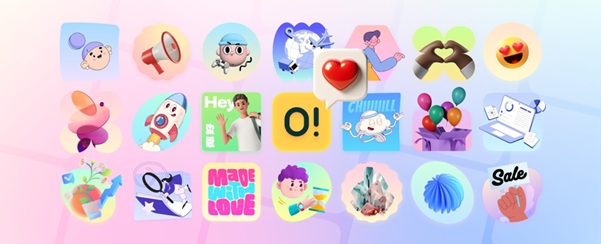
Readers abandon long articles halfway through because they desperately need visual breaks. Staring at endless paragraphs exhausts the human eye. Sourcing free graphics works at first. Then your brand starts looking like a patchwork quilt of mismatched styles. One post features a flat vector character. Another showcases a glossy 3D icon. Ouch by Icons8 exists to solve exactly that gap for content and design teams.
The Content Strategy Dilemma
Visual consistency signals professionalism. Publishing a newsletter on Tuesday, an educational post on Thursday, and a feature announcement on Friday requires one unified look. Those assets must look like they belong to the exact same company.
Picture a rainy Wednesday afternoon. Silas, a content lead, stares at a finalized 2,500-word SaaS deployment guide. Dense paragraphs dominate his screen. Past analytics show readers dropping off rapidly on posts formatted just like it.
He desperately needs visual anchors to break up the gray walls of text. Scouring search engines for generic clip art won't cut it. Opening Ouch offers a better path.
Working in software, Silas filters specifically through their 23,000 technology illustrations. He skips the playful cartoons. Minimalist monochrome styles fit his brand better. Pulling four different hardware and cloud computing scenes takes seconds. He drops them directly into his content management system at strategic scroll points.
A sleek dashboard graphic goes next to a paragraph about analytics. Clean server illustrations sit beside the deployment instructions.
That changed everything.
Time-on-page metrics improve almost instantly. Engagement numbers climb back up where they belong.
Real-World Workflows
Adopting a unified illustration library fundamentally changes how teams build digital products. Creating custom art from scratch stops immediately. Teams start assembling high-quality existing assets instead.
Building Cohesive Newsletter Campaigns
Managing a weekly email blast means disjointed visual languages are completely unacceptable. Marketers usually kick off campaigns by picking one of 101 available styles on Ouch. Choosing one of the 44 3D styles adds a modern, tactile feel.
Most campaigns need a header image for announcements. Spot graphics highlight feature updates. A footer image driving social shares rounds out the requirements perfectly.
Mega Creator makes customization incredibly easy. A team member takes a pre-made business illustration and modifies its core elements online. They swap out a character to better match target buyer personas. Maybe the original illustration features a red background. Your company uses deep navy blue. A few quick clicks fix that mismatch. Recoloring accent elements ensures absolute visual harmony.
Exporting the entire set as matching Lottie animations takes just one click. Dropping animated JSON files into an email client creates a highly engaging, professional campaign. Total time spent clocks in under an hour.
Rapid UX Prototyping
Mid-launch developers frequently uncover missing user experience states. Users hit unexpected errors constantly. Edge cases break checkout flows. Blank default screens pop up out of nowhere. Developers hate waiting days for design fixes.
Pichon holds the entire Ouch catalog alongside icons and photos in a desktop app. UI designers open it immediately. They search for an error state within their chosen sketchy look style.
Someone tries to upload a file type your system doesn't support. Instead of a raw text error, they see a clean, friendly illustration of a broken document. It softens the frustration immensely. Good UX relies on these tiny visual cues.
This simple drag-and-drop functionality changes the game entirely. Designers pull transparent PNGs directly from the Pichon interface onto their canvas. Adding a branded text layer finishes the job. Handoff to developers happens minutes later.
Local workflows eliminate constant downloading to crowded local folders. Messy import processes disappear. Everything just works beautifully together.
Weighing The Alternatives
Startups typically evaluate several options when scaling visual production. Outgrowing basic free stock sites happens incredibly fast. Sourcing a dedicated library of vector illustrations sharing a cohesive design language becomes mandatory. Brand authority depends entirely on it.
Custom illustration remains a premium choice. Total control sounds amazing. Speed and budget constraints quickly kill that dream, though. Waiting two weeks for an in-house illustrator to finish a spot graphic simply fails. Marketing moves far too fast for that timeline.
Freepik offers massive volume. Strict style mapping doesn't exist there. Pulling assets from different creators guarantees a disorganized blog. Audiences notice those inconsistencies immediately.
UnDraw and Humaaans serve as frequent startup crutches. Both tools offer free SVG files you can easily customize. One massive catch exists with unDraw: that single distinct style sees heavy overuse. Products instantly look like every other tech company online.
Humaaans excels at mixing and matching diverse characters. Need web elements, nature scenes, or abstract objects to explain complex topics? That tool falls completely flat.
Ouch bridges that exact gap. Searchable, layered objects span dozens of categories from healthcare to travel. Finding precisely what your project demands takes minutes.
Where The Library Falls Short
Massive utility doesn't equal a universal fix. Commercial libraries won't work for highly bespoke, conceptual visual identities. Talented designers craft these professional graphics daily. They remain stock assets at their core.
Other companies have access to those exact same 15 trendy styles and 3D models. Uniqueness takes a slight hit here.
Physical merchandise plans will hit a hard wall. Standard paid plans explicitly exclude print-on-demand products. Negotiating a specialized license requires contacting the company directly. Selling t-shirts or mugs with these graphics demands extra paperwork.
The free tier restricts usage heavily. PNG formats are your only option. Mandatory links back to Icons8 are non-negotiable. Upgrading to a paid subscription unlocks editable SVG files. High-resolution exports unlock immediately. Removing all attribution requirements from landing pages requires opening your wallet.
Optimizing Your Asset Workflow
Getting maximum value from a massive visual library requires changing bad search habits. Old workflows will just slow your team down.
- Filter by specific styles rather than just keywords. Finding a great illustration proves useless when it clashes with your website. Keep visual languages locked in tightly.
- Search for individual objects instead of complete scenes. Layered, tagged vector graphics let you rearrange pieces to fit specific narratives. Build exactly what your story demands.
- Monitor unused downloads constantly. Unused credits roll over to the next billing period on paid plans. Teams with fluctuating monthly content output save serious money here.
- Install Pichon to bypass browser downloads entirely. Dragging assets directly onto a canvas saves dozens of clicks every single week. Your wrist will certainly thank you.