Operations | Monitoring | ITSM | DevOps | Cloud

Your AI agents are lost: give them a graph

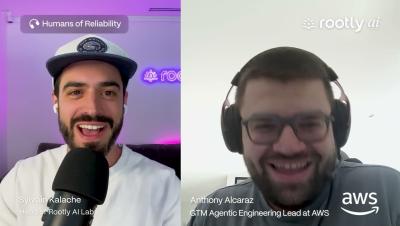
The biggest limitation facing enterprise AI agents may not be the model. It may be the context surrounding it. Anthony Alcaraz, Senior AI/ML Portfolio Growth Manager at AWS and co-author of O'Reilly's *Agentic GraphRAG*, joins Humans of Reliability to explain why reliable agents need more than a vector database and a large context window. They need structured knowledge they can navigate, memory they can prune, constraints they can follow, and feedback loops that help them improve.

AI vs. AI: from alert fatigue to agentic cybersecurity

AI is transforming cybersecurity on both sides of the battlefield. Attackers can now launch highly personalized phishing campaigns at scale and build malware capable of making autonomous decisions. At the same time, security teams are using AI agents to investigate alerts, reduce noise, and respond to threats faster. In this episode of Humans of Reliability, we speak with Nir Soudry, Head of R&D at 7AI, about the shift from alert fatigue to agentic cybersecurity.

They stopped shipping features for half a year, now they're thriving

When incidents pile up fast enough, every part of the company bleeds: support is fielding angry customers, AEs are on apology calls, and engineering is burning cycles on retrospectives instead of shipping. For Eran Kampf (VP of Engineering at Twingate, Co-founder Monday.com) where the product is the network, that was the moment he made a call most engineering leaders won't: stop all feature work for a quarter and fix reliability.

Introducing the Rootly Agent

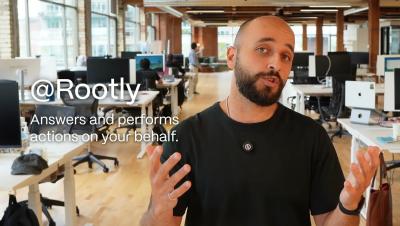
During an incident, ask the Rootly Agent anything and it'll respond (and act) based on context and your data. Use the Rootly Agent to: The Rootly Agent performs actions on your behalf, so it is bound by the permissions assigned to your user. It will also ask for confirmation before taking significant actions. Rootly admins can turn it on for their workplaces and start running incidents even more efficiently.

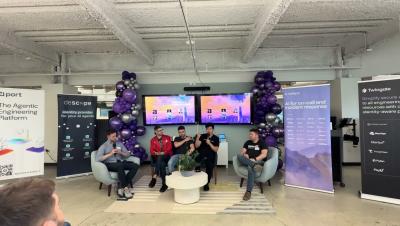
Running AI at Enterprise Scale w/ Anthropic, Descope, Port, Rootly and Twingate

The debate about whether AI can write production code is over. Companies are handing work to fleets of agents, and for many, they write most of the code that ships to production. The next challenge is everything that happens once an entire engineering organization runs this way, at full speed. Teams that generate code 10x faster still review it at human speed, and that mismatch is now the constraint. Code ownership is also becoming an issue, as developers learn to trust agentic processes a little too much. When an agent breaks production, who is responsible?

Every pilot is ready for engine failure: are your engineers? w/ Hamed Silatani (Uptime Labs)

Every pilot who's never had an engine failure is still ready for one. The same can't be said for most software engineers facing their first major incident. Hamed Silatani, co-founder and CEO of Uptime Labs, and former Head of Reliability Engineering at IG Group, has spent two decades watching engineers learn incident response the hard way: alone, under pressure, with no training.

LLM Observability: Lessons From MLOps w/ Maria Vechtomova (Cauchy)

For nine years, Maria Vechtomova was shouting about monitoring. Nobody cared, until LLMs arrived. As co-founder of Cauchy, Databricks MVP, and one of the most followed voices in MLOps, Maria has watched the field evolve from hand-built experiment trackers to today's flood of observability tools, and her central claim might surprise you: globally, nothing has changed. The fundamentals are the same: track your code, data, and models so you can roll back when something breaks.