
How Teams Can Pilot Text to STL for Rapid Prototyping
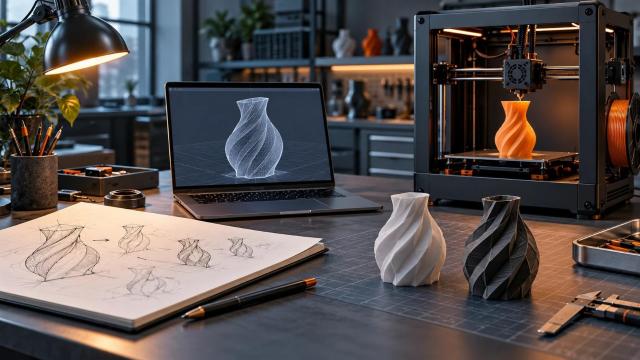
A request for a quick physical mockup often arrives before anyone has a measured drawing. N4D can turn a written description into a candidate STL model, giving a team something concrete to review early. The operational challenge is deciding which requests belong in that fast lane and which need a controlled CAD process from the start.
A limited pilot of text to STL works best when the goal is learning about shape, scale, or user preference rather than certifying a finished part. N4D describes a workflow that creates a 3D model from a prompt and exports STL for slicing. That can reduce the time between an idea and a first physical conversation, provided the team keeps human checks between generation and printing.
Define a Narrow Pilot Before Opening the Request Queue
Start with objects where a rough physical form is useful and failure has little consequence. A packaging mockup, decorative sample, desk organizer, or ergonomic shape study is easier to evaluate than a load bearing bracket or a sealed enclosure. The pilot should answer a specific question, such as whether a product fits in a hand, whether two proportions feel distinct, or whether a concept is worth detailed CAD work.
Write the success criterion before generating anything. If the team wants to compare three handle shapes, judge the handle shapes. Do not let an attractive print expand the decision into claims about strength, fit, or production readiness. That scope protects both the reviewer and the person who requested the prototype.
Name an Owner for the Physical Test
Assign one person to approve the print setup and another, if appropriate, to accept the prototype for its intended review. The requester can describe the desired object, but someone familiar with the printer and material should check the file. A simple ownership rule prevents a generated STL from moving into a production queue merely because it opened successfully.
Keep the pilot small enough to learn from. Ten carefully described requests with documented outcomes may teach more than a large queue of anonymous prints. Record which requests generated useful starting points, which needed substantial repair, and which should have gone directly to CAD.
Write Prompts as Design Briefs
A vague prompt such as "make a bracket" leaves too many decisions to inference. State the object's overall form, visible features, intended orientation, and what the prototype is meant to demonstrate. If appearance matters more than function, say so. If the model must include an open slot or a flat base for evaluation, describe those features plainly.
Separate observations from requirements. A requester may know that a component should resemble an existing case but not know the precise mounting dimensions. The prompt can capture that visual direction, while the record notes that hole spacing, wall thickness, and clearance remain unverified. This keeps a concept description from being mistaken for an engineering specification.
Use a Prompt Review Checklist
Before generation, confirm the request has an intended audience, a rough size range, a visible feature list, and an explicit statement of what will not be tested. Ask for a sketch or reference image if the shape is hard to describe. If the request depends on a precise interface with another part, send it to measured design work instead of asking a generator to guess.
After generation, compare the model with the brief. If a required opening is missing or two separate pieces have fused, revise the prompt or choose a different design method. Repeating an ambiguous prompt is less useful than resolving the ambiguity.
Inspect the Mesh Before Slicing
An STL file describes geometry; it does not certify that the geometry will print well. Rotate the model and inspect the underside, thin features, small gaps, disconnected islands, and any faces that appear inverted or open. Check whether the object is approximately the intended size when imported into the slicer. STL itself does not carry the full design intent behind a dimension, so the team should verify scale against the request.
N4D presents its generated output as watertight and ready for export, but the receiving workflow still matters. The printer, material, orientation, and intended use can reveal problems that a model preview does not. Treat the STL as a candidate that has passed through a generator, then apply the same acceptance steps used for other incoming files.
Review the Sliced Layers
In the slicer, choose the actual printer and material profile. Check the first layer, supports, small overhangs, missing thin walls, and unexpected internal voids. Move through the layer preview rather than judging only the outside surface. If a feature disappears after slicing, change the model or the print plan before spending machine time.
Wall thickness is contextual. It changes with process, material, nozzle, and geometry, so a single generic number is a poor approval rule. Use the relevant printer or material guidance and run a small test when the feature is close to a practical limit. For a prototype meant only to communicate shape, a fragile detail may be acceptable if everyone understands that limit.
Print to Answer the Original Question
Label the test print with its prompt, file version, printer settings, and review purpose. When the print is ready, put it beside the original brief. Did it answer the question the team asked? Was the scale useful? Which details were inferred incorrectly? What had to be repaired by hand?
That feedback decides the next step. A useful mockup may go to a second concept iteration or to a designer for measured CAD reconstruction. A print that needed extensive manual cleanup may indicate that this class of request is a poor match for text generation. Both outcomes are valuable if the team records them.
Avoid treating the best looking sample as automatically the best design. Surface quality can distract from an uncomfortable grip, an unstable base, or a shape that cannot be assembled. The physical test exists to expose such issues early, not to validate the final product by appearance alone.
Know When to Leave the Fast Lane
Move to conventional CAD and qualified review when a part needs exact dimensions, controlled tolerances, repeatable mating features, load capacity, electrical clearance, or any safety relevant performance. AI generated geometry may help explore a visual concept, but it should not replace the measurements and tests those applications require.
A successful pilot is therefore a routing system, not a promise that every idea becomes a finished part. N4D can help teams make early concepts tangible through text based STL generation. The team's value comes from choosing suitable requests, checking each file in its real print workflow, and knowing when a prototype has provided enough evidence to justify the next design stage.