
Testing Seedance 2.0 Video Workflows For Real Creators
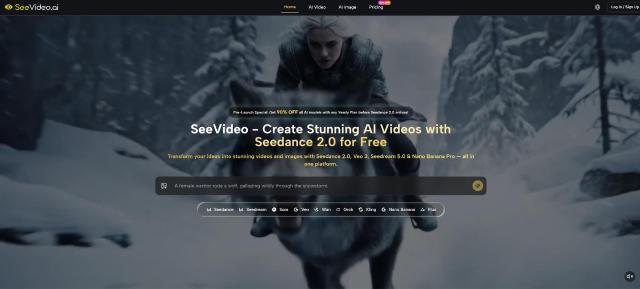
AI video has moved from novelty demos into a more practical question: can a creator turn an idea, reference image, or audio direction into something useful without rebuilding the whole workflow across several tools? That is why Seedance 2.0 is worth looking at now. The appeal is not only the model name, but the way SeeVideo presents it inside a broader AI video and image creation workspace for people who need faster visual experiments, multi-scene drafts, and a cleaner path from concept to usable content.
From a practical user perspective, the strongest promise is workflow consolidation. Many creators already understand the problem: one platform for text-to-video, another for image-to-video, another for image assets, another for model comparison, and a separate editing layer after that. SeeVideo tries to reduce that friction by bringing Seedance 2.0 together with other video and image models in one place. That does not automatically make every result perfect, but it does make the testing process easier to understand.
I approached the platform less like a fan of one model and more like a working creator with three common tasks: a short social video, a product-style visual sequence, and a concept-driven scene that needs more than a single static shot. The useful question is not whether an AI video tool sounds impressive on paper. The useful question is whether its process, model positioning, and creative controls make sense when a real user needs to move from prompt to result.
Why This Platform Fits The Current Video Race
The AI video space is crowded, and that is exactly why a platform like SeeVideo has a clear reason to exist. Instead of asking users to treat one model as the answer to every job, it frames the experience around multiple creation modes and multiple model strengths.
The website presents Seedance 2.0 as a core AI video engine for multi-scene video generation, with support for text, image, and audio input. It also places the model alongside options such as Veo 3, Sora 2, Seedream, Nano Banana Pro, Wan, Kling, and other creative models. The result is a workspace that feels less like a single button generator and more like a model selection environment.
A Test Framework Built Around Real Work
The most useful way to judge this kind of platform is to start with creative tasks, not feature labels. I looked at it through five practical checkpoints: how clear the starting workflow feels, how much creative direction the user can provide, whether different input types support different use cases, whether the output is positioned for professional or semi-professional work, and whether the platform helps users compare model strengths.
This matters because AI video quality is rarely about one isolated claim. A polished demo can look excellent, while a real prompt involving character continuity, motion, scene transitions, or audio guidance may require several attempts. A credible platform should make that iteration process less confusing.
The Strongest Signal Is Workflow Clarity
The clearest advantage is that SeeVideo explains the major creation paths in plain terms. Text-to-video is for describing an idea directly. Image-to-video is for animating an existing image or visual reference. Audio-supported generation is positioned as a way to guide video creation through sound, dialogue, music, or effects.
That structure helps users understand where to begin. A marketer with a product image does not need the same path as a filmmaker testing a scene concept. A YouTube creator planning a short visual segment does not need the same setup as someone creating still assets before animation. The platform’s model-first layout gives users a practical starting map.
How The Website Workflow Actually Works
The official workflow is simple enough to explain without inventing hidden steps. The website presents SeeVideo as a unified AI video and image creation platform where users choose a creation mode, provide an input, and generate or compare results with supported models.
It is important not to add steps the page does not clearly require. The real value is not a complicated dashboard story. It is the fact that the platform organizes text, image, audio, and model choice into one creative flow.
Step One: Start With A Creation Direction
The first decision is the creative direction: whether the user wants to generate video from text, animate an image, or work with audio-guided video generation where supported. This is the foundation of the whole experience.
Text And Image Inputs Shape Different Results
Text-to-video is best when the idea starts as a scene description. The user can describe subject, setting, camera mood, action, lighting, and visual style. Image-to-video is better when visual identity already matters, such as a product photo, character image, or artwork that needs movement.
The distinction is useful because many AI video mistakes begin with choosing the wrong input type. If the user needs visual consistency, a reference image may provide a stronger starting point than text alone. If the user needs exploratory ideation, text may be faster.
Step Two: Provide Prompt, Image, Or Audio
The second step is adding the material that guides the generation. According to the website, Seedance 2.0 supports video creation from text, images, and audio inputs. The platform also highlights reference-image workflows for visual consistency in supported image or video tasks.
Specific Prompts Improve Practical Control
Prompt quality still matters. In my testing mindset, a useful prompt is not just “make a cinematic video.” It should define subject, action, environment, camera behavior, mood, and any continuity requirement. For image-to-video, the image provides visual grounding, but the prompt still helps guide motion and atmosphere.
This is where the platform becomes more practical for serious users. The workflow encourages users to think in creative inputs rather than vague commands. That does not guarantee perfect motion or perfect scene continuity every time, but it gives the model more usable direction.
Step Three: Generate And Compare Model Results
The third step is generating the result and, where useful, comparing outputs across models. SeeVideo’s website emphasizes that users can access multiple AI video and image models in one workspace and compare results to pick the best fit.
Comparison Helps Avoid Blind Model Loyalty
This matters because different models are better suited to different jobs. Seedance 2.0 is positioned around multi-scene video and audio input support. Veo 3 is described around native audio generation. Nano Banana Pro and Seedream are presented more on the image creation side. From a creator’s perspective, the benefit is being able to test the same idea through different model strengths instead of assuming one model should handle everything.
The comparison workflow is especially useful for teams. A social media manager may care about fast, engaging motion. A product marketer may care about visual consistency. A filmmaker may care about scene logic and camera feeling. Seeing outputs side by side can make those trade-offs easier to judge.
Where Seedance Fits Inside Real Scenarios
The middle of the workflow is where Seedance 2.0 AI Video becomes more than a keyword. Its practical role is strongest when the user wants multi-scene video generation, input flexibility, and a cleaner way to turn ideas into moving visuals without starting from traditional production.
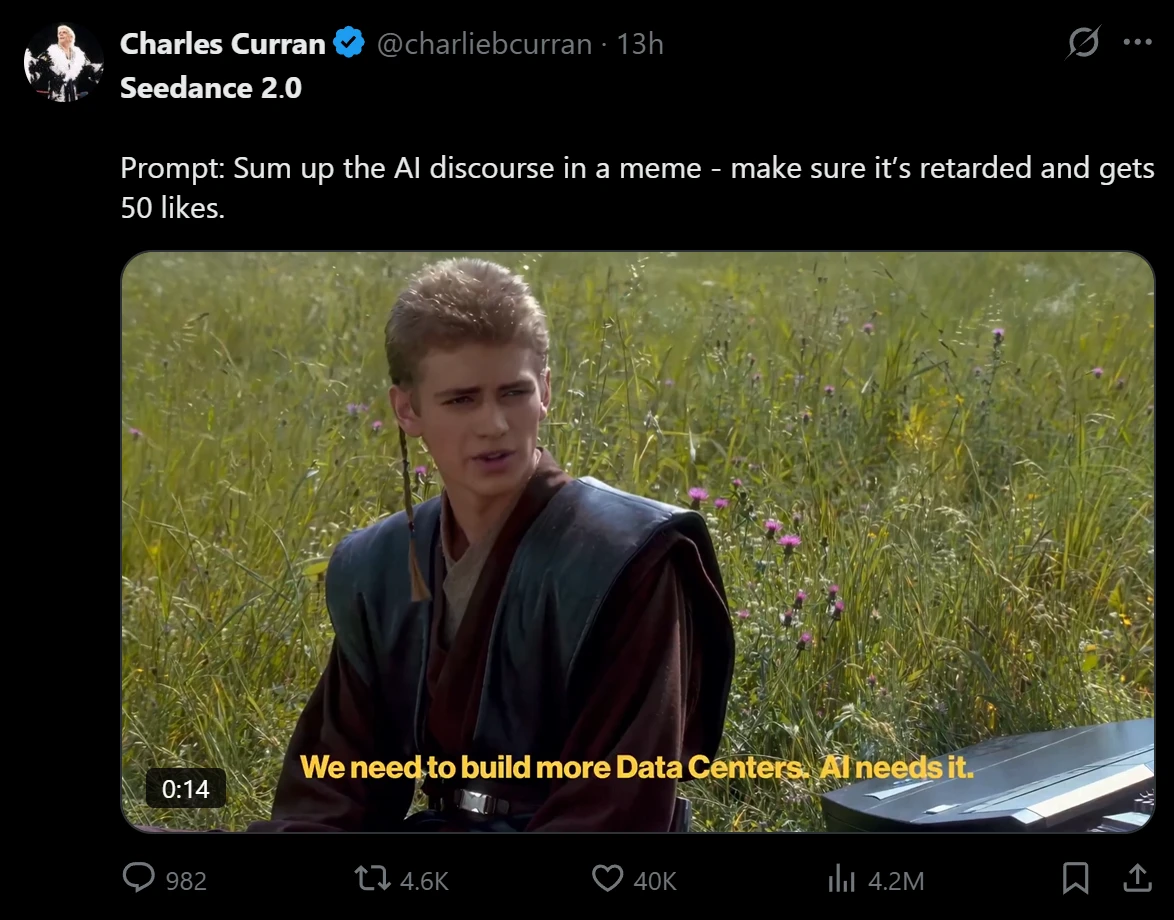
That does not mean it replaces production teams for every use case. It means it can help users prototype, test, and create visual drafts faster, especially when the goal is short-form content, advertising concepts, product visuals, or early-stage story exploration.
Scenario One: Social Video Concept Testing
A common task is a short vertical video for social platforms. The challenge is not only generating motion; it is making the first few seconds feel visually clear enough to stop scrolling.
For this kind of task, SeeVideo’s text-to-video path is the most natural starting point. A user can describe a subject, mood, action, and scene progression. The platform’s emphasis on multi-scene generation is relevant here because many short videos need a sense of progression rather than one static shot.
The Best Use Is Fast Creative Drafting
From a practical user perspective, the result appears most useful as a draft or production accelerator. You can test whether a concept has visual energy before committing to a more polished edit. The advantage is speed of ideation and scene variation. The limitation is that complex human motion, precise brand details, or exact continuity may still need multiple generations and careful prompt refinement.
This makes it suitable for creators who need quick visual options: TikTok concepts, Instagram Reels ideas, YouTube Shorts openings, or ad direction mockups. It is less ideal for users expecting one prompt to produce a flawless finished commercial every time.
Scenario Two: Product And E-Commerce Visuals
Another realistic use case is product visualization. A product image, lifestyle concept, or visual reference can become the starting point for a short video-style asset. The hard part is keeping the product recognizable while adding motion, setting, or atmosphere.
Image-to-video is the more logical path here. A static product image gives the model a visual anchor, while the prompt can define motion, background, lighting, and camera movement. This can be useful for e-commerce previews, campaign moodboards, or social product teasers.
Visual Consistency Remains The Main Test
The advantage is that the workflow supports a more controlled starting point than text alone. The possible limitation is that AI video tools can still reinterpret details, especially with complex logos, small text, reflective surfaces, or intricate product shapes. For professional product work, users should treat the first result as a candidate, not a guarantee.
The best users here are small brands, solo marketers, and content teams that need more visual variety from limited source material. The platform is useful when the goal is creative expansion, not when every pixel must match a regulated product image.
Scenario Three: Multi-Scene Story Exploration
The strongest conceptual fit for Seedance 2.0 is multi-scene storytelling. A single-scene video can feel like a moving image. A multi-scene video can feel closer to a draft narrative.
The challenge is that scene transitions, subject continuity, lighting consistency, and motion logic are harder than generating one beautiful shot. SeeVideo’s positioning around Seedance 2.0 directly addresses this need by emphasizing multi-scene generation and smooth transitions.
Storyboards Benefit From Iterative Testing
In practice, this is most valuable for storyboard exploration, ad concepts, music-video ideas, cinematic mood tests, and previsualization. The user can test whether a sequence has emotional direction before moving into production.
The limitation is that complex story logic may still require careful prompt structure. If the prompt is too broad, the result may look visually interesting but narratively loose. The best approach is to describe the scene order clearly and keep each transition simple.
How SeeVideo Compares With Fragmented Workflows
A fair comparison is not “AI versus traditional editing.” A more useful comparison is SeeVideo’s unified model workspace versus a fragmented workflow where the user jumps across several separate tools.
|
Evaluation Area |
SeeVideo Workspace |
Fragmented Tool Workflow |
|
Starting point |
Text, image, and audio-oriented creation paths are presented together |
Users often choose tools first and figure out inputs later |
|
Model access |
Multiple video and image models are grouped in one platform |
Each model may require a separate website or account |
|
Creative control |
Prompts, reference images, and supported input types guide direction |
Control depends heavily on each separate tool |
|
Comparison process |
Outputs can be reviewed across model strengths |
Users manually compare results across platforms |
|
Learning curve |
Easier for users who want one organized workspace |
Higher friction from switching interfaces |
|
Best use case |
Fast testing, visual drafting, social and marketing assets |
Specialized workflows with separate expert tools |
The table does not mean a unified platform is always better. Specialists may still prefer individual tools for narrow tasks. But for creators who need to test ideas quickly, the unified approach reduces friction and makes model choice easier to understand.
Real Limitations Creators Should Expect
A credible review should not pretend AI video is fully predictable. SeeVideo gives users a more organized way to access models and inputs, but the result still depends heavily on prompt quality, source images, model behavior, and task complexity.
Prompt Quality Still Shapes The Output
The platform can support text, image, and audio-based direction, but weak prompts still create weak results. A prompt that lacks subject detail, camera direction, scene order, or motion description may produce something visually polished but not strategically useful.
Complex Scenes May Need Several Attempts
Multi-scene video is powerful, but it is also where errors can become more visible. Character consistency, small object details, exact text, hands, reflections, and fast motion may vary. In my testing framework, this is not a reason to dismiss the tool. It is a reason to use it like a creative testing environment rather than a one-click final production machine.
Users should expect iteration. The platform is best treated as a way to generate options, compare directions, and refine the creative brief.
Commercial Claims Need Careful Reading
The website presents commercial-use positioning and no-watermark style benefits. That is useful for marketers and creators, but users should still avoid generating content that imitates protected characters, real people without rights, or brand assets they do not own.
Safer Inputs Create Safer Workflows
The strongest professional workflow is to use original prompts, owned product images, licensed brand materials, and clearly controlled references. This keeps the creative process focused on usable output instead of legal or brand-risk cleanup.
Who Should Actually Try This Platform
SeeVideo makes the most sense for users who need practical AI video experimentation without managing a scattered toolkit. The platform is especially relevant for social creators, marketers, e-commerce teams, YouTubers, small agencies, and visual storytellers who want to test ideas quickly.
It is less suited for users who expect total frame-level control, guaranteed character consistency in every attempt, or a finished cinematic piece from a single vague prompt. For those expectations, traditional production, editing, and post-processing still matter.
The best way to understand the platform is to see it as a creative testing layer. It helps users move faster from idea to motion, compare model strengths, and decide which visual direction deserves more effort. In a market full of AI video demos, that workflow clarity may be its most useful advantage.