Operations | Monitoring | ITSM | DevOps | Cloud

How to Identify LAN Issues (Local Area Network Problems)

Here is a reality that every network admin eventually runs into: users report slow apps, dropped calls, and broken connections, and the first instinct is to blame the ISP or the cloud provider. The ticket gets escalated, the ISP pushes back, and hours later, you find out the problem was sitting inside your own building the whole time. A saturated switch port. A misconfigured VLAN. A flaky patch cable in the server room.

Obkio Microsoft Teams Monitoring vs. Microsoft Teams Admin Center

Most IT teams rely on Microsoft Teams Admin Center as their default monitoring tool to find and fix Microsoft Teams issues, but there's a gap between what it shows and what actually causes call quality problems. Teams Admin Center gives you Microsoft's perspective on what happened after an MS Teams call ended. It doesn't tell you what was happening on your network, on your users' devices, or in the five minutes before the complaints started coming in.

What Is Mean Time to Resolve (MTTR)? (And How to Improve It)

Every minute a network incident goes unresolved costs your company money. Lost productivity, missed SLAs, degraded user experience, and, in other cases, direct revenue loss. For IT teams and network admins, the pressure to resolve incidents fast isn't just operational, it's existential.

Network Instability: What It Is, What Causes It, and How to Fix It

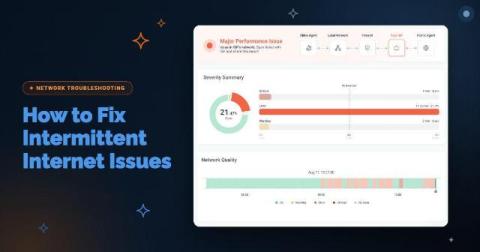
Network outages are easy. Something goes down, alarms fire, you fix it, life moves on. Everyone understands a full outage. It's clean, binary, and at least somewhat predictable. Network instability is the opposite of all that. Nothing fully breaks. Nothing fully works. The ping responds. The connection shows active. And yet users are complaining about choppy calls, sluggish apps, and sessions dropping for no apparent reason. You run a speed test, and it's fine.

HTTP Monitoring: What Is It and How to Do It

When users complain that an app or website is slow, the first question is always the same: Is it the network or the application? HTTP monitoring gives you the answer. Network metrics like latency and packet loss tell you what's happening on the wire. But they don't tell you whether users are actually feeling the impact. HTTP monitoring closes that gap.

The Benefits of Historical Data for Network Monitoring

Your phone rings. A user is complaining that “the network was slow" or "had issues around 3pm." You run a speed test. Green across the board. No active alerts. Everything looks fine. So what do you tell them? If you don't have a continuous, time-stamped record of what your network was doing at 3pm, you can't tell them anything, not with confidence. You're stuck choosing between "I didn't see anything" and "I'll keep an eye on it," neither of which fixes the problem or satisfies the user.

How to Measure MOS Score for VoIP (Step-by-Step)

Poor voice call quality isn't just annoying, it's a productivity killer. Dropped calls mid-negotiation, garbled audio on client meetings, and one-sided conversations where half the words don't make it through: these aren't random technical glitches. They're symptoms of network performance problems that haven't been identified, measured, or fixed. And when your business runs on VoIP, Microsoft Teams, or any cloud-based communication platform, unmeasured voice quality is a liability.

How to Perform a Network Health Check: Step-by-Step Guide

Your apps are slow. Users are complaining. You're staring at a dashboard trying to figure out what broke and when. Sound familiar? This is the reality of reactive network monitoring. By the time someone opens a ticket, the issue has already been affecting performance for minutes, sometimes hours. A network health check flips that script. Instead of chasing problems after the fact, you're catching them before users ever notice.

The Obkio Story: Building a Network Observability & Monitoring Solution

In 2016, before Obkio existed, we ran a market audit. We interviewed banks, manufacturing companies, and service providers, and asked them one simple question: Why aren't you using a Network Performance Monitoring solution? The answer was unanimous: the tools were too complex, and nobody had the internal resources to run them full-time. If that was true for enterprises with dedicated networking staff, it was even more true for smaller businesses with generalist IT teams.

Why You Should Automate Network Troubleshooting

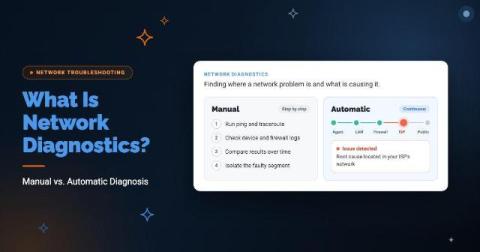
It's 2 AM. The Network Is Down. Where Do You Start? You get the call. Users can't connect. VoIP is choppy. Something is broken somewhere between your office and the cloud. You open your monitoring dashboard and it says something is wrong, but not where. Not why. Not since when? So you do what IT teams have done for decades. You open a terminal, run a traceroute, SSH into the router, pull up SNMP, check the firewall logs.