Introduction to error monitoring with Raygun
Raygun enables you to track errors in your web and mobile applications and set up a process to manage them. This guide will help you set up Raygun to build more stable software.


Raygun enables you to track errors in your web and mobile applications and set up a process to manage them. This guide will help you set up Raygun to build more stable software.
APIs are the backbone of software products. Whether the APIs are customer facing or for internal use, making sure that your APIs are up and running is crucial. In this post, we will see how to get started with API monitoring with Checkly.
Cron jobs handle a lot of background plumbing that keep applications running smoothly. But cron job failures often go unnoticed and be disastrous for your users and business. To make sure that you are aware about cron job issues, you should use a cron monitoring tool. In this post, we will see how to get started with Cronitor to monitor your cron jobs.
Rollbar is an error tracking product that monitors your applications for errors and helps you take action on them. Rollbar also integrates with other products so you can send the errors to project management tools, incident alerting tools etc. In this post, we will show you how to get started with error tracking using Rollbar.
Bugsnag is an error tracking tool that monitors exceptions in your applications and shows them in an easy-to-use dashboard. It also shows you the stability score to help you keep track of your application health. In this guide, we will learn how to use Bugsnag to monitor your software for errors.
Sentry is one of the most popular error tracking tools, which monitors your application for errors and exceptions. Sentry also has an open source version of the product that you can host yourself, but today we will talk about their cloud hosted product.
When you start researching how to improve the reliability of your software, you will soon run into terms like SLOs and SLAs. It can sound intimidating, but it's quite straightforward to understand. In this post, we will introduce these terms, the differences between them and how to start using them to make your systems more reliable.
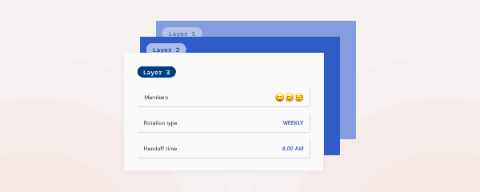
Background We recently released the biggest overhaul to one of the core features of Spike.sh - On-call schedules. Software teams use on-call schedules to designate first responders who will handle issues when they occur.
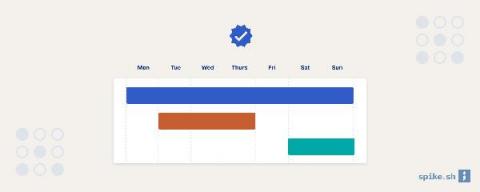
An on-call schedule tells you and everyone in the team who will be the first responder when an issue happens in production. The on-call team member is responsible for investigating the issue, either fixing the issue herself or adding other people who can help fix it. Having an on-call schedule is important for building reliable systems because making someone responsible for production issues makes sure that they're not ignored.
Adding alerts across your monitoring tools is taking a proactive approach to reliability. But if there are too many alerts, then it can become counterproductive because team members will start ignoring alerts or remove the alerting altogether. Which is why you need a systematic approach to adding alerts and dealing with them.