Operations | Monitoring | ITSM | DevOps | Cloud

Managing CI/CD pipelines with Arm compute resource classes

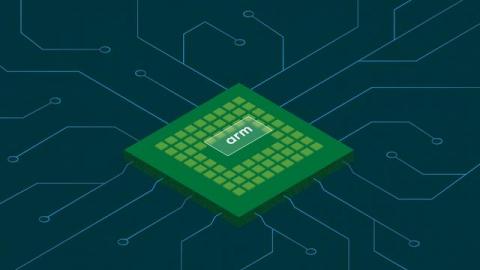
CircleCI has released new Arm-based compute in preview. Arm processors and architectures are becoming widely available as development teams adopt them as compute nodes in many application infrastructures. Organizations that need to run microservices, application servers, databases, and other workloads in a cost-effective way will continue to turn to the Arm architecture.

Detect suspicious activity in GCP using audit logs

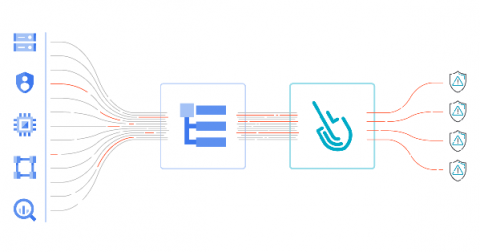
GCP audit logs are a powerful tool that track everything happening in your cloud infrastructure. By analyzing them, you can detect and react to threats. Modern cloud applications are not just virtual machines, containers, binaries, and data. When you migrated to the cloud, you accelerated the development of your apps and increased operational efficiency. But you also started using new assets in the cloud that need securing.

Cloud lateral movement: Breaking in through a vulnerable container

Lateral movement is a growing concern with cloud security. That is, once a piece of your cloud infrastructure is compromised, how far can an attacker reach? What often happens in famous attacks to Cloud environments is a vulnerable application that is publicly available can serve as an entry point. From there, attackers can try to move inside the cloud environment, trying to exfiltrate sensitive data or use the account for their own purpose, like crypto mining.

AWS CIS: Manage cloud security posture on AWS infrastructure

Implementing the AWS Foundations CIS Benchmarks will help you improve your cloud security posture in your AWS infrastructure. What entry points can attackers use to compromise your cloud infrastructure? Do all your users have multi-factor authentication setup? Are they using it? Are you providing more permissions that needed? Those are some questions this benchmark will help you answer. Keep reading for an overview on AWS CIS Benchmarks and tips to implement it.

Unified threat detection for AWS cloud and containers

Implementing effective threat detection for AWS requires visibility into all of your cloud services and containers. An application is composed of a number of elements: hosts, virtual machines, containers, clusters, stored information, and input/output data streams. When you add configuration and user management to the mix, it’s clear that there is a lot to secure!

Remediating Vulnerabilities with Puppet

Patching vulnerabilities can be daunting, especially if the information is confusing, and the process to deploy patches is long. There are going to be times where a zero day presents itself, and the vulnerability requires immediate action. Whether it’s a simple fix or not, the seriousness of some vulnerabilities can put organizations at risk. Deploying patches, especially for critical infrastructure, takes planning.

The Untapped Power of Key Marketing Metrics

Marketing and Site Reliability teams rarely meet in most organizations. It’s especially rare outside the context of product marketing sessions or content creation. With observability now pivotal to success, we should be looking to bring the two together for technical and commercial gains. In this piece, we’re going to explore the meaning of observability and its relevance to marketing metrics.

Unlocking Hidden Business Observability with Holistic Data Collection

Why do organizations invest in observability? Because it adds value. Sometimes we forget this when we’re building our observability solutions. We get so excited about what we’re tracking that we can lose sight of why we’re tracking it. Technical metrics reveal how systems react to change. What they don’t give is a picture of how change impacts the broader business goals. The importance of qualitative data in business observability is often overlooked.

Explore Prometheus Metrics with Logz.io Infrastructure Monitoring

Metrics Explore is the Logz.io feature for deep dives into Prometheus metrics. Similar to Kibana Discover, it allows for easy querying, pull-down list selections, and other ways to navigate your data. Best yet, you can explore important metadata for detailed metric analysis. There are a few ways to move around the metrics in your system. Get started by finding the Explore icon on the left-hand menu.