In the eternal hunt for elusive bugs, logging is an indispensable aid. By recording the events and messages that occur during the execution of your program, logging opens the door to unparalleled debugging and performance monitoring capabilities. It all starts with Python’s built-in logging module. However, the true power of Python logging is unlocked not merely by using it, but by mastering it.
Today's applications are incredibly intricate and interconnected, often relying on numerous third-party services and libraries. With this complexity comes an increased likelihood of things going wrong. However, an error doesn't usually announce itself with great fanfare and a detailed explanation. More often than not, it shows up as an unexplained crash, a suspicious slowdown, or a surprising output. Error logging shines a spotlight on these problems.
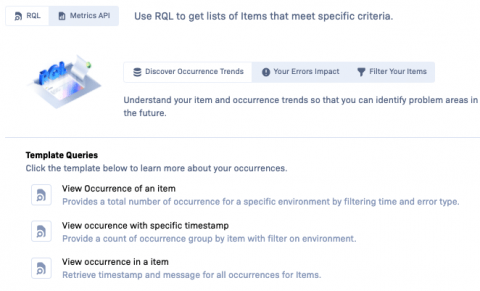
We are excited to announce the rollout of our new Rollbar Improve component, Analyze. As we strive to provide you with the best possible tools to monitor, understand, and improve your code, we've combined two powerful features, RQL and Metrics API, into one comprehensive package. Analyze is designed to deliver even more powerful insights to help your teams better understand your code and make data-driven decisions.
We are excited to announce the latest release of our Rollbar SDK for Apple, version 3.0.0. This release includes several new features and enhancements to improve the functionality and performance of our error tracking and debugging platform.
Rollbar allows you to gain real-time visibility into exceptions and crashes in your applications and act on them quickly and easily. An important piece of any application is knowing if transactions are executing slower or below a certain threshold. Rollbar provides an easy method to send this data to be processed quickly and easily inside your existing Rollbar project.
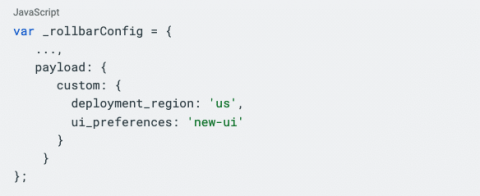
An important component of understanding the root cause of an error, and the importance of an error to the business is having additional contextual information about the error. The specific additional data that is important for your errors will be unique for your application and possibly the category of the error. Rollbar provides an easy way to tag your error data with additional custom tags. There are 2 main ways of doing this.
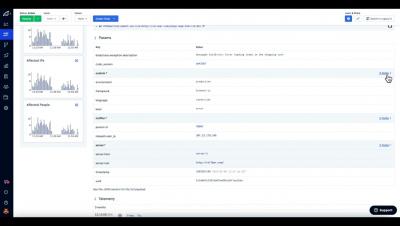
We have introduced a new design for the Item Detail page - as well as helping to investigate & resolve Items more quickly, the layout provides a framework for adding future improvements and also introduces a new style that will roll out across the Rollbar website in future.
We’re excited to share a significant update to all Rollbar plans in the next few weeks. We’ve redesigned our item detail page with a new mobile layout, prioritized important error context, display occurrence details more clearly, and put all actions at your fingertips. With our new UI, we are confident you will work more efficiently, so you can resolve errors quickly and get back to your essential work.