Operations | Monitoring | ITSM | DevOps | Cloud

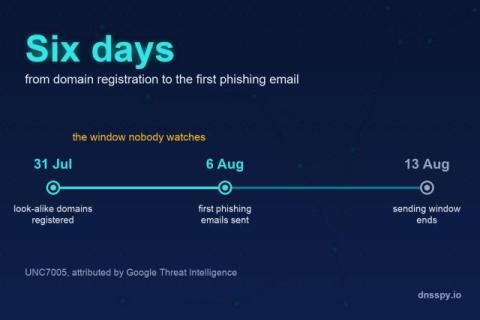
Six Days: What UNC7005 Shows About the Gap Between Domain Registration and Attack

On 20 August, Google Threat Intelligence published an analysis of a phishing cluster it tracks as UNC7005. Google assesses with moderate confidence that the cluster is connected to ICE RELIC, the Russian actor formerly tracked as APT29 and also known as Midnight Blizzard.
CISOs Now Rank Domain and DNS Hijacking Above Ransomware

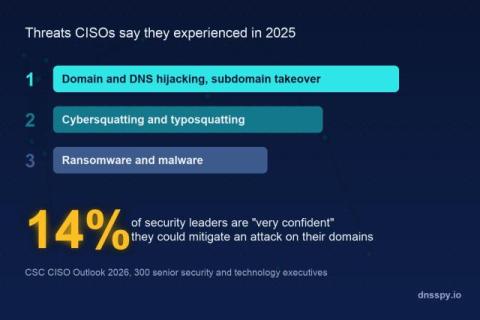
CSC's CISO Outlook 2026 report surveyed 300 senior technology and cybersecurity executives in the first quarter of 2026, split evenly across North America, Europe and the UK, and Asia-Pacific. When asked which cyber threats they had actually experienced in 2025, not which ones worried them but which ones happened, the answer at the top of the list was domain and DNS hijacking, and subdomain takeover. Ahead of ransomware. Ahead of malware.

DNS Alerts over Syslog: TLS, CEF, and a Straight Line to Your SIEM

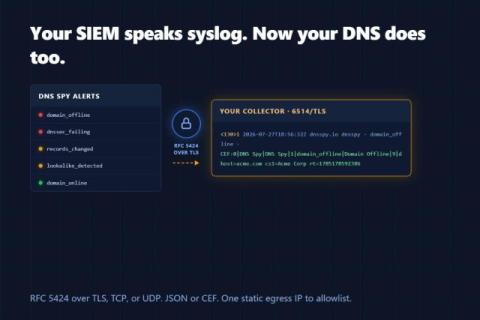
Enterprise teams can now add a Syslog alert channel: every DNS Spy alert delivered as an RFC 5424 message over TLS (or TCP/UDP), formatted as JSON or ArcSight CEF, with syslog priorities mapped from real alert severity. All deliveries originate from one documented static IP, so getting through your collector's firewall is a single allowlist rule.

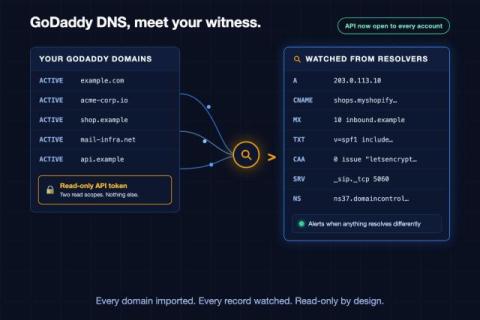
DNS Spy Now Connects to GoDaddy. Every Domain, Every Record, Read-Only.

GoDaddy manages more domains than any registrar on earth, so it has always been near the top of our provider integration list. There was just one problem: in May 2024, GoDaddy restricted its API to accounts holding ten or more domains — fifty for some endpoints. Overnight, certificate renewals broke, dynamic DNS scripts died, and every small business with one or two domains was locked out of automating anything.

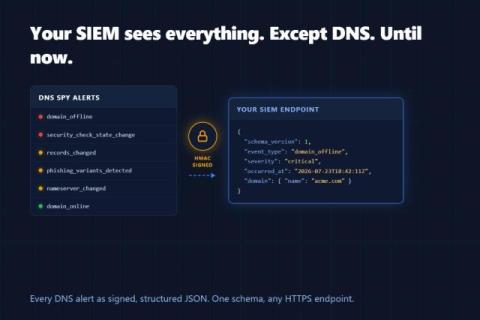
Send DNS Spy Alerts to Your SIEM: Introducing Webhook Alerts

Enterprise teams can now add a Webhook alert channel that POSTs every DNS Spy alert — DNS record changes, domain outages, security check failures, WHOIS updates, phishing look-alike detections — to any HTTPS endpoint as structured JSON. Requests are optionally HMAC-signed, every delivery is logged and retried, and a Send Test button verifies your integration end to end.

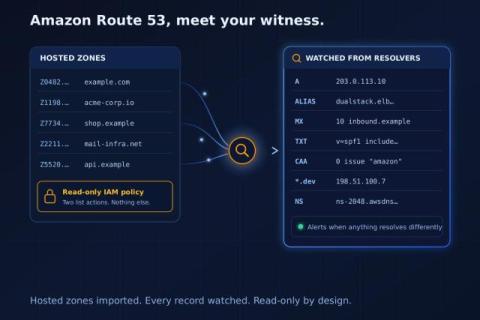
DNS Spy Now Connects to Amazon Route 53. Read-Only, Every Record, Always in Sync.

When we launched DNS provider sync with six providers, one name came up in nearly every "what about..." email: Amazon Route 53. That makes sense. Route 53 runs DNS for an enormous share of production infrastructure, and it does not support zone transfers — so until now, monitoring a Route 53 zone meant relying on autodiscovery's educated guesses. Today that gap closes.

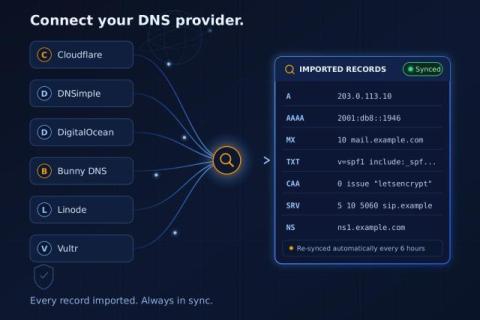
Connect Your DNS Provider. Import Every Record. Stay in Sync.

When you add a domain to a DNS monitor, the first question is simple: which records should it watch? Until now there were two answers, and both had a catch. Autodiscovery probes hundreds of common names — www, mail, _dmarc, the usual suspects — and it catches most of what real zones contain. But if you named a record something unusual, no wordlist in the world is going to guess it.

Find the Lookalike Domains Impersonating Your Brand: A Free Phishing & Typosquatting Scanner

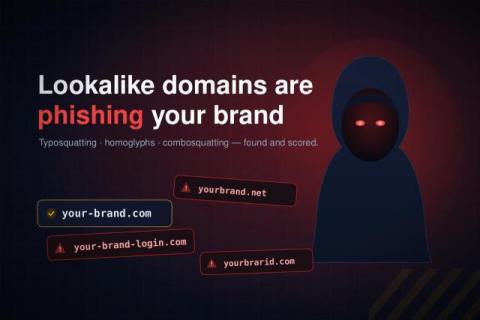
Somewhere out there, a domain that looks almost exactly like yours may already be registered. Maybe it swaps one letter. Maybe it uses a Cyrillic character that is visually identical to a Latin one. Maybe it just adds the word "login" or "secure" to your brand. These lookalike domains are the raw material of phishing, and most companies have no idea how many exist for their brand until something goes wrong.

What is DNS TTL and How to Choose the Right Value

DNS TTL is one of those settings nobody thinks about until it bites them. Then they think about it a lot. This guide explains what DNS TTL is, how it works in plain language, and how to pick the right value for your records. By the end you will know what to set, when to change it, and why it matters when you migrate to a new server.

DNS Spy Now Has an MCP Server. Ask Your AI About Any Domain.

DNS monitoring should be simple. You want to know if something changed. You want to know if a record propagated. You want to know if a phishing site just went live with your brand name in the domain. But in practice it takes work. You log in to a dashboard. You click through menus. You run a check, copy the output, paste it somewhere else. You repeat that process every time someone on the team asks a question. AI assistants like Claude and ChatGPT could help.