Operations | Monitoring | ITSM | DevOps | Cloud

Introducing the redesigned Check Statistics widget

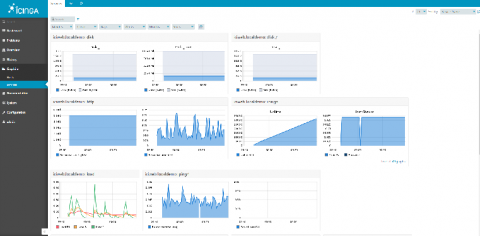
Those of you, who’ve already tried out the Web Interface for Icinga DB might have noticed the redesigned layout of the check execution statistics section in a monitoring object’s detail view. For all the others: Learn about it in this post. On first hand we wanted to make the informations more compact and put them in relation with each other, where possible. We aimed to keep all the information of the old one, though.

Releasing Icinga for Windows v1.2.0

Today we are proud to announce the official release for Icinga for Windows v1.2.0! This includes v1.2.0 of the Icinga PowerShell Framework and v1.2.0 for the Icinga PowerShell Plugins. We collected plenty of feedback during the past months from our world-wide user base and focused on stability and usability in this release, but also added several new features!

Create Custom Icinga Powershell Modules and Plugins

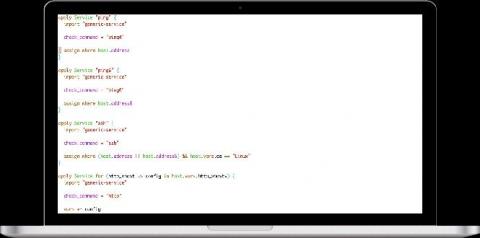
Today I will show you briefly how to build your own Powershell Modules/Plugins using icinga-powershell-framework. As you might know, we recently started writing plugins in Powershell that can be used to monitor windows-services in Icinga2 in a simple way. If you are interested in learning more about it, everything is documented here down to the smallest detail.

community.icinga.com

The community forum is a place where you can meet and chat with other Icinga users. It’s hosted by Icinga and moderated by both the Icinga team and members of the community. It’s mostly being used as a platform to ask and answer technical questions about Icinga, which is a great way to learn more about the tool stack! What does it look like? It’s a discourse platform, so it’s a collection of threads or topics which are open for anyone to leave a comment on!

Icinga User Survey 2019 Report

In late 2019 we were running our first ever user survey on Icinga. We always strive to get to know our users and their requirements better. Our goal for the survey was to get a general understanding about how Icinga is being used. The results are very interesting for us and will help us to make decisions. Today we want to share the results of the survey.

Icinga Web permissions and restrictions (how do they work, examples)

Permissions and restrictions are something used to control how much access is provided to a particular user or user group. Therefore one must first understand what is the role of a user or a group. Here, you will understand permissions and restrictions through configuring users, user groups and roles. They can either be created using configuration files or web interface. When the Icinga Web 2 is installed a default user with admin access is configured.