

Operations | Monitoring | ITSM | DevOps | Cloud

What's new in Papertrail: Q3 2026

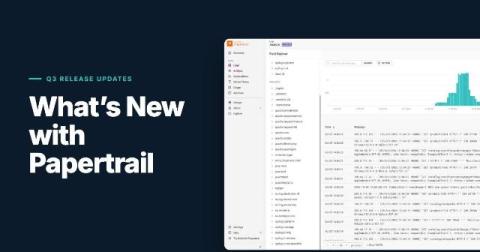
Q3 was a big quarter for Papertrail. You can now ask questions about your logs in plain English, explore structured logs by field, inspect any single log event in detail, and archive to your own S3 bucket with a setup that keeps you in control of access. We also shipped a round of smaller improvements that make sending logs and searching them faster and smoother. Here is a quick overview. The two Preview features have their own deep-dive articles, linked below.

Setting up Syslog in your Papertrail trial? Here's what to send your admin

Sending server logs to Papertrail over Syslog takes one setup command, and running it needs admin access: sudo on Linux, or Administrator rights on Windows. If you started a free trial but don’t have that access here are instructions to get your logs flowing. Copy your setup command, send it to a teammate who has admin access using one of the ready-made messages below, and your logs can be streaming in Papertrail within minutes of them running the script. This post walks you through those steps.

Ask Your Logs: The AI Assistant Comes to Papertrail

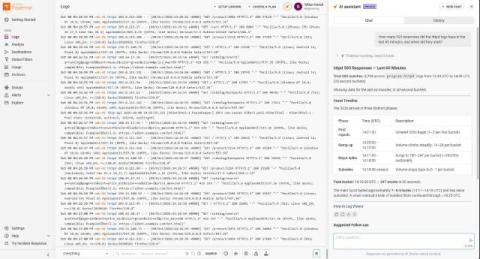
It is 2 a.m., and something is wrong. The answer is somewhere in your logs, but finding it means guessing keywords, remembering search syntax, and scrolling through thousands of lines. Your systems keep growing, so you have more data than ever and less clarity when it counts. Today, we are bringing the AI assistant, the SolarWinds in-product AI agent (also known as SW1 in earlier previews), to Papertrail. Ask your logs a question in plain English and get an answer, with a link back to the evidence.

SAP HANA Monitoring Tools 2026: How to Compare Options and Simplify Monitoring

If your team works with SAP HANA, the main challenge usually isn’t finding another dashboard. The real difficulty is identifying which tool can quickly help you trace vague complaints about slow transactions to their root cause. In many setups, SAP HANA monitoring is divided among native SAP interfaces, cloud monitoring, infrastructure dashboards, and the broader monitoring systems used by the rest of IT. This fragmented approach can slow down root cause analysis.

6 Signs a Dedicated Log Tool Fits Better Than a Full Observability Platform

Most growing teams eventually consolidate onto a full observability platform, and for teams correlating logs, metrics, and traces across a complex system, that’s often the right call. But a dedicated log tool still wins for a specific set of teams: ones that need to move fast, keep costs simple, and get real answers from logs without carrying the weight of a platform they don’t fully need yet. Here’s when that’s you.

Top 7 Tools for Optimizing Your JVM Performance

Java is a common development language in part because of how well it works for programming tasks involving objects. Because so many organizations rely on Java applications for business-critical functions, providing adequate resources for these apps is essential. Running Java applications on Java Virtual Machines (JVMs) rather than on physical hardware can increase an organization’s computing power without the overhead expenses of additional hardware.