Operations | Monitoring | ITSM | DevOps | Cloud

Setting Up a Data Loop using Cribl Search and Stream Part 1: Setting up the Data Lake Destination

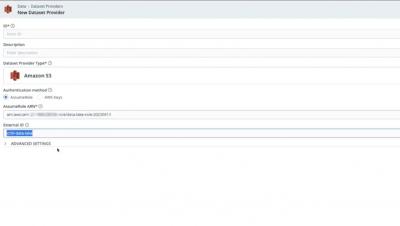
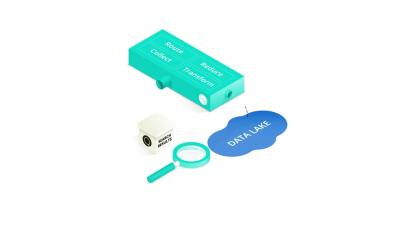
In the very first video of the series, we delve into the concept of a data loop and why it is beneficial to use Cribl Search and Cribl Stream to optimize the use of a data lake. The video gives a concise overview of Cribl Search and Cribl Stream, and how they work in tandem to create a data loop. We then provide step-by-step instructions on how to configure the Cribl Stream "Amazon S3 Data Lake" Destination to transfer data from Stream to an S3 bucket that has been optimized specifically for Cribl Search's access. Finally, we demonstrate sending sample data to the S3 bucket and present a before-and-after view of the bucket to showcase the impact of the test data.

Setting Up a Data Loop using Cribl Search and Stream Part 2: Configuring Cribl Search

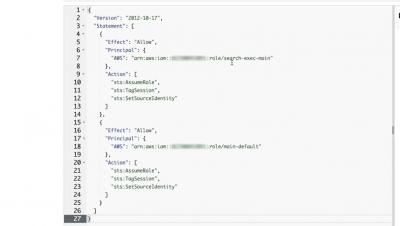
In the second video of our series, we delve into the nuts and bolts of configuring Cribl Search to access the data that we've stored in the S3 bucket. The video guides you step-by-step through the process of configuring the Search S3 dataset provider by using the Stream Data Lake destination as a model for the authentication information. From there, we proceed to walk through the process of creating a Dataset to access the Provider that we've just established. To wrap things up, we demonstrate how to search through the test data that we've previously stored in the S3 bucket.

Setting Up a Data Loop using Cribl Search and Stream Part 3: Send Data from Cribl Search to Stream

The third video of our series focuses on utilizing Cribl Stream to manage data. The presenter takes us through the process of configuring the Cribl Stream in_cribl_http source in tandem with the Cribl Search send operator to collect data. We are able to witness live data results being sent from Search to Stream. Afterward, we demonstrate creating a Route in Stream to direct the incoming data from Search (via the in_cribl_http) Source to the Data Lake by using the Amazon S3 Data Lake Destination. This step employs a passthrupipeline to ensure that the data is not altered in transit.

Setting Up a Data Loop using Cribl Search and Stream Part 4: Putting it All Together

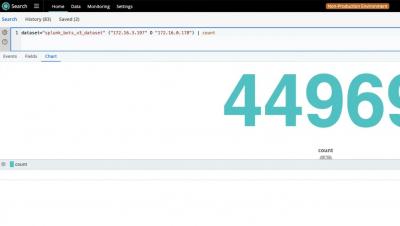
The final section of our video series showcases how to put the data loop to use with a real-world dataset. We utilize the public domain “Boss of the SOC v3” dataset, which is readily available on GitHub. First, we employ Cribl Search to sift through and explore the BOTSv3 data that is stored in an S3 bucket to locate some specific data.

What is IT Asset Management, and why does it matter? (ITAM) Infraon

Welcome to our 4-part video series on ITAM. We will cover everything you need about ITAM in this series. In this part, we discuss IT Asset Management and why it matters. Learn how ITAM can streamline operations, protect valuable data, and drive business success, from optimizing license usage to reducing unused assets, preparing for audits, and generating precise budgets with ITAM. Safeguard your organization by effectively managing end-of-life assets and ensuring compliance.