Webinar - Integrating with Splunk, New Relic, Solarwinds and more
Join Adam Kinniburgh as he walks us through integrating Squared Up with other monitoring tools such as Splunk, New Relic, Solarwinds and more.


The latest News and Information on Log Management, Log Analytics and related technologies.
In the last post, we talked about the different ways to monitor Fastly CDN log and why it’s crucial to get a deeper understanding of your log data through a service like Sumo Logic. In the final post of our Fastly CDN blog series, we will discuss how to use Sumo Logic to get the most insights out of your log data — from how to collect Fastly CDN log data to the various Sumo Logic dashboards for Fastly.
Serving over 44% of the world’s websites, Apache is by far the most popular web server used today. Apache, aka Apache HTTP Server, aka Apache HTTPd, owes its popularity to its ease of use and open-source nature but also its inherent flexibility that allows engineers to extend Apache’s core functionality to suit specific needs.
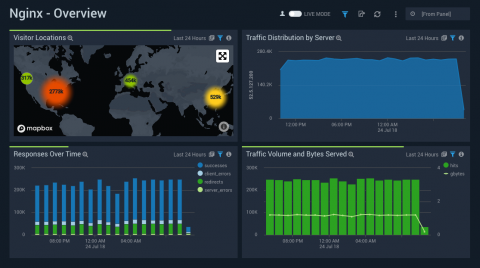
If you’re just joining us, I highly advise you to go back and check out our first two parts of this three part series regarding NGINX and Sumo Logic where we go over a basic Introduction to NGNIX and also Touch Up On NGINX, Logs, and Why Logs Are Important. If you’ve been following along, then great, let’s jump right into it.
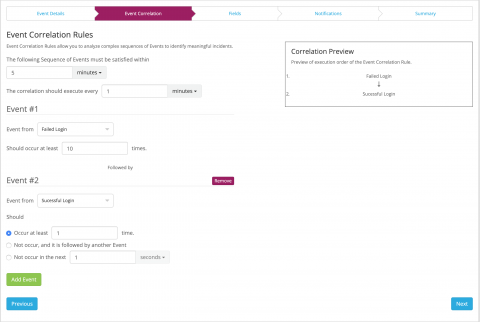
Today we are releasing the next public beta of Graylog v3.1. This release brings a whole new alerting and event system that provides more flexible alert conditions and event correlation based on the new search APIs that also power the views. In addition, some extended search capabilities introduced in Graylog Enterprise v3.0 are now available in the open source edition in preparation for unifying the various search features.
Launched at KubeCon North America last December, Loki is a Prometheus-inspired service that optimizes storage, search, and aggregation while making logs easy to explore natively in Grafana. Loki is designed to work easily both as microservices and as monoliths, and correlates logs and metrics to save users money. Less than a year later, Loki has almost 6,500 stars on GitHub and is now quickly approaching GA.
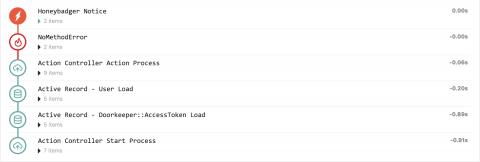
Have you ever dealt with an error in production, and no matter what you try, you can't replicate the issue on your development or staging environments? Often the next step is to gather more data by tossing a debug log at production. If you don't have a good way to correlate logs with a request it can be frustrating, especially during an incident. We added a feature to help, and it's called Breadcrumbs.
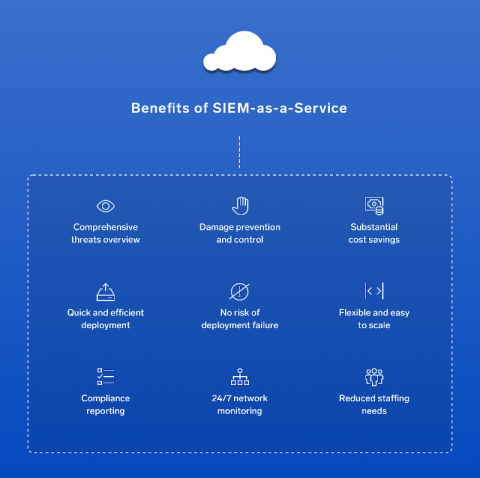
Not investing in Security Incident and Event Management solutions means you’re missing out on significant business benefits. SIEM detects and responds to security incidents in real time, which reduces the risk of noncompliance. It also helps realize greater value across all underlying security technology and systems. Reporting with SIEM is more comprehensive and less time-intensive, helping to reduce capital and operational costs through consolidation.
Single sign-on (SSO) is an authentication model designed to let users access different applications, services, and resources using a single set of credentials. Instead of having multiple user accounts for different applications, users are assigned a single centralized account that is used to authenticate with each application. This makes it more convenient for users to authenticate, while also making it easier for IT administrators to manage multiple accounts.
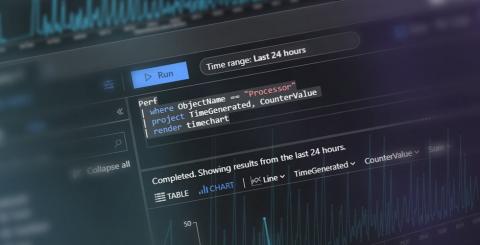
This blog post is for anyone needing a jumpstart into the world of Kusto. Perhaps you’ve heard about Kusto and are just curious. Maybe you’re just starting to use Azure Monitor for your application monitoring. You might even be getting skilled up in anticipation of the new Squared Up for Azure release that will have KQL at its heart. Whatever your reason, set aside the next 10 minutes and we'll get you up to speed with KQL. Ready? KQL stands for Kusto Query Language.