Codefresh Software Delivery Platform, powered by argo
Conquer DevOps with the Codefresh Software Delivery Platform, powered by argo. Realize your true DevOps potential with the premier enterprise Argo software delivery solution.


Codefresh has recently launched a new certification program that offers organizations and the open-source community a fast track to learning GitOps and how you can apply it to new and existing applications and infrastructure. These certificates can be earned through 3 courses and a final exam.
Codefresh has a very clear mission to enable enterprise teams to confidently deliver software at scale. We are incredibly grateful to our customers who are succeeding with deployments to the cloud, on-prem, and at the edge. Codefresh is powering critical software delivery for some of the world’s most popular gaming and media companies as well as regulated environments in hospitals, at banks, and for defense. So this post is dedicated to all of you who have enabled Codefresh to grow!
In our big guide for GitOps problems, we briefly explained (see points 3 and 4) how the current crop of GitOps tools don’t really cover the case of promotion between different environments or how even to model multi-cluster setups. The question of “How do I promote a release to the next environment?” is becoming increasingly popular among organizations that want to adopt GitOps.
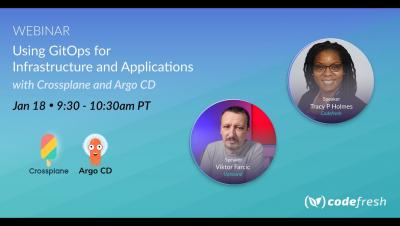
If you have been following the Codefresh blog for a while, you might have noticed a common pattern in all the articles that talk about Kubernetes deployments. Almost all of them start with a Kubernetes cluster that is already there, and then the article explains how to deploy an application on top. The reason for this simplification comes mainly from brevity and simplicity. We want to focus on the deployment part of the application and not its infrastructure just to make the article easier to follow.
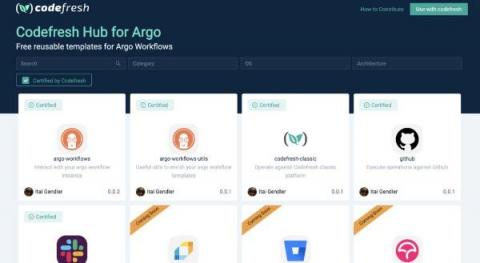
Anyone who builds a lot of Argo workflows knows that after a while you end up reusing the same basic steps over and over again. While Argo Workflows has a great mechanism to prevent duplicate work, with templates, these templates have mostly stayed in people’s private repositories and haven’t been shared with the broader community.
Several companies nowadays offer a cloud-native solution that manages Kubernetes applications and services. While these solutions seem easy at first glance, in reality, they still require manual maintenance. As an example, an important decision for any Kubernetes cluster is the number of nodes and the autoscaling rules you define.
Have you always wanted to have different settings between production and staging but never knew how? You can do this with Kustomize! Kustomize is a CLI configuration manager for Kubernetes objects that leverage layering to preserve the base settings of the application. This is done by overlaying the declarative YAML artifacts to override default settings without actually making any changes to the original manifest.