Right-click, checkout, and boom your branch is ready to go! See how the Gridiron Survivor dev team uses GitKraken Desktop to make checking out and updating branches easy.
GitLens' inline blame feature lets you instantly see authorship, line history, and file changes directly in your editor. Gain powerful insights into your project contributions – perfect for tracking changes and spotting bugs!
CLI users! Want an easier way to manage Jira issues and pull requests from your terminal of choice? GitKraken's Launchpad displays all your PRs and issues directly in your CLI, making it easy to navigate and prioritize everything on your to do list.
Digging through a project's history can feel overwhelming. See how the Gridiron Survivor dev team uses GitKraken Desktop to easily navigate all their branches, commits, latest changes, and more!
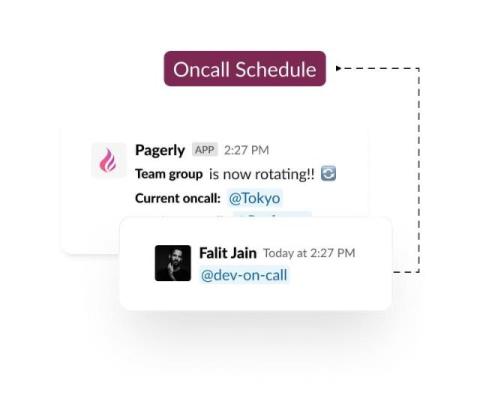
Update users in the usergroup automatically with the oncall status and begin tagging with @sre-oncall. This can be integrated with your own custom rotation or the Pagerduty/OpsGenie schedule.
Virtual meetings are crucial for keeping teams connected and staying in touch with family and friends living in a different country. Platforms like Zoom are commonly used for hosting webinars, teaching online, organizing meetings with colleagues, etc. In other words, they give you countless possibilities. However, Zoom's recording capabilities are rather limited.
After setting up your Jira integration in GitKraken Desktop, hover over any issue to see its title, description, and status. With a single click, prepopulate branch names to get started coding immediately! ️
Quickly view everything on your plate with GitKraken Desktop's Launchpad. Once you're ready to dive in, simply create a branch directly from the issue & start coding!
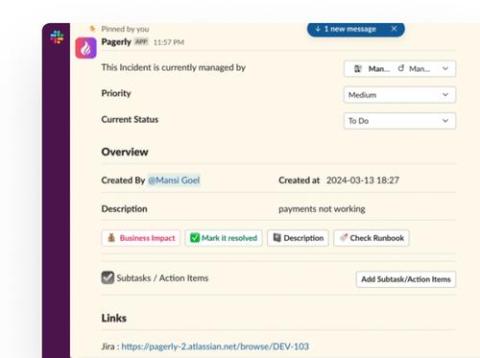
Synchronizing Jira, Jira Service Management (JSM), and Slack bidirectionally is complex due to differing data structures, permissions, and update frequencies, affecting real-time responsiveness and data consistency. Robust API integration and meticulous permission management are crucial for ensuring reliable synchronisation and secure data exchange, essential for effective cross-platform collaboration and efficiency.