Operations | Monitoring | ITSM | DevOps | Cloud

Faster Developer Onboarding in Multi-Repos with GitKraken Client

Welcome to our new Everyday Use Case series where we dive into some of the real-world workflows for GitKraken Workspaces. Our goal is to show you practical ways to make routine tasks faster and simpler, starting today with a scenario every development team encounters (and needs to get right): onboarding a new developer.

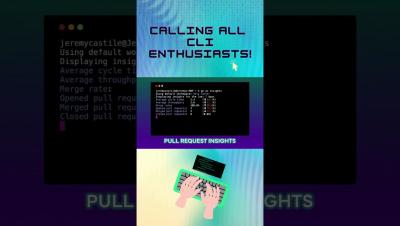
Reduce cycle time with effective pull requests

A pull request (PR) is (quite literally) a request to pull a change into a project’s code or documentation. It is a popular change management process supported by many VCS providers including GitHub, GitLab, Bitbucket, Codeberg, and others. Typically these come with features to track open pull requests, tools to assist in reviewing the changes, the ability to approve—or reject—PRs, and finally to merge approved PRs.

Monitor GitLab with Datadog

GitLab is a DevSecOps platform that helps engineering teams automate software delivery. Using GitLab, teams can easily collaborate on projects and quickly deliver application code with robust CI/CD, security, and testing features. Datadog’s GitLab integration enables you to monitor your GitLab instances alongside the rest of your infrastructure by collecting GitLab metrics, logs, and service checks.

From Git to Kubernetes

Join our webinar to learn best-practices when using the JFrog Platform to store and manage your Docker images and Kubernetes deployments from beginning to end, while also setting up a continuous build, test and deploy pipeline. We’ll cover best practices for managing and creating Docker registries and Helm repositories, testing and promotion of Docker containers, and taking your containers all the way to production using the JFrog Platform and Kubernetes together.

Best Git GUI for GitHub

For software developers around the world, Git is considered to be one of the most popular version control systems, if not the most popular one. Git allows you to track changes to your codebase and collaborate with other developers. But sometimes, managing Git to perform large or complex operations in your repositories can be overwhelming. Using a Git GUI can make all the difference. Let’s explore the advantages of using GitKraken Client with your repositories hosted on GitHub.

Start monitoring GitLab with our new Grafana Cloud integration

GitLab is a popular open source DevSecOps platform for software development. The Enterprise Edition is a web-based Git repository manager that allows teams to collaborate on code and automate workflows for building, testing, and deploying applications. We already offer the Gitlab datasource plugin, which allows you to query and visualize data from your GitLab instance on your Grafana dashboards.

Migrating Git Integration for Jira Hosting from Self Hosted to Cloud

Migrating data can be tricky and stressful, even under the best conditions. Jira migrations can be particularly complicated due to the various applications many organizations use in conjunction with it. As you are likely aware of, in an effort to focus on offering a better Cloud service, Jira Server has reached the last stage of its End-of-Life transition, with no further support planned after Feb. 2024.

Hyper-Personalizing GitKraken Client | Settings and Configurations

As software developers, we all have our own preferences when it comes to our tools of the trade. GitKraken is a popular Git client that is loved by many developers for its ease of use and powerful features. More than that, GitKraken Client offers a variety of ways for you to customize it to your liking. You can access all of the customization options from the ⚙ Preferences menu.