Operations | Monitoring | ITSM | DevOps | Cloud

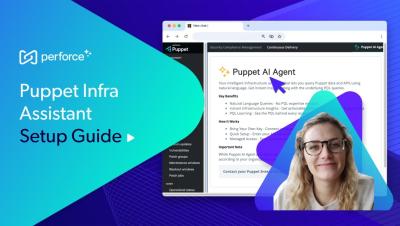
Setup Guide: Infra Assistant for Natural Language Puppet Queries

Learn how to get started with Puppet Infra Assistant quickly with a step-by-step guide and examples. Infra Assistant makes it easier to interact with Puppet data and services with a natural language interface. It's "bring your own key" with support for OpenAI and Azure OpenAI (with more coming soon), and secured with opt-in requirements and role-based access control.

Infra Assistant in Puppet: Talk to Your Infrastructure with Natural Language

Improve productivity and get critical insights faster — no Puppet experience required. Infra Assistant is a natural language interface for interacting with Puppet data and services, saving time and making critical insights available faster than ever. Powered by Perforce Intelligence, Infra Assistant helps teams increase efficiency, reduce manual effort, eliminate bottlenecks, and unlock the goldmine of data on your infrastructure — all while maintaining enterprise-grade security and compliance.

Vulnerability Remediation: Automate VR Workflows with Puppet

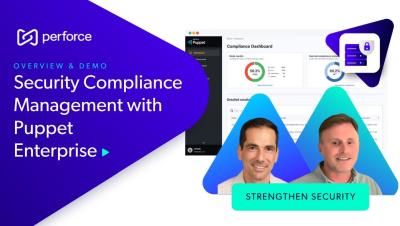
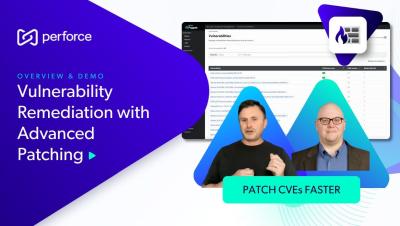
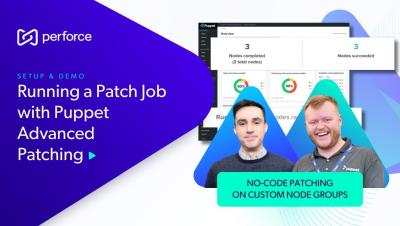
Secure and resilient infrastructure is non-negotiable. Puppet Enterprise Advanced automates critical tasks like patching, configuration management, and compliance, strengthening your security posture and bridging the gap between security and operations. Deploy essential updates quickly, minimizing threats and maximizing efficiency.

Introducing Forge User Profiles | Puppet by Perforce

Tired of sifting through Puppet modules? Wish you could filter and sort to find just what you need? Want a better way to check for module updates for your Puppet-managed infrastructure? Newly revamped user profiles make it easier to find what you’re looking for in the Puppet Forge. Log in or create an account today to save your searches, filter by supported versions, and more. Upload your puppetfile to easily check if you’re using any outdated module versions so you can stay on top of updates.

Go Beyond the Status Quo with Puppet Enterprise

From the largest physics laboratory in the world to a telescope network scattered across the planet to a design firm building roads and parks around the globe to an air navigation service provider that guides 1.2 million flights each year, 40,000 companies rely on Puppet to automate their infrastructure – with security and compliance baked right in. Puppet’s IT automation suite incorporates security, compliance, and innovation from day one to power Day 2 operations (and beyond), so your teams can spend less time managing IT infrastructure and more time changing the world.

The Power of IT Automation Empowers You | Puppet Enterprise

With Puppet, the power of IT automation empowers you. Learn more at puppet.com. Too many companies use patchwork solutions for configuration management and IT automation, leading to unmanageable complexity and huge security risks. IT operators are on-call day and night to address security breaches, and toil for weeks manually provisioning servers. But no one would expect you to wash 10,000 dishes by hand – so why are IT operators expected to configure 10,000 servers manually?

Updating A Forge Module In Puppet Enterprise Using Code Manager

Puppet Support Explain how to change the version of a Forge module deployed in your Puppet Enterprise Environment Please note it is not considered best practice to declare `:latest` rather than a specific version tag in your PuppetFile as this could lead to untested module combinations being deployed to your environment. Commands Used: puppet-code deploy production --wait -l debug puppet module list --environment=production.

How to Change the Puppetdb Port in Puppet Enterprise

Occasionally in Puppet Enterprise, you may need to change the port PuppetDB consumes, for instance, if another service requires port 8081. While we in Puppet Support recommend that you change the port for the other service. If you can’t do that, Follow this Video and the attached Knowledge base article for a guide on changing the port.