Operations | Monitoring | ITSM | DevOps | Cloud

Boost Developer Experience with LLMs!

Your laptop is powerful enough to run your own LLM. Here's why that matters While centralized AI tools help teams, they miss something critical: your personal knowledge. Meeting notes, tips, tricks, and context only you have. Kyle Fransham shows how running a local LLM changes the game. Index your own "master document of knowledge" and query it right in your dev environment. No cloud needed. The tools are accessible. The setup is simple. And the impact? Game-changing for how you work.

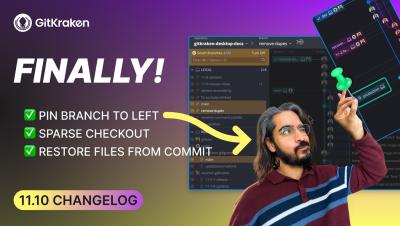
GitKraken Desktop 11.6 Release: Shallow Cloned Repo Support

GitKraken Desktop 11.6 is here, shaped by real developer feedback. This release introduces support for shallow clones, a long-requested feature that improves performance for large repos and CI workflows. Simply open a shallow-cloned repo from the New Tab and you’re in. We’ve also made GitKraken AI more controllable and more contextual.

What Happens When You Mix AI With Docker?

Discover how Docker is empowering developers in the GenAI era with tools that simplify AI application development. Docker VP of Product Michael Donovan shares how containers are critical for building, testing, and scaling GenAI applications, plus real solutions for the biggest challenges developers face today.

Easy JIRA Automation Anyone Can Do in Minutes

Tired of manually updating Jira issues after every change? Want to avoid the dreaded "what's the status of XYZ ticket" question? In this video, we’ll show you how to automate Jira updates using Smart Commits and Jira Automation Rules — so your issues always stay up to date without you lifting a finger. We’ll cover what they are and how they work, then walk through how to incorporate them into your workflows.

How the CLI Simplifies Git Workflows

Managing 50 repos with different Git workflows is like conducting an orchestra where every musician is playing a different song. We built GitKraken CLI to fix this: multi-repo actions, a single command for all things Git, and team-wide standardization that doesn't sacrifice speed. Watch the full video on how we're simplifying complex workflows without dumbing down Git.

Why AI Coding Assistants Fail (And How to Fix Them)

Why do developers stop using AI coding assistants? According to Carnegie Mellon research, the top reason is unhelpful suggestions. Tabnine's Principal Architect John Feeney explains how context transforms AI coding tools from generic to genuinely useful. Learn the 4 Cs framework for maximizing AI assistant value: Context (workspace indexing), Connection (repo integration), Coaching (rules-based guidance), and Customization (fine-tuning). Discover how Retrieval Augmented Generation (RAG) helps AI understand your codebase, not just open source patterns.

Setting Up the GitKraken MCP Server with GitLens

GitKraken MCP (Model Context Protocol) brings repository intelligence directly into VS Code, Cursor, Windsurf, and other AI-powered IDEs so your agent stops guessing and starts understanding your actual workflow. Instead of manually explaining your branch structure or digging through issues in your browser, MCP connects your AI agent to the actual state of your repositories. It understands your branches, your issue tracker, your pull requests, and your commit history—then helps you start work, resolve conflicts, and review code without leaving your editor.