Operations | Monitoring | ITSM | DevOps | Cloud

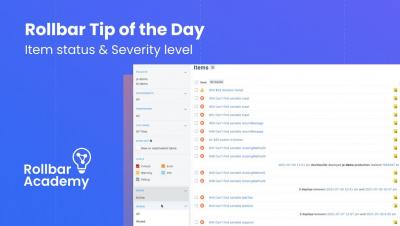
Rollbar Tip of the Day: Item status & Severity level

Control the state and priority level of your incoming items, and learn how you can quickly act upon them via Slack! Rollbar is the leading continuous code improvement platform that proactively discovers, predicts, and remediates errors with real-time AI-assisted workflows. With Rollbar, developers continually improve their code and constantly innovate rather than spending time monitoring, investigating, and debugging.


How Do I Add a Major Incident Response to an Existing Integration? - Ask Adam

When we receive an alert, the obvious choice is to accept responsibility for the issue and start resolving it ourselves. But, what happens when the incident is far more major than we thought? With xMatters, you don't have to scramble to find who else is on-call, you can configure the platform to help find other responders for you.

What's Next | Omnichannel-Aware Forecasting, Allocation & Replenishment

Omnichannel shopping is straining retailers, challenging old methodologies, hampering fulfillment, and depleting margins. What can be done? Omnichannel-aware is about positioning inventory intelligently, within your DC and store network, to be closest to the customer to enable fulfilling demand in-store, curbside or delivered to home in the most profitable way while meeting and exceeding service level expectations.

Ensure First Come First Server using Azure Service Bus

One of the patterns easily supported by the Azure Service Bus is the first-in-first-out (FIFO) pattern, which isn’t supported in the other queue service – Azure Storage Queues. To realise FIFO with the Azure Service Bus is to use sessions. Any service can create a session when sending a message to a queue or topic by setting the SessionId property. Subsequently, the session comes into existence when the queue or topic is session aware, which means you have specified ‘Enable session’ when creating the queue or topic.