Operations | Monitoring | ITSM | DevOps | Cloud

Introducing Obkio's Severity Summary Widget: See Network Events at a Glance

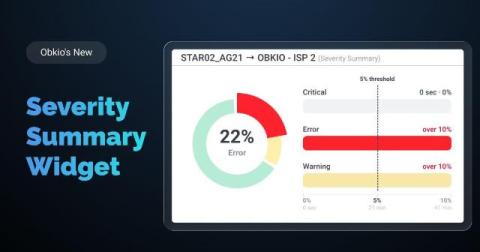
Obkio’s new Severity Summary widget is built to answer one question fast: “How healthy was my network overall, across every session I'm tracking?” Instead of opening session after session to check each one individually, you get a single combined view showing how much time your network spent in each severity level.

Why Your Internet Is Slow: Is It Your Network, ISP, or Your Machine?

Someone on your team says "the Internet is slow." Twenty minutes later, IT finds out the Internet was never the problem. Maybe it was a laptop with a full RAM disk. Maybe it was an ISP outage two towns over that had nothing to do with your office. Misdiagnosing slow Internet wastes time. It sends you down the wrong fix path, like rebooting a router when the real issue is sitting on someone's desktop.

WiFi Monitoring 101: What It Is and Why Remote Teams Need It

For years, IT teams had a fairly contained job: keep the office network running. Every device, router, and switch that mattered was inside a building they controlled. That job doesn't exist anymore. Remote and hybrid work moved the "network" into hundreds of living rooms, home offices, and coffee shops, none of which IT can see, configure, or troubleshoot directly. So when a help desk ticket comes in saying "the app is slow" or "my calls keep dropping," IT is left guessing. Is it the company's network?

How to Monitor Internet Uptime

Your ISP tells you your connection is up 99.9% of the time. Your users tell you the MS Teams video calls keep freezing. Both can be true at once, and that gap is exactly why you need to monitor Internet uptime yourself instead of taking your provider's word for it. This article covers what Internet uptime actually means, how to calculate it, what a good internet uptime SLA looks like, and how to monitor internet uptime with your own data so you're not stuck relying on your ISP's version of events.

8 VoIP Quality Metrics: What They Are and How to Measure Them

A dropped call costs more than the interruption itself. It means a missed deal, a frustrated customer, or a support ticket that shouldn't exist. When VoIP quality slips, the usual first sign is vague: calls "sound bad" or "keep cutting out," with no clear starting point for troubleshooting. That vagueness is avoidable. VoIP call quality isn't subjective at the network level.

Firewall High Memory Usage: How to Troubleshoot and Fix It

A firewall running low on memory rarely fails all at once. It degrades first. Connections drop intermittently, policies take longer to process, and by the time the device becomes unresponsive, the problem has been building for days or weeks. This article walks through what firewall memory usage actually means, what causes it to climb, how to spot the symptoms early, and how to troubleshoot and fix it before it takes your network down with it.

Introducing Obkio's Network Quality Widget: See Network Health at a Glance

We've been making a series of improvements across Obkio’s Network Monitoring and Observability application, and a lot of that work has been focused on one goal: simplifying not just how we show network performance data, but how easy it is to actually interpret and understand that data. Not everyone monitoring a network has the time, or the networking background, to dig through graphs line by line to figure out what's going on.

How to Troubleshoot Intermittent Network Connectivity Issues

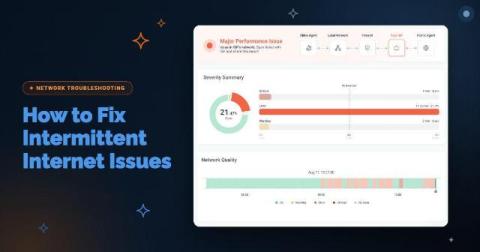
A full outage is the easy version of this job. Something goes down, someone notices immediately, you fix it, and you move on. Everyone understands that problem, including the users complaining about it. Intermittent network connectivity issues are a different animal. Your network connection works, then it doesn't, then it does again, all on its own, usually before you've had a chance to open a single tool. By the time you sit down to look, the network is behaving perfectly.

How to Hold Your ISP Accountable: Network Monitoring for Schools & Multi-Site Public Institutions

The Internet at one of your school sites slows to a crawl. Teachers can't load their lesson plans. A video call for a virtual class freezes. Your IT team calls the ISP. The ISP runs its own checks and tells you everything looks fine on their end. Sound familiar? This is the core problem every school board and public institution runs into eventually. Your ISP has full visibility into their own network. You don't.

How to Troubleshoot High CPU Usage on Network Devices

Most network teams only find out their firewall is overloaded after users start complaining. A slow VPN, dropped calls, and random packet loss at 2 pm every day. The usual suspects get blamed first: the ISP, the switch, the application server. The firewall gets a pass because the dashboard says 40% CPU and everything looks fine. Here is the problem with that picture. Standard SNMP monitoring polls every 5 minutes. A CPU spike that peaks at 95% and recovers within 90 seconds never shows up.