Icinga Insights - 2nd December 2020
Icinga Insights to talk about the current state of Icinga, our new branding, the Icinga Director and Icinga for Windows-.


Agreed, it might feel like routine by now, but we are still happy to announce today’s release of Icinga for Windows v1.3.0. This includes Icinga PowerShell Plugins v1.3.0 as well as Icinga PowerShell Kickstart v1.2.0. Like with every release we appreciate all feedback, testing and bug reports, from our community and user base, as without you we wouldn’t be able to make such great progress with this project.
Our goal is to support both MySQL and PostgreSQL as a backend wherever we need a database. Our latest addition in this area was PostgreSQL support for reporting, which will be released in the next few weeks. We don’t have PostgreSQL support for Icinga Certificate Monitoring yet. But it has already been worked on and the pull request for it is waiting to be tried. We would be happy to receive feedback in this regard so that we can fully merge PostgreSQL support as soon as possible.
While developing Docker images for Icinga 2, Icinga Web 2 and Icinga DB we stumbled over OpenShift which doesn’t allow images to run as root by default. One has to enable that explicitly. Also admins of K8s environments being more permissive by default may decide not to allow running as the superuser. So we’ve added a USER directive to our Dockerfiles to make our customers‘ compliance departments happy.
Building your own Icinga Module sounds like a big challenge, but is it really that hard? A look behind the scenes reveals that it’s actually not as complicated as it sounds. But first things first: Why would you even want to create your own Module?
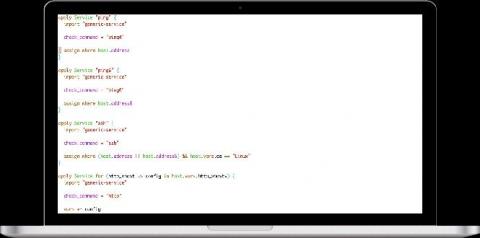
Today I will show you a couple of out of field useful functions from the Icinga DSL I use when creating some testing configurations for Icinga 2. Using the Icinga DSL is easy, quick and a good way of testing and validating your Icinga setup.
Apply rules simplifies creation of objects like Service, Notification, Dependency, ScheduleDowntime which require object relation. In this blog post we will understand rule based monitoring with Icinga apply rules with examples.
Today we are happy to announce that our MSSQL plugins for Icinga for Windows are enhancing the series of Icinga plugins and become released as version 1.0. With this first release we are sharing four plugins to check the current health of MSSQL itself but also internal metrics. In addition we provide a plugin to fetch MSSQL specific Performance Counters from within the database, similar to our Windows Performance Counter plugin and a backup check plugin.
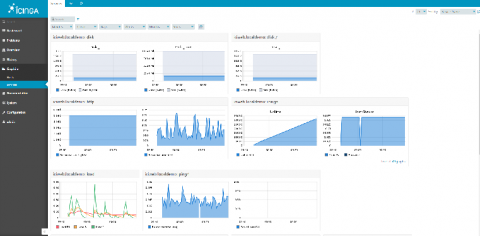
In this post, I will show you how easy you can integrate Graphite with Icinga Web 2. I assume you have a Icinga 2 ready with Icinga Web 2 Server running, and you have an additional Linux Server where you will install Graphite. It’s recommended to have Graphite in a Linux box out of your Icinga Web 2 Server. This scenario was tested on two Linux Servers with Centos 7. Let’s rock.
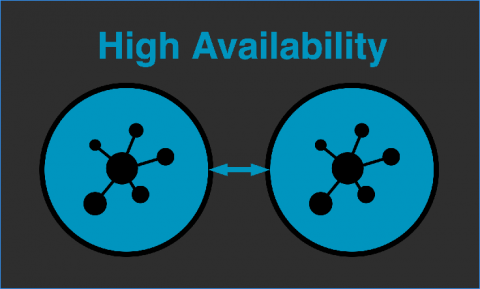
When getting started using Icinga 2, it is often enough to use a single master instance. But if your monitoring is business critical, you don’t want to rely on a single master being online. This post will guide you through setting up Icinga 2 with two masters in HA mode.