Operations | Monitoring | ITSM | DevOps | Cloud

Git worktrees: How to work on multiple branches at once

Git worktrees let you check out multiple branches of the same repository in separate directories. Each worktree has its own files and staging area, but they all share the same Git history. You can work on several branches without repeatedly switching between them, stashing changes, or cloning the repository again. Worktrees are especially useful when working with coding agents. Tools like Claude Code, Codex, and Cursor can use them to handle multiple tasks in parallel without editing the same files.

Create an Operational Risk Policy in JFrog Curation

Protect your organization from the next software package hijacking with JFrog Curation! Learn how to create an operational risk policy in JFrog Curation that flags immature package versions. This walkthrough reviews the available operational risk conditions, explains why brand-new or outdated releases can carry supply chain risk, and shows how a Dry Run action lets you measure a policy's impact on developers before you switch it to Block.

Create a Legal Risk Policy in JFrog Curation

Protect your proprietary code with JFrog Curation! Learn how to create a legal risk policy that blocks packages with licenses you don’t want developers using. In this demo, we build a policy for the GNU AGPL license, add a waiver for a package covered by a commercial license, and configure how waiver requests are handled. Read more about it in the JFrog Docs.

Configure Your JFrog Curation Service

Learn how to configure the JFrog Curation service for the first time. This video walks through each setting on the Curation General page, including turning on Curation, connecting package types, compliant version selection and notifications, and explains what each one does. Creating Curation policies and advanced coverage are covered in separate videos. Read more about it in JFrog Docs.

How to run fewer tests and speed up CI with CircleCI Smarter Testing

A one-line fix shouldn’t wait on the whole test suite. Yet a typical CI pipeline runs every test on every push, and a single flaky failure sends developers back to the rerun button. CircleCI’s Smarter Testing addresses both problems. Test impact analysis tracks which source files each test executes, then runs only the tests affected by a code change. Auto rerun retries flaky tests inside the job instead of failing the build.

Getting started with the CircleCI CLI

The CircleCI CLI brings CI into your terminal, where developers and coding agents can work with it directly. You can set up projects, trigger and monitor pipelines, investigate failures, retrieve test results and artifacts, manage project settings, and more. Agents can use the CLI through shell commands or its built-in MCP server, giving them the tools and context to validate changes, diagnose failures, and try again without switching to a browser.


Dispatching Ansible playbooks with CFEngine

In large organizations and infrastructures, it’s fairly common to use multiple configuration management tools. There are many reasons for this. Different teams may have different preferences, some tools suit certain use cases better than others, and existing systems can come with their own limitations. Whatever the reason, the tools don’t have to work in isolation. In this post, we’ll show how to run Ansible playbooks on CFEngine-managed hosts using Mission Portal.

5 takeaways from the State of Software Delivery Q3 Pulse report

Software teams are taking on more work than ever. Developers are juggling more branches, coding agents are keeping CI busy through the weekend, and builds are passing more often and finishing faster. But is all that extra activity helping teams ship faster? Today we released the 2026 State of Software Delivery Q3 Pulse report, the latest in our quarterly series tracking how software teams are adapting to AI-driven development.
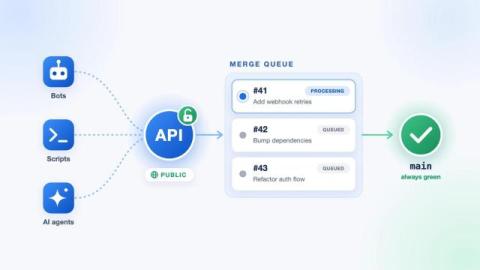
Merge queue APIs now available in Bitbucket Cloud

Merge Queues help keep your busy branches stable by testing how changes work together before they’re merged. Today, we’re introducing public APIs for Merge Queues, available to all Standard and Premium workspaces in Bitbucket Cloud. The new APIs let your tools use the existing merge endpoint to queue pull requests, track their progress and respond to the outcome.

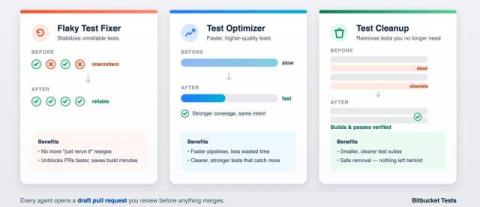
Optimize your test suite with two new agents

Flaky tests stall pull requests. Slow tests drag out builds. Outdated tests add maintenance work that’s easy to put off. To help optimize your test suite, we’re adding two new agents in Bitbucket, Test Optimizer and Test Cleanup and an improved Flaky Test Fixer. With these agents, your team will spend less time babysitting tests and more time shipping.

How we used Agentic Pipelines to turn test coverage into a daily habit

Engineers write tests for the logic that worries them and let the small details slide. One of our commerce engineering teams now has a scheduled agent that finds the thinly tested files, writes the missing tests, and opens a pull request for review. Nobody decides to skip a unit test. The core logic gets covered, the small details don’t make the cut, and most days that’s a fair trade.

Running a Green CI Pipeline Isn't the Hard Part Anymore

AI writes code faster, but CI still repeats costly work. See how Harness CI cuts unnecessary tests, recompilation and dependency downloads. Six months ago, your team adopted an AI coding assistant. Pull requests doubled. Generated code started landing in branches faster than reviewers could read it. The CI pipeline kept up for about three weeks. Now the queue backs up by mid-morning. Builds take 38 minutes. 4,000 tests run on every commit when 60 are relevant.

Stacked PRs: what they are and how to run CI on a stack

Large pull requests can be a pain to review. When a change touches dozens of files and adds hundreds of lines of code, reviewers have a lot to work through before they can approve it. And if something needs to change, the whole PR goes through another round of review. Stacked PRs let developers split a large change into smaller, dependent pull requests that can be reviewed separately.

JFrog Business Value Center: Celebrate the ROI of Your Software Supply Chain

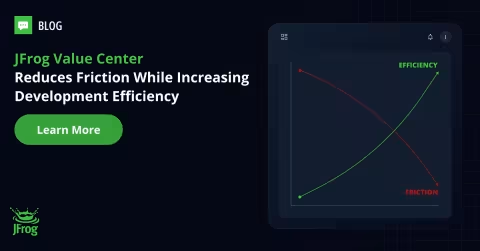
You already know the effectiveness of the JFrog Platform – blocking risky packages, speeding up builds, securing the supply chain, providing end-to-end governance and so much more. But when it comes time to renew the license, a new VP may ask: “What are we actually getting in return?” or finance wants to understand the ROI: can it really be proven by the numbers?

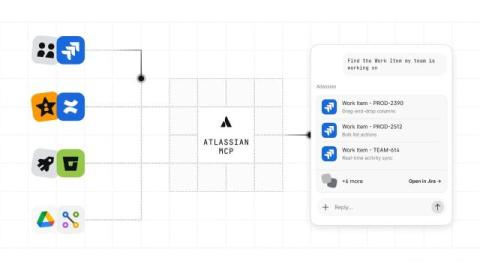
Connect Bitbucket Cloud to your AI tools with Atlassian MCP

Developers use Bitbucket Cloud every day to turn plans into working software. Code lives in repositories, feedback happens in pull requests, and Bitbucket Pipelines helps teams validate changes before they move forward. For an AI assistant to help with this work, it needs access to the same information. Without a direct connection, developers have to gather pull request details, pipeline results, logs, and links before the assistant can help.

How we accelerated code review in a large monorepo using Agentic Pipelines

Last quarter, our AI reviewer told a developer who was fixing a CSS bug to rethink how their component fetched data. The comment was well written and confidently worded. It was also about code they hadn’t touched. That’s what tends to happen when you hand an agent every team’s review guidelines at once.

AI wrote the code. Can you prove it followed the rules?

AI agents now write, review and ship code, and our supply-chain security can't tell how that code was made. A green build and a clean scan don't tell you which model or tools the agent used, whether it had your security guidelines, or whether a human actually reviewed the change. In this talk I introduce Agentic Process Evidence, a proposed open community standard. It records the AI development process as structured, signed evidence that is attached to the commit and linked back to the full agent session logs, so release policies can enforce it automatically as policy as code.

CircleCI Smarter Testing Tutorial: Run Fewer Tests and Get Faster Feedback

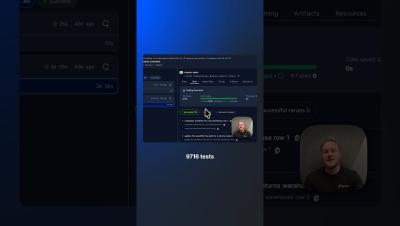
CircleCI Smarter Testing is now generally available. In this tutorial, we’ll show you how Smarter Testing helps you run fewer tests, get faster feedback, and reduce unnecessary CI compute with three capabilities: Then, we’ll put it to the test. For the same code change, a traditional pipeline ran all 9,716 tests across 15 nodes. With Smarter Testing, CircleCI identified just 44 impacted tests and skipped the other 9,672, cutting test runtime from 3 minutes and 56 seconds to 22 seconds.

Deploy Your First App with Harness CD in Under 15 Minutes

Deploy your first app with Harness CD in under 15 minutes. Learn how to build, configure, and execute a rolling deployment using a real sample application. TL;DR: Deploying shouldn't feel like crossing your fingers. With Harness CD, you set up your deployment once and get rollback and a full history of what shipped, without writing it all yourself.

From Git Repo to Docker Image: Building Your First CI Pipeline in Harness

Connect GitHub, let Harness generate your CI pipeline, then build and push a Docker image to DockerHub. No YAML required. Creating your first CI pipeline usually sounds simple until you actually start. You connect your repository, figure out what stages you need, configure the build steps, set up the runtime, add caching, testing, credentials, and then hope the first run actually works.

Ship faster, improve reliability, and control CI costs with Datadog CI/CD Optimization

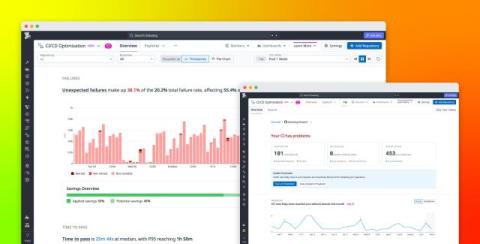
AI-assisted development can increase the rate at which teams produce code, but teams only realize those velocity gains if CI can keep pace. More pull requests (PRs) mean more builds, tests, and pipeline executions. Slow jobs leave developers and coding agents waiting for feedback, flaky failures consume time in reruns and investigations, and unnecessary test execution increases runner demand as delivery volume grows.

Watch an AI Agent Fix a Failed CI Build | Harness Worker Agents

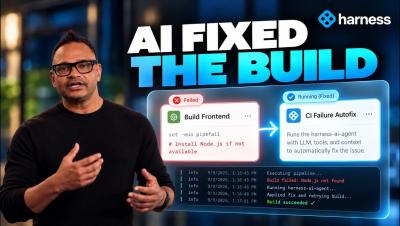
What happens when an AI agent can do more than suggest a fix — and actually take action inside your CI pipeline? See Harness Worker Agents in action as an AI agent identifies a failed CI build, determines what went wrong, creates the fix, and gets the pipeline moving toward production again. Worker Agents bring AI-powered reasoning directly into your software delivery pipelines while maintaining the controls enterprises need, including sandboxed execution, scoped credentials, policies, and RBAC.

Intent-driven development: How to guide agents from idea to implementation

Intent-driven development (IDD) is an approach to AI-assisted software development where teams make the desired behavior, constraints, and criteria for success explicit, then give an agent freedom to determine how to achieve the result. As agents take on larger and more autonomous development and maintenance tasks, the implementation itself becomes easier to replace. The important question is whether the software still behaves the way the team intended.

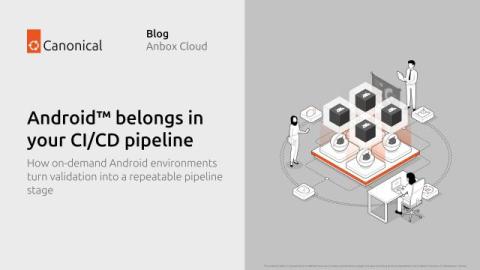
Android belongs in your CI/CD pipeline

How on-demand Android environments turn validation into a repeatable pipeline stage In the first article, we looked at automation: how Android environments can be created and managed programmatically. In the second, we looked at scaling: how shared infrastructure can make those environments available to more developers, tests, and workloads. This third article looks at the next step: integrating those environments directly into CI/CD.