Operations | Monitoring | ITSM | DevOps | Cloud

Integrations Overview

This video provides a detailed tour of our integrations, including how to set up automated email, SMS, and phone call alerts. Learn how to connect with various trusted tools, tailor your alerts to your team's needs, and pass key data between Uptime.com and your favorite applications. Discover how to add and manage new integrations, create dedicated contacts, and assign integrations to specific checks. We also introduce our Zapier partnership, enabling connections to over 8000 additional services.

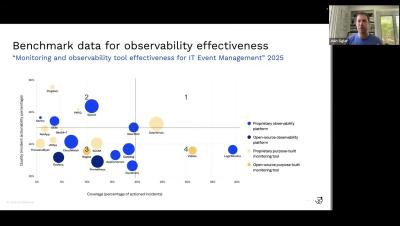
How to analyze observability and monitoring tools for actionability

Choosing the right observability tools is critical so ensure your teams get actionable insights. In this video, we explore how to evaluate observability platforms based on their ability to detect anomalies, link causes, and trigger effective responses.

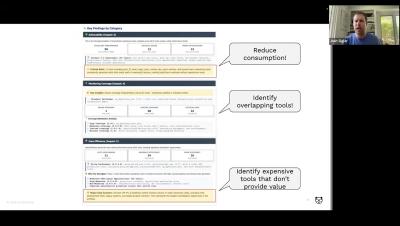
Introducing the BigPanda observability and monitoring tool rationalization framework

When enterprises run dozens of monitoring and observability tools, performance gaps almost always emerge. By applying the BigPanda Observability Scorecard, our customers consistently see their tool portfolio fall into three groups: In some cases, removing bottom-tier tools can reduce portfolio complexity by double digits while cutting operational noise by as much as 35-40%. This simplification reduces costs while creating a leaner, more reliable monitoring environment that strengthens service availability and operational efficiency.

Security vs. ops: the two sides of reliability

Security and ops work together to keep your systems reliable, but why do we treat them so differently? Reliability results start when you proactively take charge of your infrastructure and application risks. Transcript: When we talk about reliability in the software space and the digital operations space, you really end up falling into these two different mindsets.

Learn to mock your MySQL database and get realistic test data without the hassle of a live server!

Proxymock allows you to record real interactions between your application and a MySQL database. Use proxymock to simulate your database during local development and testing. Get real data without running a live MySQL server. Modify mock responses to fit your testing needs. Simplify your testing workflow and replicate production data easily.

Create New Alert Rules Without PromQL Queries in Grafana 12.2 | Metrics Drilldown

Grafana 12.2 makes alert creation simpler by integrating the Metrics Drilldown app with the Alert Rule Query Editor. Instead of writing PromQL from scratch, you can now use a queryless workflow: explore metrics, add labels, and generate queries directly from Drilldown. This helps teams move faster and makes alerting more accessible for those new to PromQL.

New Grafana One-Page Report (Public Preview) | Grafana 12.2

Grafana 12.2 introduces a redesigned reporting feature, now in public preview. The new one-page report creation flow replaces the old multi-step wizard, making it easier and more intuitive to schedule and share insights. You can now: Check out how the new reporting experience simplifies sharing data in Grafana 12.2.

Visualize Jenkins CI/CD Pipelines: Introducing the New Jenkins Data Source Plugin in Grafana 12.2

Grafana 12.2 introduces the new Jenkins data source plugin, giving you real-time insights into your Jenkins CI/CD pipelines. With easy setup, you can connect your Jenkins instance and explore two built-in dashboards: See how Jenkins data becomes instantly actionable inside Grafana.