How Loki Helped Paytm Insider Save 75% of Logging and Monitoring Costs
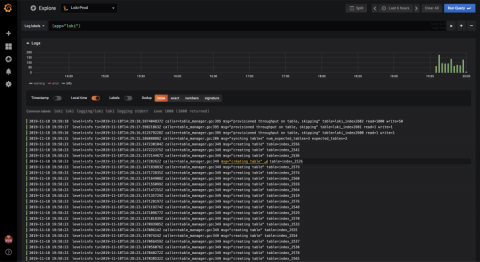
Paytm Insider’s motto is “to make every day less everyday,” says Hitesh Pachpor, Technical Manager for the popular platform for buying event tickets in India.


The latest News and Information on Log Management, Log Analytics and related technologies.
Paytm Insider’s motto is “to make every day less everyday,” says Hitesh Pachpor, Technical Manager for the popular platform for buying event tickets in India.
As users adopt Kubernetes, Elastic products move fast to support their evolving needs. Whether you are trying to run Elasticsearch workloads to Kubernetes or want to gain better visibility into container workloads running across different environments, we are doubling down on building cloud native tools to support these efforts. This blog covers recent advancements to support Kubernetes initiatives:
Have you ever needed to grab a log from a local server that is not part of the Windows Event Channel? Applications like IIS or DNS can write their logs to a local file, and you need to get them into your centralized logging server for correlation and visualization. Graylog sidecar can help by creating and managing a centralized configuration for a filebeat agent, to gather these types of logs across all your infrastructure hosts.
Within software development, application logging plays an important role. As much as we’d like our software to be perfect, issues will always arise within a production environment. When they do, a good logging strategy is crucial. But what is application logging? How should you be using application logs? Where can you find them? And what does all this mean for your own logging strategy? We’ll take a look at each of these questions in this post.
Kibana is a powerful visualization platform designed specifically for log management with Elasticsearch. It already provides a lot built-in, but its open-source nature obviously lends it to some pretty cool simple and complicated additions from its community of devs. Some favorites include adding certain kinds of visualizations, API attachments, better integration between Kibana and other platforms, as well simple add-ons for flair in reports.
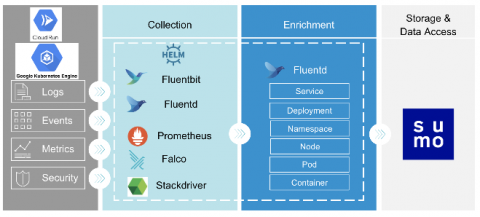
Cloud Run for Anthos allows you to run stateless containers on Anthos GKE on Google Cloud, on-premises and multi-cloud environments. Cloud Run is serverless: it enables you to run requests or event-driven stateless workloads without having to worry about servers. It abstracts away all infrastructure management such as provisioning, configuring, and managing servers, so you focus only on writing code.