Operations | Monitoring | ITSM | DevOps | Cloud

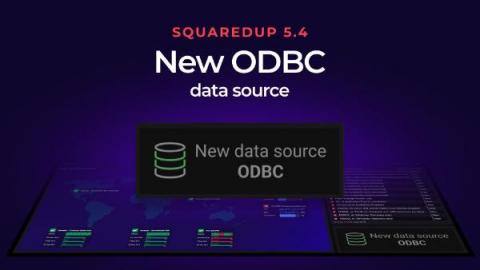
SquaredUp 5.4: New ODBC data source

We just released the new SquaredUp 5.4 with some brilliant new features. Taking center stage was the new ODBC data source. (If you missed the release announcement you can catch up by reading the quick overview blog post where you can also watch the full release webinar.) With SquaredUp 5.4, you can now instantly visualize any data from almost any database with the addition of ODBC.


5 Contactless Tracking Techniques that Will Change the World

From the education sector to the manufacturing sector, from the healthcare industry to the food & beverage industry, from QRS businesses to businesses hub almost every industry took a hit due to pandemic. But the HORECA industry and travel industry are some of the biggest sectors that are affected because of the pandemic. However, when the first wave of COVID cases rose, all industries were closed and lots of employees lost their jobs, and several were forced to work from home.

Azure Communication Services - an overview

There are such cloud services that can drastically accelerate your innovation and reduce your time to market by providing you with functionalities that are simple, ready-to-use and that allow you to add a real added-value to your users. Azure Communication Services is one of those. In this article, we’ll have an overview of what Azure Communication Services (“ACS” for short) is, what functionalities it provides and what are some of the use cases in which it can be leveraged.

Apica Quick Guides - Common Check Configurations

Have you ever wondered what that one checkbox does, where that button takes you or what a specific function does? These quick guides are designed to explain every function as quick and precise as possible so you can continue your monitoring without any disturbance. This guide will explain all of the common check configurations that are used for the majority of our check types, and their individual functions.

Dashboard Fridays: Sample SQL Page Timeframe dashboard

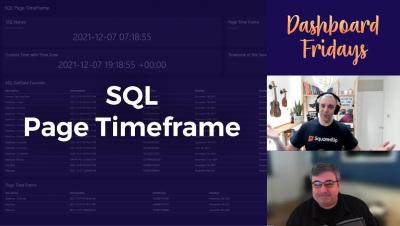
When writing a SQL query, getting the date and time to format correctly can be a real pain. What is the current date and time, and how is it formatted? What happens if I want the date and time from 30 days ago? This SQL Page Timeframe dashboard demonstrates how the current date is picked up from the server hosting SquaredUp and how the Page Timeframe button impacts the date and time in a SQL query. Several different examples are demonstrated.

Node Congress Lightning Talk: Monitoring errors and slowdowns with a JS frontend and Node backend

We've got a JavaScript frontend hitting a Node (Express.js) backend. Join Chris Stavitsky in this quick 7-min demo as he goes through how to know which party is responsible for which error, what the impact is, and all the context needed to solve it. This lightning talk took place at Node Congress on Feb. 17, 2022.

Node Congress Workshop: Tracking errors and slowdowns in Node + JavaScript using Sentry

Join Neil Manvar, Sales Engineer Manager, as he sets up Sentry step-by-step to get visibility into our frontend and backend. Once integrated, he will show you how to track and triage errors + transactions surfaced by Sentry from our services to understand why/where/how errors and slowdowns occurred within the application code. This workshop took place live at Node Congress on February 15, 2022.

Winter 2022 Updates for the Alloy ITSM/ITAM Platform

We are delighted to share the immediate availability of the first series of updates to the Alloy Software ITSM/ITAM platform in 2022, including Alloy Navigator Enterprise, Alloy Navigator Express, and Alloy Discovery Enterprise. The maintenance release (2021.2.1) addresses issues reported in previous versions, delivers the latest audit tools, and improves both security and performance.