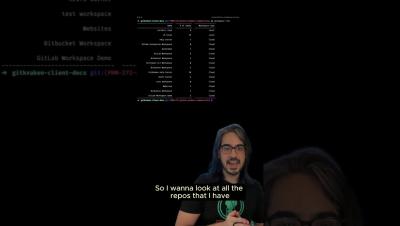
Check out your WIPs, quickly browse all changes (with color-coded icons 🎨), stage files, view diffs, and more ✨ Want to learn how to navigate GitKraken Client like a pro?
We’re thrilled to announce that Mattermost has earned the 12th annual DEVIES Award for Best Innovation in ITOps! The award — given to a platform “responsible for acquiring, designing, deploying, configuring, and maintaining the physical and virtual components that comprise IT infrastructure” — was presented on Feb. 21 during DeveloperWeek 2024 to our very own Director of Product Marketing Amanda Cheong and Developer Advocate Andrew Zigler at the Oakland Marriott City Center.
Curious about how to use Microsoft Teams? Let this article guide you in finding efficient ways in increasing productivity and collaboration in the digital workspace. One of the top challenges of managing a remote team is facilitating good communication. With the rising number of remote and hybrid workers, your organization needs an effective way for employees to collaborate, no matter where they are located. One popular workplace collaboration solution is Microsoft Teams.
Command lines are the 🍞 bread and butter for devs worldwide, but why are they so beloved? 💻 GitKraken Product Manager Trevor explains a few of the reasons why he enjoys working within a CLI, including its speed and ease of use. Did you know GitKraken has its very own CLI? 👀 Use 'gk' for efficient Git collaboration: streamline workflows, sync PRs & Issues from GitHub, GitLab, and Bitbucket, and integrate with GitKraken Client & GitLens for quick visualization. 👏
Branches are a cornerstone part of any Git workflow, and we make it pretty easy to create and manage your branches. This tutorial will show you 3 methods for creating a new branch in GitKraken Client. That's not all of course.
Want to get your Cloud Bill Report on Slack? Want to get alerted when your AWS bill exceeds amount? Want to know your team-wise resources cost on Slack? With Pagerly Cloud Cost App, get your Cloud Reports within Slack. Set your team slack channel, Frequency and Alert threshold. For AWS, we use AWS STS Temporary Role to read your AWS bill. You can also setup team tags to get team wise reports.
If you're struggling to gauge your team's productivity and identify bottlenecks, then Insights is your go-to tool! 📊 Use it to celebrate wins, address productivity dips, and understand the reasons behind them. It's more than just numbers; it's a tool for real-time, actionable insights, ensuring your team stays informed and agile! 👏
Keeping track of multiple repos can be challenging, but staying on top of PRs and Issues in mono repos can be just as difficult. 😖 Ultimately, the best option depends on things like team size, project complexity, and integration needs. Want to become a multi repo pro without losing your sanity?
This video demonstrates how you can securely manage your secrets on CircleCI. By using project restrictions, security groups, and ODIC you are able to achieve a level of security that should meet any standard. Connect with Atlassian.