Operations | Monitoring | ITSM | DevOps | Cloud

The latest News and Information on Monitoring for Websites, Applications, APIs, Infrastructure, and other technologies.

Using Elasticsearch Rollover to manage indices

In this article you will learn how to configure and use the Elasticsearch rollover feature in Jaeger. Note that this feature has been introduced in Jaeger 1.10.0. Jaeger uses index-per-day pattern to store its data to Elasticsearch. It creates a new index for each day based on span’s timestamp. These indices have to be periodically removed by jaeger-es-index-cleaner cron job. Typically users keep data from one week up to one month which results in 7 or 30 indices only for spans.

OpsRamp Launches New Partner Program to Help Technology and Solution Partners Deliver Greater Customer Value

Having worked with managed service providers, technology integrators, value-added resellers, and cloud service providers across the world, OpsRamp understands what it takes to create great partnerships. Over the last five years, we have learned a lot about fostering smart and committed relationships with our partner ecosystem. Relationships are key in a world of rapid change and constant innovation. Healthy partner relationships require constant nurturing, collaboration, and enablement.

Building better software with automated monitoring and alerting

This is a guest article by Dan Holloran from VictorOps – an on-call alerting and incident response tool recently acquired by Splunk. They are experts in incident management. In software development and IT operations, we tend to focus a lot of our time on the delivery and deployment pipeline. But, what happens after you deploy new services? How are you responding to incidents in production and identifying reliability concerns?

Sponsored Post

The 7 best Real User Monitoring tools for 2019

As applications become more complex, a single JavaScript error can really make a difference to your bottom line. The average Fortune 1000 company, after all, spends upwards of $2.5 billion each year on unplanned application downtime. When an app doesn't work like it's supposed to, it doesn't exactly inspire users to continue fidgeting with it.

Test before launch: new Development, Staging, and Production modes

Previously your Uptrends monitors were either enabled or disabled; not anymore! For Professional, Business, and Enterprise accounts, you now have three options in your monitoring settings: Development, Staging, and Production mode. You can now choose between three monitor modes:

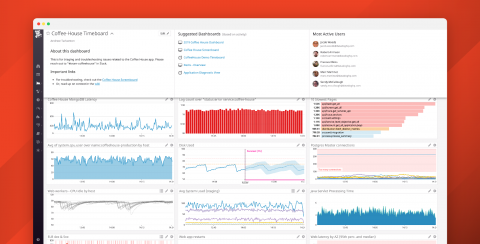
Understand, explore, and collaborate with Dashboard Details

Dashboards provide critical visibility into the performance and health of your environment. But if your organization uses hundreds or thousands of dashboards, or if you’ve recently transitioned to a new company or different team, it’s not always easy to understand the full significance of the data shown on every single dashboard.

How a Production Outage Was Caused Using Kubernetes Pod Priorities

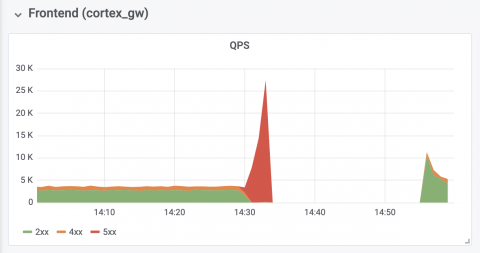
On Friday, July 19, Grafana Cloud experienced a ~30min outage in our Hosted Prometheus service. To our customers who were affected by the incident, I apologize. It’s our job to provide you with the monitoring tools you need, and when they are not available we make your life harder. We take this outage very seriously. This blog post explains what happened, how we responded to it, and what we’re doing to ensure it doesn’t happen again.

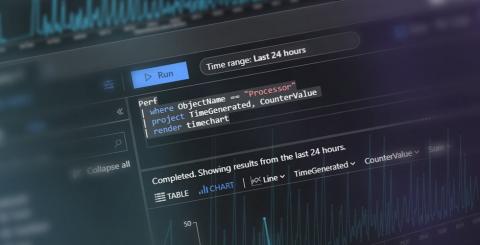
Kusto 101 - A Jumpstart Guide to KQL

This blog post is for anyone needing a jumpstart into the world of Kusto. Perhaps you’ve heard about Kusto and are just curious. Maybe you’re just starting to use Azure Monitor for your application monitoring. You might even be getting skilled up in anticipation of the new Squared Up for Azure release that will have KQL at its heart. Whatever your reason, set aside the next 10 minutes and we'll get you up to speed with KQL. Ready? KQL stands for Kusto Query Language.