
How to Centralize Incident Notifications in Slack
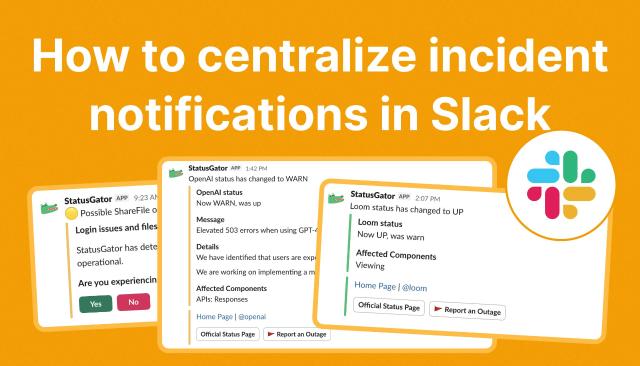
Even a brief outage in a critical service can disrupt projects. Customers get frustrated and flood the support team with tickets.
What’s the solution? Centralizing incident notifications and real-time status alerts in Slack. Many teams already collaborate there anyway.
So let’s take a look at how teams can streamline service monitoring, alerting, and incident workflows in Slack using integrations, automation, and tools like StatusGator.
Why Centralizing Incident Notifications Matters
When teams receive outage alerts in multiple places, such as emails, dashboards, and vendor portals, it’s easy for critical issues to be overlooked. Centralizing incident notifications in Slack has several advantages:
- Act quickly. Respond to incidents the moment they occur, often before users notice.
- Reduce duplicated efforts. Teams can upvote issues or report them directly, avoiding multiple tickets for the same problem.
- Stay in the flow. No need to switch apps when alerts appear where your team already communicates.
- Increase visibility. Early Warning Signals and engagement metrics highlight widespread issues, helping prioritize response.
For teams relying on multiple SaaS tools, integrating outage alerts into Slack ensures the right people see the right notifications at the right time.
Methods to Receive Outage Alerts in Slack
There are several ways to bring service health updates and incident notifications into Slack, each with pros and cons:
1. Integrate a Status Page Aggregator like StatusGator
The fastest, most scalable approach is using a status page aggregator like StatusGator, which connects to over 7,000 service status pages, including AWS, Microsoft 365, Shopify, and Zoom.
Benefits:
- Real-time alerts in Slack channels.
- Early Warning Signals for potential disruptions before official reports.
- Noise-free notifications filtered by service, severity, region, or team.
- Slash commands and message shortcuts to check service status or report outages directly from Slack.
- Centralized, single source of truth for all monitored services.
Setup is simple:
- Go to Integrations → Chat in StatusGator.
- Click Add next to Slack and authorize the connection.
- Choose the Slack channel(s) for notifications.
- Save your settings and send a test alert.
Once configured, StatusGator delivers updates directly into Slack, allowing your team to respond immediately without leaving the app.
2. Integrate Each Service Individually
Some services provide their own Slack apps or webhooks. For example, Slack’s own Slack Status app posts updates about Slack outages.
Pros: Works for a small number of services.
Cons:
- Time-consuming to set up multiple integrations.
- Alerts are inconsistent in format and timing.
- No centralized view of all monitored services.
For organizations with many dependencies, this approach quickly becomes cumbersome.
3. Use RSS or Atom Feeds in Slack
Many services publish outage updates via RSS or Atom feeds. You can use Slack’s RSS app to forward these alerts.
Pros: Free and works even without a dedicated Slack integration.
Cons:
- Each feed must be added manually.
- Alerts may be delayed or lack detailed information.
- No aggregated dashboard for all services.
This approach works for lightweight monitoring, but it’s less efficient for teams managing multiple services.
4. Build a Custom Slack App
Teams with specialized requirements can develop a custom Slack app that consumes APIs or RSS feeds and posts updates.
Pros: Fully customizable for internal tools or specific monitoring workflows.
Cons:
- Requires development and ongoing maintenance.
- Not ideal for scalable coverage of multiple third-party SaaS vendors.
Custom apps make sense for unique needs but are overkill for most teams seeking a quick, reliable solution.
Enhancing Slack Alerts with StatusGator
StatusGator goes beyond basic notifications:
- Slash commands: /statusgator [service] to check service status instantly.
- Message shortcuts: Report an outage or check status directly from Slack messages.
- Multiple boards: Connect different service categories to different Slack channels (e.g., Engineering, Support, Ops).
- Early Warning Signals: Alerts about potential issues before official announcements.
- Issue upvoting: Team members confirm problems without flooding support tickets.
- Quick links: Every alert includes shortcuts to official status pages, the StatusGator status page, and relevant social media updates.
These features reduce alert fatigue, keep everyone aligned, and give teams a head start in resolving incidents.
Best Practices for Centralizing Incident Notifications
- Segment by team: Use separate Slack channels for engineering, support, and operations to avoid noise.
- Filter alerts: Set preferences per board to receive only relevant notifications.
- Encourage engagement: Use upvotes to gauge the impact of an issue and prioritize response.
- Regularly review integrations: Ensure your channels, boards, and permissions reflect current team responsibilities.
- Test frequently: Confirm that notifications flow correctly after workspace changes or service updates.
By following these practices, teams can make Slack the hub for all incident communications.
Conclusion
Centralizing incident notifications in Slack allows IT and DevOps teams to respond faster, reduce downtime, and maintain smoother operations. While there are multiple ways to receive outage alerts, the most scalable and feature-rich solution is integrating a status page aggregator like StatusGator.
With real-time alerts, Early Warning Signals, slash commands, and message shortcuts, StatusGator brings all third-party service notifications into the collaboration platform your team already uses.