A big update to DNS Spy
It’s been a bit quiet on the DNS Spy front lately, hasn’t it? Well, today is about to change that. We’ve launched a big update to DNS Spy. Mostly behind the scenes improvement, but certainly a few things everyone can enjoy!
When we think of DNS (Domain Name System), there are two thoughts that we all assume to be true and that become natural justifications for the development of a DNS Monitoring scheme.Simple and forceful, in fact since the rise of the Internet, DNS systems are a fundamental part of our communications.
Back in 2016, we added support for monitoring wildcard DNS records. Wildcard DNS records are used to serve requests for otherwise non-existent domain names. Today we’re pleased to announce that we’ve extended our support for using wildcards in DNS records monitoring. DNS Check now allows you to specify a wildcard (*) in place of some DNS record values, such as an A record’s IP address to indicate that any value is acceptable, but the record must exist.
The Domain Name System (DNS) is brilliantly designed as a hierarchical structure, ensuring that any single point can fail with the system remaining relatively intact. There are some nuances to this statement, like caching issues that arise from outages, but the overall focus is on uptime. This is why the DNS check is a critical part of your IT uptime monitoring process.
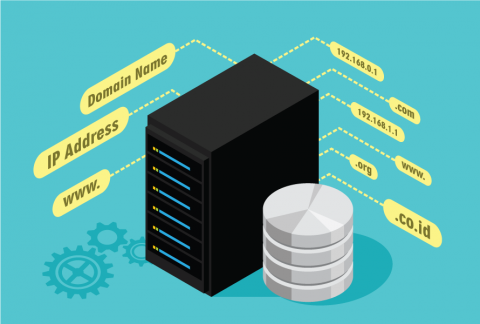
The Domain Name System (DNS) catalog maps text-based URLs to their specifically-numbered host systems. As the phone book or Yellow Pages of the internet, DNS governs the speed with which websites and online resources may be located, so the speed and robustness of your DNS service can have a profound impact on your internet performance overall.
Want to periodically monitor DNS records for your website? Here are step by step instructions how to accomplish this with AppBeat.
If you’re running Windows 2008 (R2) or 2012 then setting up DNS auditing requires a few steps. Thankfully it’s a one-time process and shouldn’t take more than a few minutes. On the EventSentry side a pre-built package with all the necessary rules is available for download and included with the latest installer.
Why pay for a service if you have no idea if it’s even good? We get that. We feel the same. Heck, I wouldn’t pay for something without trying it. When we cancelled our free tier a few weeks ago, we heard 2 dominant pieces of feedback: the need for a smaller plan and the need to test the service, before committing. The first we addressed with the Light plan, starting at 4.99€/month. The second we fix today.
Auditing changes on Microsoft Windows DNS server is a common requirement and question, but it’s not immediately obvious which versions of Windows support DNS Auditing, how it’s enabled, and where the audit data (and what data) is available. Fortunately Microsoft has greatly simplified DNS Server auditing with the release of Windows Server 2012 R2.
When we announced we were cancelling our free tier few a few weeks ago, we got a lot of replies. Both publicly and privately, and we’d like to thank you all for the kind & valuable feedback we’ve been given! One overwhelming theme was the request for a smaller DNS Spy plan, to monitor less sites, that doesn’t start at 9.99€/month.