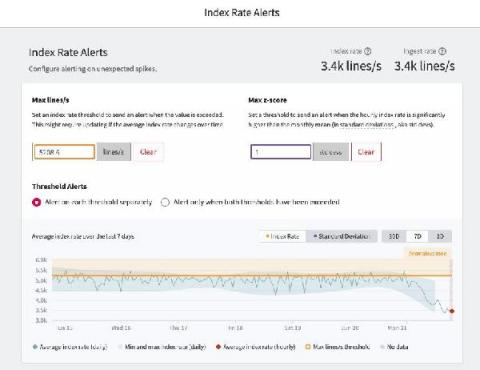
For DevOps teams that want to accelerate release velocity and improve reliability, logs can unlock the insights you need to move faster. But for managers and budget owners, logging can be an unpredictable pain. Trying to estimate logging spend, especially with the adoption of microservices and container-based architecture, seems like an impossible task.
The LogDNA Agent is a powerful way for developers and SREs to aggregate logs from their many applications and services into an easy-to-use web interface. With only 3 kubectl commands, the installation process is quick and simple to complete for any number of connected systems. To help control the logs that are stored and surfaced in the LogDNA web interface, users can set Exclusion Rules, which enables the exclusion of certain queries, hosts, and tags directly from the UI.
Siddhartha Agarwal, managing director, SaaS partnerships and co-innovation, Google Cloud at Google, co-authored this blog. When organizations embrace cloud as a core component of their IT operations, they have options: a wholesale migration to the public cloud, incremental or large-scale hybrid deployments, private clouds, or even running services across multiple clouds. More than 90% of enterprises have a multicloud strategy.
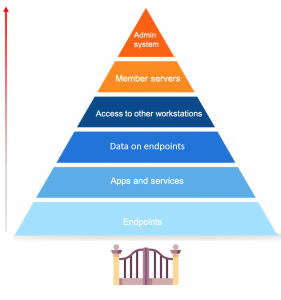
Endpoint security is a hot topic of discussion, especially now with so many businesses shifting to remote work. First, let’s define what endpoints are. Endpoints are end-user devices like desktops, laptops, and mobile devices. They serve as points of access to an enterprise network and create points of entry that function as gateways for malicious actors. Since end-user workstations make up a huge portion of endpoints, we’ll be focusing on their security.
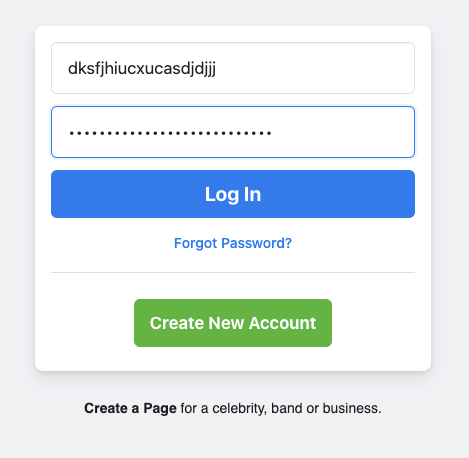
Authentication is at the heart of most web development, yet it is difficult to get right. In this article, Diogo Souza discusses common security problems with authentication systems and how you can resolve them. Even if you never build an authentication system from scratch (you shouldn't), understanding these security concerns will help you make sure whatever authentication system you use is doing its job.
Simply open up Cloud Storage Manager, then go to the FILE and then SEARCH. Now the Search window will open up in Cloud Storage Manager. Choose the category of the item you want searched for, either an Azure Storage Account, Container, or a Blob can be searched. Type in the name of what you want to search for in the SEARCH box and then finally choose if you want an Exact Match, Starts with, Ends with or Contains, then press Search.