Operations | Monitoring | ITSM | DevOps | Cloud

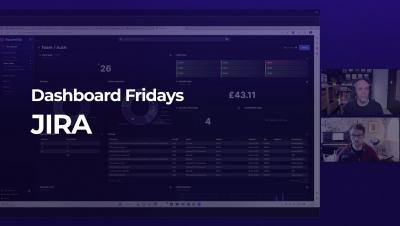
Dashboard Fridays: Sample Jira Dashboard

These Jira dashboards give a clear overview of your Jira instance and provide more details on the key items over which the engineering team needs oversight, like build status, critical bugs, and costs. Creating Jira dashboards in SquaredUp means Engineering Management doesn’t have the additional work of collating all the detailed Jira data to make sense of it from a high level. It also enables Release Teams to more easily consume data surfaced from all the engineering teams, while still being able to drill into the details of each dashboard as needed.

IT Security Checklist to Protect Your Business

During the COVID-19 Pandemic, it was reported that cybercrime increased by 600%. As the world has become more reliant on technology, whether for personal life or for business, cyberattacks have risen with it. Unfortunately, there are a lot of cybersecurity misconceptions that prevent businesses from adequately preparing for and responding to these attacks. More time and resources need to be spent protecting this critical information.

Testing doesn't stop at staging

Imagine a perfect world where software releases ship bug-free. Developers write perfect code the first time, all tests pass without issues, operations teams effortlessly deploy builds to production, and customers never experience defects. Everyone's happy, and the Engineering team can focus exclusively on building and delivering features. Of course, we don't live in a perfect world.

Install & Configure the AWS CLI | A Beginner's Guide

The AWS Command Line Interface (CLI) is a powerful tool that allows you to manage your AWS resources from the command line. Whether you are a developer, system administrator, or DevOps engineer, the AWS CLI can help you automate and streamline your workflows, increase productivity, and improve the security of your AWS infrastructure. In this article, we’ll cover the basics of installing and configuring the AWS CLI on Windows, Mac, and Linux.

Release 1.38.0: Dramatic performance and stability improvements, with a smaller agent footprint

We completely reworked our custom-made, time series database (dbengine), resulting in stunning improvements to performance, scalability, and stability, while at the same time significantly reducing the agent memory requirements. On production-grade hardware (e.g. 48 threads, 32GB ram) Netdata Agent Parents can easily collect 2 million points/second while servicing data queries for 10 million points / second, and running ML training and Health querying 1 million points / second each!

Azure File Shares: A Beginner's Guide

Azure File Shares is a cloud-based file sharing service that provides a secure, scalable, and highly available solution for storing and sharing files in the cloud. With Azure File Shares, you can store, share, and access files from anywhere, at any time, and from any device. Whether you’re a small business owner, a freelancer, or an enterprise-level organization, Azure File Shares can help you meet your file storage and sharing needs.

Troubleshooting Teams The Right Way

VIPs almost never open tickets, but you’ll know when they’ve got a problem with Microsoft Teams. Even when the rest of your team logs tickets for troubleshooting Teams issues there’s a good chance they won’t give you enough information about the problem – particularly if its hardware related. These are traditional challenges for IT departments trying to maintain Teams services. Luckily, we have the solution.

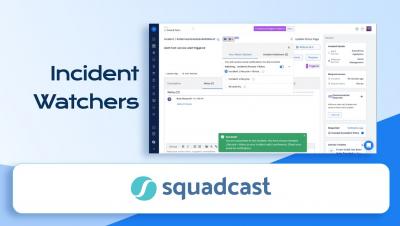
Adding Incident Watchers in Squadcast | Incident Notifications and Updates | Squadcast

This video talks about Squadcast's Incident Watchers Feature. In Squadcast, any user/stakeholder can subscribe to an Incident and act as a Watcher for an incident. Incident Watchers can choose to receive notifications for all the updates of an incident. This allows any user/stakeholder to act as an observer of the incident, even if they are not active responders. You can customize your watch options for the incident and receive notifications only for those updates.

Drive Down Your Network Complexity With Advanced Automation

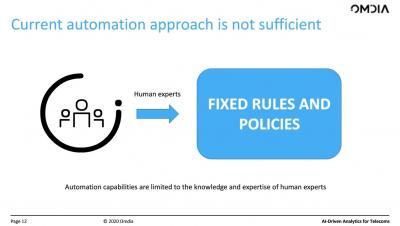
Service providers are spending billions of dollars a year dealing with network outages, service degradation and growing security threats. The increase in network traffic is a key factor resulting in these challenges. Consequently, automation is considered critical to enabling service providers to address operations and management issues resulting from this traffic increase. The traditional rules-based approach to implementing automation will not be sufficient to support the level of activity needed to control, manage and secure the network.