Before, to know detect a website changed its content or not, you had to manually visit the website and check by yourself. This is a thing from the past! Tools such as Hyperping can send instant alerts in case of changes. One way is making sure your API or marketing site returns the expected content. Some servers return an expected status code (200, OK) but can often return the wrong content in the response body, whether it is HTML content or JSON.
Alerting has come a long way from the days of paging an on-call administrator in the middle of the night, to multiple on-call teams that run and manage incident response around the clock. This is because as organizations grow and scale, responding to incidents also gets more complex and you often need more than one team to get involved to successfully resolve an incident.
This week’s AWS Summit in New York was an exciting one for both AWS and PagerDuty. The AWS team rolled out Amazon EventBridge, a set of APIs for AWS CloudWatch Events that makes it easy for AWS SaaS partners to inject events for their customers to process in AWS. PagerDuty is excited to continue and deepen our long partnership with AWS by supporting EventBridge as a launch partner.
I hear it all the time when talking to future BigPanda customers; “I’m not sure BigPanda can really help me correlate all these alerts together because our CMDB is very immature.” Or sometimes, they don’t even have a CMDB, and incorrectly assume this disqualifies them from meaningful noise reduction and alert correlation. I’m happy to tell you the same thing I tell the folks who are looking at BigPanda for the first time. “No CMDB? No problem!”.
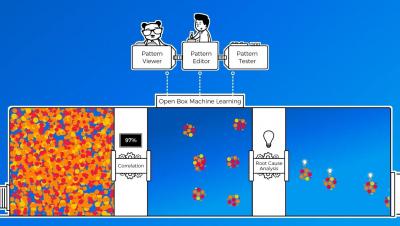
There used to be a distinct, technical separation between terms such as AI and machine learning (ML) – but only while these technologies remained largely theoretical. As soon as they became practical in the real world, and then commodifiable into products, the marketers stepped in. Widespread overuse of the terms AI/ML in marketing have managed to thoroughly confuse the meanings of these words.
In the IT world, support teams race to resolve incidents, ensuring that clients and stakeholders remain satisfied. Yet, many teams struggle to meet time-to-response goals due to ineffective alerting processes, human errors and sluggish procedures.
July 2019 Update introduces the option to opt-out for certain categories as well as some enhancements in the Web portal. You can now opt-in/out of certain categories under Settings -> Services & Systems. This works on a per-user basis and is useful when you do not want to receive certain alerts but your team members still need to get them. Another scenario is to listen in, meaning you see what is going on but all notifications can be muted.