Operations | Monitoring | ITSM | DevOps | Cloud

The latest News and Information on Containers, Kubernetes, Docker and related technologies.

Kubernetes vs Nomad: What to Choose in 2022?

Kubernetes has become an enormously popular choice for containerized applications since its 2014 launch. Many software developers rely on the tool, which is now in v1.23.1. However, there are other choices on the market for container orchestration. One such tool is Nomad, originally launched in 2015. Generally pitched as an alternative to Kubernetes, Nomad, which most recently released v1.2, promotes itself as a simple, flexible option for software teams.
How to maximize K3s resource efficiency using Calico's eBPF data plane

Amazon’s custom-built Graviton processor allows users to create ARM instances in the AWS public cloud, and Rancher K3s is an excellent way to run Kubernetes in these instances. By allowing a lightweight implementation of Kubernetes optimized for ARM with a single binary, K3s simplifies the cluster initialization process down to executing a simple command.

Enabling simple, cost-effective Kubernetes on IBM Z with MicroK8s

Containerisation has transformed the enterprise IT landscape, driving faster, more secure, and more predictable software delivery than ever before. Thanks to technologies like Docker, building containerised applications is easy, and many businesses are working with hundreds or even thousands of containers. To effectively deploy and manage all of these microservices, a container orchestration tool is essential, and Kubernetes is the leading solution.

Lightrun Releases KoolKits - Debugging Toolkits for Kubernetes

KoolKits (Kubernetes toolkits) are highly-opinionated, language-specific, batteries-included debug container images for Kubernetes. In practice, they’re what you would’ve installed on your production pods if you were stuck during a tough debug session in an unfamiliar shell. To briefly give some background, note that these container images are intended for use with the new kubectl debug feature, which spins up Ephemeral containers for interactive troubleshooting.

KoolKits - Highly-opinionated, batteries-included Kubernetes debugging toolkits

KoolKits (Kubernetes toolkits) are language-specific container images that contain a (highly-opinionated) set of tools for debugging applications running in Kubernetes pods. You can read more about the motivation behind this project here. Those images are intended for use with the new kubectl debug feature, which spins up Ephemeral containers for interactive troubleshooting. A KoolKit will be pulled by kubectl debug, spun up as a container in your pod, and have the ability to access the same process namespace as your original container.

Automate Deployments to Amazon EKS with Skaffold and GitHub Actions

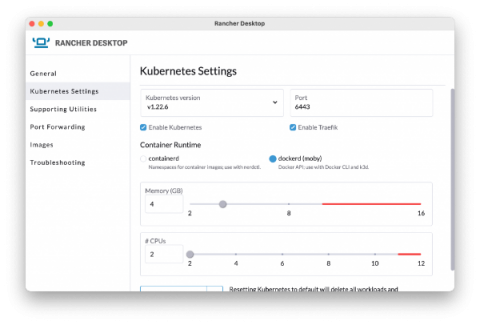
Creating a DevOps workflow to optimize application deployments to your Kubernetes cluster can be a complex journey. I recently demonstrated how to optimize your local K8s development workflow with Rancher Desktop and Skaffold. If you haven’t seen it yet, you can watch it by viewing the video below. You might be wondering, “What happens next?” How do you extend this solution beyond a local setup to a real-world pipeline with a remote cluster?

Five tools to increase Kubernetes developer productivity

This article was inspired by our recent "5 tools to increase Kubernetes developer productivity" video, hosted by Saiyam Pathak and Kunal Kushwaha. Over the years Kubernetes has become the de facto orchestration platform, as such it's crucial that developers have the right set of tools to increase their productivity for development and operations. In this article, we take a look at five such tools that can help developers inprove productivity while when Kubernetes. Let’s jump in.

37 minutes to deploy a fullstack app on my new AWS account

Today, I was working on our Terraform Provider, and I noticed that I never tried to deploy an application from scratch on a new and clean AWS account. Meaning, an empty AWS account - with 0 resources created. No VPC, no EC2, no Load Balancer, nothing... just an IAM user to get access to my AWS account programmatically. This post explains what I did and how it took 37 minutes and 33 seconds to literally: 😅 Let's explain all of that!