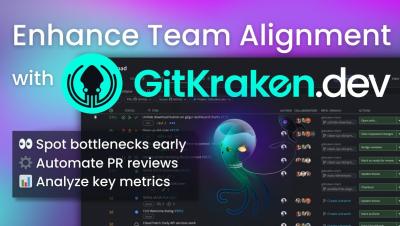
Quickly view everything on your plate with GitKraken Desktop's Launchpad. Once you're ready to dive in, simply create a branch directly from the issue & start coding!
As a part of Perforce, we are committed to maintaining the highest standards of security for our products and our customers. Recently, we had the opportunity to further strengthen our security practices thanks to valuable input from an independent security researcher. This experience has not only reinforced our robust security protocols but also provided insights that we're eager to share with the wider tech community.
Learn how the GitKraken DevEx platform simplifies managing your Jira issues. With GitKraken Desktop, you can effortlessly view and update Jira issues directly from your Git workspace. Create branches from Jira issues, link commits, and maintain traceability with deep linking back into GitKraken tools from Jira. Enhance productivity with features like smart commits and automated issue transitions, ensuring your Jira workflows are efficient and synchronized.
Made a mistake? Behold: the undo button! But remember, not every action in Git is reversible, so always double-check. Oh, and redo's always there if you ever need to "undo" an undo.
This handy command is best utilized whenever you want to back up a few commits, especially if you commit often. Plus, GitKraken Desktop lets you easily stash changes so you can get back to them later.
When it comes to improving your coding workflow, Visual Studio Code (VS Code) extensions are a fan favorite among devs worldwide. Well-known extensions like Prettier for code formatting, ESLint for identifying and fixing problems, and Live Server for launching a local server are fantastic, but there are plenty of hidden gems offering unique features these popular tools don’t cover. We turned to Reddit to find out which lesser-known VS Code extensions the community’s talking about.
Ever needed to go back a commit but keep your changes intact? Learn how to use 'Git reset mixed' in GitKraken Desktop to refine your commits without losing progress! Perfect for those 'oops' moments.
Interactive rebase editor not appearing as an option in GitKraken Desktop? Make these these criteria have been met first. Watch our latest GitKraken Desktop tutorial to maintain a clean, understandable commit history!
Article updated June 2024 Is your current Subversion (SVN) version control system not meeting the needs of your development team? Perhaps you’ve heard of Git, but you’re so entrenched in SVN that converting to a new version control system seems like a daunting task. Fear not! No task is insurmountable when you have the power of the legendary GitKraken Desktop on your side.
Learn how to use GitKraken Desktop's interactive rebase editor! Whether you want to pick, reword, squash, or drop a commit, this handy feature makes it quick and intuitive. Rebase commits normally, edit commit messages, combine commits, or remove them entirely! Check out our latest GitKraken Desktop tutorial to see it in action.