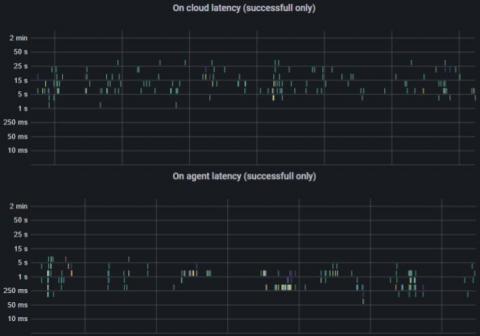
CircleCI cloud offers over 20 resource classes (varying CPU and RAM) across multiple execution environments. Finding the best resource class size for your job — not too big and not too small — can sometimes be a challenge. But now, you can view CPU and RAM usage for Docker executors within the UI. The new dashboard, found in the new Resources tab on the job details page, displays the CPU and RAM, for all parallel runs in your Docker job.
For the past three years, I have been running and facilitating a community where folks from all levels and departments at CircleCI can come together to discuss diverse topics. We call it “Let’s Talk Engineering.” Some of the topics we’ve covered have been technical in nature, while others have focused more on leadership: how different teams operate, personal growth, and writing to name a few. Let’s Talk Engineering celebrates interdisciplinarity and multidisciplinarity.
Before we talk about OpenTelemetry, we should talk about telemetry. Telemetry is: And an instrument is: For the purpose of measuring running computer software and systems, our instruments are virtual instruments. That is to say, code that measures other code. It sounds simple: read a measurement and send it to a remote location. In practice, to make that telemetry data useful in today’s cloud-native and ever more complex environments, there are huge logistical and technical hurdles to overcome.
OpenTelemetry is enabling a revolution in how Observability data is collected and transmitted. See our What Is OpenTelemetry post on why this is an important inflection point in the Observability space. In this post, we’ll walk through how to configure the OpenTelemetry Gems within a Rails app.
This blog post is part 2 of our Monitoring Microsoft Azure Active Directory series. Managing Identity is a big challenge in a cloud environment, especially when users can potentially log in from anywhere. Additionally, users can often use different types of devices to log in and access cloud-hosted resources. Without a central Authentication and Authorization source, it is very difficult to manage who can login to what and who can do what with a cloud resource.
It’s soon two years since I’ve introduced you to Icinga L10n. There I’ve talked about a place on-line to ease collaboration. So, without further ado, let me introduce you to translate.icinga.com! We’re using Weblate on there and hope that interested users may already be familiar with it. The basic tools are easy to grasp though. And even if not, it has an extensive user documentation.