Operations | Monitoring | ITSM | DevOps | Cloud

Comparing Rails Application Performance Monitoring Tools

Monitoring an application’s performance is the basics of building a successful software product. With the popularity that Rails has always been riding on in the start-up world, it makes all the more sense to look for tools that help you keep your Ruby on Rails application in shape. In this guide, we will look at some of the top APM tools for Rails applications and compare them along some standard benchmarks to help you get an insight into which tool fits your use case the best.

Trigger a Kubernetes HPA with Sysdig metrics

In this article, you’ll learn, through an example, how to configure Keda to deploy a Kubernetes Horizontal Pod Autoscaler (HPA) that uses Sysdig Monitor metrics. Keda is an open source project that allows using Prometheus queries to scale Kubernetes pods. In Trigger a Kubernetes HPA with Prometheus metrics, you learned how to install and configure Keda to create a Kubernetes HPA triggered by a standard Prometheus query.

Trigger a Kubernetes HPA with Prometheus metrics

In this article, you’ll learn how to configure Keda to deploy a Kubernetes HPA that uses Prometheus metrics. The Kubernetes Horizontal Pod Autoscaler can scale pods based on the usage of resources, such as CPU and memory. This is useful in many scenarios, but there are other use cases where more advanced metrics are needed – like the waiting connections in a web server or the latency in an API.

Automate, Group, and Get Alerted: A Best Practices Guide to Monitoring your Code - Part 2

Missed part one? Check out the full guide here. As companies grow, so do their products, teams, and the number of external tools. For engineers, that can mean code sprawl, data silos, notification fatigue, and some “what the…?” moments along the way as they try to make sense of it all.

Debugging CI/CD pipelines with SSH access

In my interactions at industry events like AWS re:invent and KubeCon, I talk with a lot of developers. Devs often tell stories of things that prevent them from working quickly and efficiently. Many involve frustrating interactions with sys admins, SREs, or DevOps colleagues. One story I have heard several times involves a conversation like this: dev: Hey, SRE team. My build is failing and I don’t know what’s happening with the app in the build node.

WordPress + GitHub

If you’ve been building client websites for a while, you may remember a time before WordPress. A time when building websites meant creating every HTML page by hand. At some point, you probably decided that there were common features that every customer needed on their site, so you started using one customer’s website as the template for the next. Of course these days, WordPress is the underlying software for many modern websites, and there’s no need to re-invent core functionality.

Logs for Ops

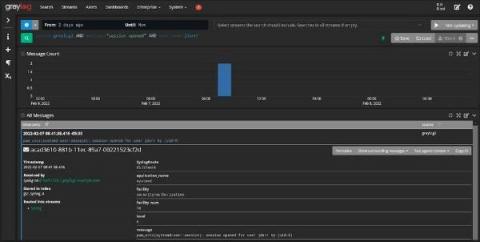
The evolution of machine data and logging in general has shifted multiple times over the last couple of decades. The log began with Unix and was rooted in command line actions like tail or grep. It evolved from system-based logs to application-based logs and eventually became more UI-friendly and readable. Not only has the log itself evolved, but the purpose of the log and audience for the log has morphed over time as well.

Getting started with Disk attacks

Persistent storage is one of the more difficult aspects of managing distributed systems. When we attach a storage device to a host—whether it’s flash storage, network attached storage (NAS), or old fashioned spinning disks—we generally don’t give it much thought until we start running distributed applications or need to increase capacity. But there’s more that can go wrong with storage, and this can have unexpected consequences for our systems, services, and applications.

Dashboard Fridays

We are excited to announce a new community initiative – Dashboard Fridays. Dashboard Fridays is a bite-sized video series where we share and discuss a range of different dashboards created for the community, by the community. Each video is no longer than 20min, so grab a coffee and let’s talk dashboards! Each episode, we will zoom in on one stellar dashboard put together by a member of the community.