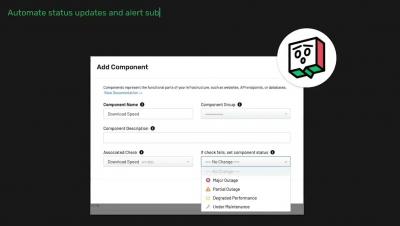
Get a quick tour of the Uptime.com Status Page solution. Uptime.com has you covered regardless of your needs from SLA accountability, to Public Status updates, to Internal communications. For more information click the link in our banner to check out our free trial, or explore our support documentation for more details.
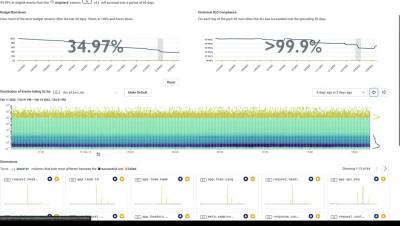
In this 3-minute video, you’ll see how Honeycomb’s actionable SLOs can help you get to the source of an issue faster. Using a real production SLO (latency per-event) as an example, we walk you through what exhaustion time alerts are and how to configure them, as well as how to use a heatmap to investigate and take action when things happen.
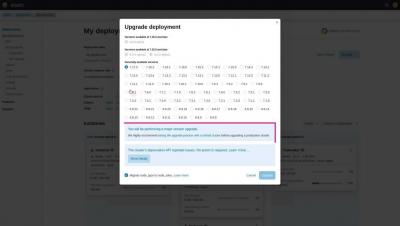
On Elastic Cloud, you can upgrade your Elastic Cloud deployment to a new version with a few clicks. This video walks you through the upgrade process on the Elastic Cloud console.
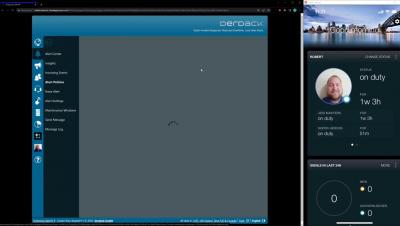
A quick video for how to create the CloudBridge between Enterprise Alert and Signl4 and how to set the Signl4 teams as a destination in Enterprise Alert.
A quick video for how to create the CloudBridge between Enterprise Alert and Signl4 and how to set the Signl4 teams as a destination in Enterprise Alert.
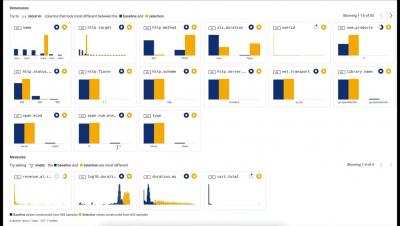
In this 3-minute video, you’ll learn how to use heatmaps to visualize a large number of events over different time buckets. This video also covers how you can combine heatmaps with Honeycomb’s BubbleUp feature to speed up your debugging workflow.
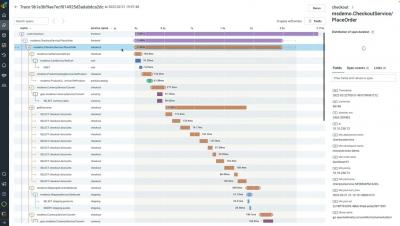
In this 3.5-minute video, we show you how to find all the details associated with your traces. You’ll also learn how you can navigate and customize the waterfall trace view in Honeycomb.