Operations | Monitoring | ITSM | DevOps | Cloud

The latest News and Information on Monitoring for Websites, Applications, APIs, Infrastructure, and other technologies.

Unpacking Events: All the Better to Observe

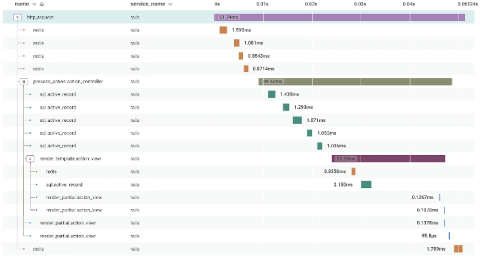
At Honeycomb, we’ve been listening to your feedback. You want easier ways to predict usage and scale your observability spend with your business. What would it look like to meet you where you already are, using similar terms, and give you more control with a simpler experience? We think that means reimagining the customer experience into one that centers around an event-based model. But what exactly is an event? What does that mean for your team’s observability journey?


Free AIOps and Remote Access with OpsRamp's Infrastructure Discovery & Monitoring

We realize that many companies are facing tighter technology budgets right now, yet at the same time IT needs are unrelenting. From supporting remote workforce continuity and productivity to partnering with business leaders on redesigning products and services during the Covid-19 pandemic, IT organizations have some pretty heavy mandates right now.

How to Keep IT Infrastructure Fresh and Fit for Purpose

As a network evolves over time, new devices are added, old devices begin to show their age, and some devices are completely forgotten about. It’s a natural consequence of mergers, upgrades, staff turnovers, and other common occurrences that contribute to redundancy or excess complexity in IT infrastructure.

The Cost of Website Downtime

With Black Friday and Cyber Monday just behind us, and the Christmas and January sales on the horizon, the cost of downtime is a question that should be of concern to all business owners and e-commerce managers. It should be a concern, but is website downtime always given the consideration it deserves in your business? A company website is a critical component of any modern business, but for businesses who rely on online sales, it really is of paramount importance.

Why a CDN Doesn't Solve All Your Performance Needs

A Content Delivery Network, or CDN, is a collection of proxy servers that are connected to the same origin server, and are geographically distributed relative to end users. Instead of utilizing a single server to respond to user requests, CDN edge servers are able to deliver content more effectively and efficiently to users based on their physical location. For example, if someone from Europe accesses your U.S.-hosted website, it would likely be done through a local U.K.

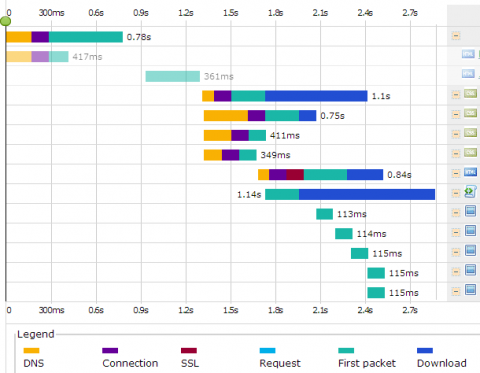
Time for a CDN? Waterfall Charts Have 90 Percent of the Answers

When was the last time you looked into the loading time of your website on actual end user screens? Do you know that the load time of your website content may significantly vary from different geographical locations? An end user sitting in Los Angeles may face a delay in downloading your web page and content than a user accessing your web page from London. The simple fact is lots of back-end processes are happening behind the scene to deliver your website and content to the end uses.

Why Traditional Monitoring Isn't Enough for Modern Web Applications

Website and web application technologies have grown tremendously over the years. Websites are now more than just the storage and retrieval of information to present content to users. They now allow users to interact more with the company in the form of online forms, shopping carts, Content Management Systems (CMS), online courses, etc. The list goes on and on.

How LineMetrics Uses InfluxDB to Launch Its IoT Monitoring Platform

“What would it be like to have an asset monitoring solution that can be installed within minutes and is independent of all existing IT systems, without endangering existing processes?” LineMetrics was founded in 2012 in Haag, Austria, in response to questions just like this one. LineMetrics developed a complete real-time asset monitoring solution delivered through its end-to-end Internet of Things (IoT) platform.

Introducing template variable saved views for dashboards

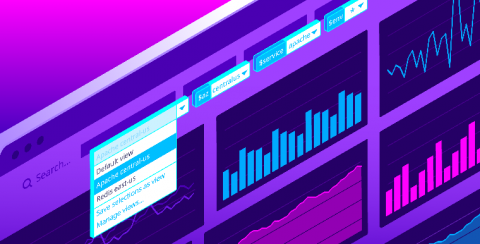
Datadog dashboards provide immediate visibility and insight into your environments. Setting template variables enables you to filter your dashboard graphs on the fly to visualize specific sets of tagged objects. Now, with saved views, you can save sets of frequently used template variables in order to easily find the data you most care about with just a few clicks.