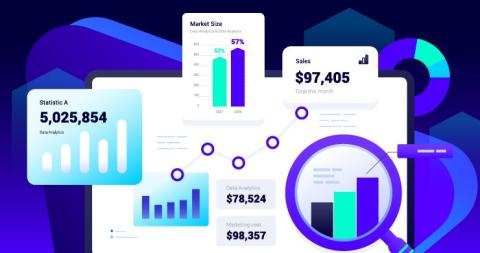
What’s running in your automation right now? Meet the Scheduled Jobs Dashboard. See every workflow Track status in real time Know what ran and what’s next No guesswork. Just control.
Here is a number worth sitting with: field engineers spend between 25 and 40% of their working day on tasks that have nothing to do with fixing anything. No diagnostics. No repairs. No customer uptime. Just sourcing part numbers, cross-referencing OEM manuals, translating customer-specific documentation, and waiting on help desks that are fielding the same questions they fielded last week.
For the world’s largest financial institutions, places like Citi and National Australia Bank, shipping code fast is just part of the job. But at that scale, speed is nothing without a rock-solid security foundation. It’s the non-negotiable starting point for every release. Most Harness users believe they are fully covered by our fine-grained Role-Based Access Control (RBAC) and Open Policy Agent (OPA).
Modern CI/CD platforms allow engineering teams to ship software faster than ever before. Pipelines complete in minutes. Deployments that once required carefully coordinated release windows now happen dozens of times per day. Platform engineering teams have succeeded in giving developers unprecedented autonomy, enabling them to build, test, and deploy their services with remarkable speed. Yet in highly regulated environments-especially in the financial services sector-speed alone cannot be the objective.
AI coding assistants help you ship code faster, but where do the bottlenecks go? They move downstream: into security, deployment, and cost controls. In this short video, Dewan Ahmed highlights how Harness’s March updates deliver closed-loop AI velocity by targeting those downstream stages.
Sometimes a simple stack trace won’t provide enough information for you to debug the issue at hand. There are types of issues that require you to know what happened leading up to the exception. In those cases, reach for tracing. Distributed tracing gives you an overview of every operation that happened during the execution of a certain functionality across your whole stack. Aside from being an awesome debugging tool, it also lets you identify any performance bottlenecks in your application. In this video you’ll learn how to view traces in Sentry and implement them in your Next.js application.
In Sentry, it’s now possible to create dashboards using an agent. Simply navigate to Dashboards, click “Create Dashboard”, choose “Generate dashboard”, and provide a prompt describing the dashboard you wish to generate. Agentic dashboard creation is available for all Early Adopters with Generative AI Features enabled.
Netdata AI can already troubleshoot your alerts and generate Insights reports. What it couldn’t do, until now, was have a back-and-forth conversation. You could get a one-shot analysis, but you couldn’t ask follow-up questions, pull in additional context, or go from a quick question to a full investigation without starting over. We’ve added a conversational layer to Netdata AI.
Standardize. Visualize. Drive Change. Cortex is the leading Engineering Operations Platform that helps organizations define what "good" looks like and empowers teams to reach those standards. From tracking DORA metrics to driving large-scale migrations, Cortex provides the visibility and tools necessary to maintain a high-performing engineering culture. In this video, you’ll see how to: Set the Standards: Create custom Scorecards (like Operational Maturity or DORA Metrics) with automated rules integrated directly from tools like PagerDuty, Incident.io, and GitHub.
Datadog Session Replay gives teams a video-like view of what real users experienced in their applications. Engineers rely on replays to connect errors and slowdowns to actual user behavior, while product managers use them to understand friction and improve critical flows. But finding the right replay and the right moment often means manually scanning long sessions without knowing whether they contain relevant signals.